
Glarysoft Software Update
Glarysoft Software Update: A Windows updater with LAN management, batch upgrades, and silent installation. Ranked #23 of 29 in Software Update Tools by our editors (6.8/10); pricing: Free plan; best for windows users needing LAN deployment.
At a glance
- Editor score6.8 / 10
- PricingFree plan
- Best forWindows users needing LAN deployment
- Free planYes
- Paid from$29.95/yr
- Operating systemsWindows-only
- Facts checked20 Sep 2026
Where it wins
- Free scanning, update information, and direct download links
- Pro adds batch upgrades and silent installation
- Technician manages updates across PCs on a local network
Where it doesn't
- Windows-only platform support
- No scheduling or rollback controls
- Technician costs $119 per year
Our verdict on Glarysoft Software Update
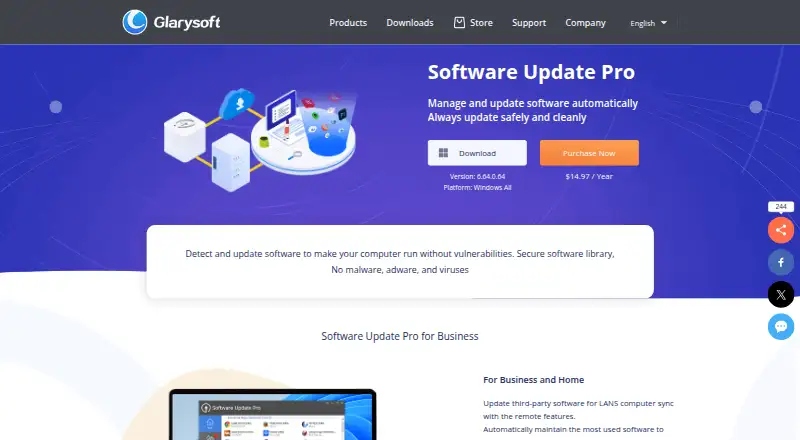
Glarysoft Software Update is a Windows utility for scanning installed applications, checking Glarysoft’s software library for newer versions, and showing update information with direct download links. The free edition suits individual Windows users who want to identify available updates without paying for automated installation. Organizations or service providers managing multiple local Windows PCs are the more relevant audience for the paid tiers.
The pricing structure is freemium. Free includes update scanning, update information, and download links. Pro costs $29.95 per year and adds automatic software updates, batch software upgrades, silent installation, and remote management. Technician costs $119 per year and is positioned as a software update tool for service providers. The paid plans therefore matter most when update installation needs to move beyond individual, manual decisions. The published plans also allow beta-version scanning to be enabled or disabled and support ignoring selected versions or all versions.
Its clearest point of difference is local-network administration. Pro supports remote management for software installation and updates across LAN PCs, while Technician is aimed at service-provider workflows. That makes the product a practical fit for Windows environments that need centralized updating without broader platform coverage. Buyers should choose it when Windows support, direct downloads, batch upgrades, silent installation, or LAN management are priorities. Users who need operating-system coverage beyond Windows, or controls for scheduling and rollback, should consider a different software update tool.
Your product? Our editors can test Glarysoft Software Update in depth and publish a review, labelled as paid · from $149/mo →
Glarysoft Software Update pricing
All 3 Glarysoft Software Update plans and prices →
Glarysoft Software Update fact sheet
| Free plan | Yes |
|---|---|
| Paid from | $29.95/yr |
| Operating systems | Windows-only |
| Silent installation | Yes |
| Bulk app updates | Yes |
| Custom app support | Not verified |
| Portable version | Not verified |
| Scheduled scans | Not verified |
| Update rollback | Not verified |
| Money-back guarantee | 90 days |
| Deployment | Desktop |
| Platforms | Windows |
| Support | Email · 24/7 |
| Built for | Solo, Small business, Mid-market, Enterprise (editorial estimate) |
| Pricing | Free plan (source) |
| Website | glarysoft.com |
| Facts checked | 20 Sep 2026 |
Alternatives to Glarysoft Software Update
- UniGetUIA free, broad package-management interface for bulk updates, automation, and backups.9.4
- Patch My PCA Microsoft-integrated patching platform with a free option and paid enterprise reporting.9.2
- Ninite ProA focused Windows patching tool with bulk actions, policies, reporting, and RMM integrations.9.0


See all Glarysoft Software Update alternatives →
Used Glarysoft Software Update? Be the first to review it
The editor score above is our own research. What this page doesn't have yet is a reader's view — what you used Glarysoft Software Update for, what worked and what didn't. No stars are seeded and no review is paid for; an editor reads every one before it appears.
Write a reviewTwo minutes · verified accounts only · read by an editor before it appears
Featured on iTechGuides

Glarysoft Software Update is listed in our Software Update Tools directory. Add the badge to your site — it links back to this page.
<a href="https://www.itechguides.com/products/glarysoft-software-update/"><img src="https://www.itechguides.com/best/badge/glarysoft-software-update.svg" alt="Featured on iTechGuides" width="230" height="46"></a>
Reviewed by iTechGuides Editors · Editorial team · Updated Oct 2026
Advertiser disclosure: iTechGuides is reader-supported. Vendors can pay for top positions in our rankings and for a place on other products' pages, and we may earn a commission when you click some links. Bought places stand at the number bought; this page and our disclosure say so. Paying vendors may get a fuller, more detailed review from our editors, and that review can change their score. How we rank.
Last updated · How we research and update