Gitsign
Gitsign: A focused open-source option for keyless Git commit and tag signing. Ranked #20 of 28 in Code Signing Software by our editors (7.0/10); pricing: Free plan; best for free keyless Git commit signing.
At a glance
- Editor score7.0 / 10
- PricingFree plan
- Best forFree keyless Git commit signing
- Free planYes
- Paid fromFree
- Supported targetsGit commits; Git tags
- Facts checked20 Sep 2026
Where it wins
- Keyless Git commit and tag signing with OIDC authentication
- Rekor transparency logs, certificate claims, and trusted timestamping
- CI token providers for GitHub Actions and Buildkite
Where it doesn't
- Supports Git commits and tags rather than broader signing targets
- Uses a command-line workflow rather than a graphical interface
- Cloud signing is not supported
Our verdict on Gitsign
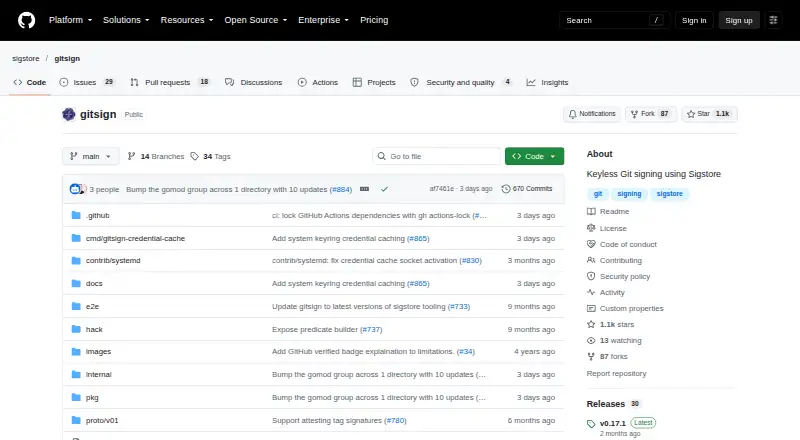
Gitsign is an open-source command-line tool for signing and verifying Git commits and tags. It is aimed at developers and engineering teams that want keyless signing through an OIDC identity provider instead of managing long-lived signing keys. The tool supports Windows, macOS, and Linux, and works with Git’s X.509 signing configuration for local repositories and automated environments.
Its signing flow uses short-lived certificates from Fulcio and records signing data in Rekor, with verification based on certificate identity claims. Gitsign supports both offline and online Rekor modes, plus configurable RFC 3161 trusted timestamping. These features give teams a way to inspect signing identity claims and maintain transparency-log records while keeping the workflow centered on Git artifacts. Private Sigstore instances can also be configured instead of the public Sigstore services used by default.
For automation, Gitsign includes CI token providers for GitHub Actions and Buildkite and integrates with OIDC identity providers, Fulcio, and Rekor. The main trade-off is scope: its supported targets are Git commits and Git tags, so teams looking for broader software, file, or cloud-signing workflows should choose a different code-signing product. Gitsign is a strong fit when the requirement is free, open-source, keyless Git signing across developer workstations and CI pipelines; it is less suitable when a graphical interface, cloud signing, or wider artifact coverage is required.
Your product? Our editors can test Gitsign in depth and publish a review, labelled as paid · from $149/mo →
Gitsign pricing
Gitsign fact sheet
| Free plan | Yes |
|---|---|
| Paid from | Free |
| Supported targets | Git commits; Git tags |
| Certificate provided | Yes |
| Cloud signing | No |
| HSM key protection | Not verified |
| Trusted timestamping | Yes |
| CI/CD signing | Yes |
| Approval workflows | Not verified |
| Deployment | Desktop |
| Platforms | Windows, macOS, Linux |
| Support | Docs, Community |
| Built for | Solo, Small business, Mid-market, Enterprise (editorial estimate) |
| Integrations | 6 integrations: Git, GitHub Actions, Buildkite, OIDC identity providers, Fulcio, Rekor |
| Pricing | Free plan |
| Website | github.com |
| Facts checked | 20 Sep 2026 |
Gitsign integrations
Gitsign lists 6 integrations on its own site.
- Git
- GitHub Actions
- Buildkite
- OIDC identity providers
- Fulcio
- Rekor
Alternatives to Gitsign
- SignPathGoverned signing for teams shipping software across diverse artifact formats.9.4
- DigiCert Software Trust ManagerEnterprise signing governance for artifacts, approvals, keys, and release pipelines.9.2
- SignServerA flexible open-source signing server with enterprise controls for production deployments.9.0



See all Gitsign alternatives →
Used Gitsign? Be the first to review it
The editor score above is our own research. What this page doesn't have yet is a reader's view — what you used Gitsign for, what worked and what didn't. No stars are seeded and no review is paid for; an editor reads every one before it appears.
Write a reviewTwo minutes · verified accounts only · read by an editor before it appears
Featured on iTechGuides

Gitsign is listed in our Code Signing Software directory. Add the badge to your site — it links back to this page.
<a href="https://www.itechguides.com/products/gitsign/"><img src="https://www.itechguides.com/best/badge/gitsign.svg" alt="Featured on iTechGuides" width="230" height="46"></a>
Reviewed by iTechGuides Editors · Editorial team · Updated Oct 2026
Advertiser disclosure: iTechGuides is reader-supported. Vendors can pay for top positions in our rankings and for a place on other products' pages, and we may earn a commission when you click some links. Bought places stand at the number bought; this page and our disclosure say so. Paying vendors may get a fuller, more detailed review from our editors, and that review can change their score. How we rank.
Last updated · How we research and update