gImageReader
gImageReader: A free, open-source desktop OCR tool with strong proofreading and PDF workflows. Ranked #23 of 40 in OCR Software by our editors (6.4/10); pricing: Free plan; best for desktop OCR with proofreading controls.
At a glance
- Editor score6.4 / 10
- PricingFree plan
- Best forDesktop OCR with proofreading controls
- Free planYes
- Paid fromFree
- Facts checked23 Sep 2026
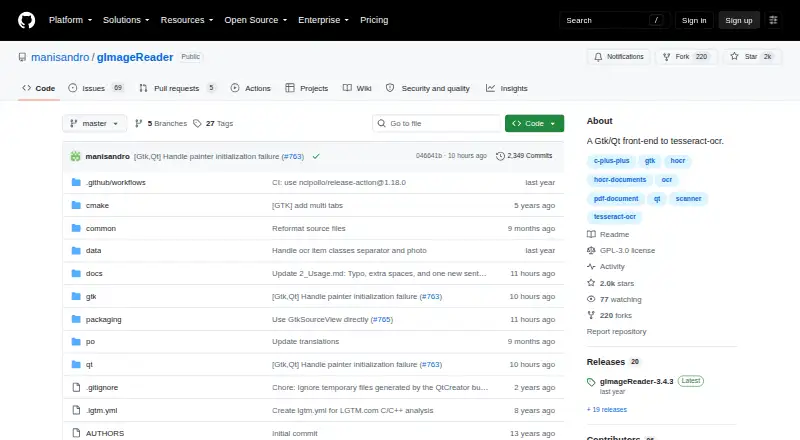
Where it wins
- Imports PDFs and images from scanners, clipboard, screenshots, and disk
- Batch processing with manual or automatic recognition-area selection
- Proofreading, hOCR editing, and PDF generation in one desktop workflow
Where it doesn't
- Depends on Tesseract OCR for recognition
- Desktop coverage is limited to Windows and Linux
- Output centers on plain text, hOCR, and PDF rather than Word files
Our verdict on gImageReader
gImageReader is a free, open-source desktop application for turning PDFs and images into recognized text. It provides GTK and Qt graphical interfaces for Tesseract OCR and supports material from disk, scanners, the clipboard, and screenshots. The workflow suits people who want local desktop OCR with control over recognition areas, proofreading, and export rather than a broader cloud document platform.
Its standout strength is the review workflow. Users can display source images beside recognized text, select recognition areas manually or automatically, apply spellchecking and post-processing, and edit hOCR documents before batch export. Multiple images and documents can be processed together, while PDF generation from hOCR documents supports searchable PDF workflows. Plain-text and hOCR output provide options for users who need editable recognition results as well as formatted document structure.
The product stays focused on a narrow desktop use case. It runs on Windows and Linux, with builds or packages for several Linux distributions, and it can be compiled from source. Tesseract is the OCR engine integration, so the application is best suited to users comfortable with a desktop tool centered on that ecosystem. Choose gImageReader when open-source licensing, local processing, batch work, and proofreading controls matter most. Choose a broader platform instead when you need wider operating-system coverage or a more expansive document workflow.
Your product? Our editors can test gImageReader in depth and publish a review, labelled as paid · from $149/mo →
gImageReader pricing
gImageReader fact sheet
| Free plan | Yes |
|---|---|
| Paid from | Free |
| Searchable PDF | Yes |
| Word export | No |
| Handwriting OCR | Not verified |
| Supported languages | Not verified |
| Monthly page limit | Not verified |
| Primary platform | Desktop |
| Supported inputs | Both |
| Deployment | Desktop |
| Platforms | Windows, Linux |
| Support | Email, Tickets, Docs |
| Built for | Solo, Small business (editorial estimate) |
| Integrations | 1 integrations: Tesseract OCR |
| Pricing | Free plan |
| Website | github.com |
| Facts checked | 23 Sep 2026 |
gImageReader integrations
gImageReader lists 1 integrations on its own site.
- Tesseract OCR
Alternatives to gImageReader
- PaddleOCRA developer-focused OCR toolkit with multilingual, handwriting, and document parsing workflows.9.3
- Tesseract OCRA mature, developer-focused OCR engine with broad outputs and self-hosting flexibility.9.1
- ABBYY FineReader PDFA broad desktop PDF suite for OCR, editing, conversion, forms, and document control.9.0

See all gImageReader alternatives →
Used gImageReader? Be the first to review it
The editor score above is our own research. What this page doesn't have yet is a reader's view — what you used gImageReader for, what worked and what didn't. No stars are seeded and no review is paid for; an editor reads every one before it appears.
Write a reviewTwo minutes · verified accounts only · read by an editor before it appears
Featured on iTechGuides

gImageReader is listed in our OCR Software directory. Add the badge to your site — it links back to this page.
<a href="https://www.itechguides.com/products/gimagereader/"><img src="https://www.itechguides.com/best/badge/gimagereader.svg" alt="Featured on iTechGuides" width="230" height="46"></a>
Reviewed by iTechGuides Editors · Editorial team · Updated Oct 2026
Advertiser disclosure: iTechGuides is reader-supported. Vendors can pay for top positions in our rankings and for a place on other products' pages, and we may earn a commission when you click some links. Bought places stand at the number bought; this page and our disclosure say so. Paying vendors may get a fuller, more detailed review from our editors, and that review can change their score. How we rank.
Last updated · How we research and update