GiliSoft VoiceLab
GiliSoft VoiceLab: A Windows voice tool with conversion, custom voices, and point-based pricing. Ranked #24 of 29 in AI Voice Conversion Software by our editors (6.5/10); pricing: Paid; best for windows users wanting local voice tools.
At a glance
- Editor score6.5 / 10
- PricingPaid
- Best forWindows users wanting local voice tools
- Free planNo
- Paid from$29.99 one-time
- Voice cloningYes
- Founded2005
- Facts checked20 Sep 2026
Where it wins
- Converts uploaded audio or video into a selected voice
- Creates reusable custom voices from authorized reference recordings
- Includes multilingual search, previews, favorites, and task history
Where it doesn't
- Windows-only availability limits platform choice
- No free plan for initial access
- Point packages add usage-based planning to one-time pricing
Our verdict on GiliSoft VoiceLab
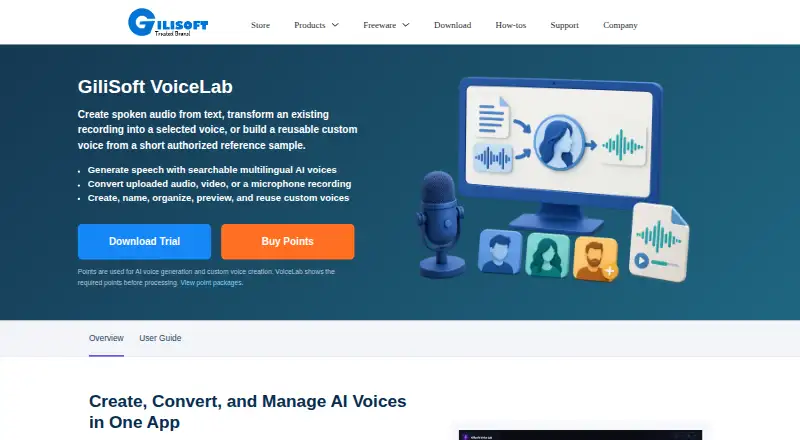
GiliSoft VoiceLab is a Windows application for generating speech from entered or imported text, converting uploaded audio or video, and creating reusable custom voices from authorized reference recordings. It is aimed at creators, educators, localization teams, podcasters, audio producers, and organizations managing an authorized brand voice. Microphone recording supports voice-conversion input, while the searchable multilingual voice library helps users browse voices by language and category.
Pricing is organized around one-time point packages rather than recurring plans. The 9000 points package costs $29.99 and includes points for AI voice generation and custom voice creation. The 16,000 points package also provides points for those functions. The 33,000 points package costs $110 and includes the same core point use. A Team/OEM License adds multi-user, OEM, and deployment licensing. The published plans show point balance and task-related point usage information, giving buyers a way to track consumption as they generate or create voices.
VoiceLab’s strongest fit is for Windows users who want local voice tools with both conversion and custom-voice workflows in one application. Voice previews, favorites, naming, tagging, renaming, and removal support ongoing voice-library management, while generation task history includes status details, results, and retry actions. It is less suitable for buyers who need a non-Windows application, a free starting tier, or a recurring subscription structure. Users choosing it should be comfortable with one-time point packages and should have authorized reference recordings for custom voice creation.
Your product? Our editors can test GiliSoft VoiceLab in depth and publish a review, labelled as paid · from $149/mo →
GiliSoft VoiceLab pricing
All 4 GiliSoft VoiceLab plans and prices →
GiliSoft VoiceLab fact sheet
| Free plan | No |
|---|---|
| Paid from | $29.99 one-time |
| Voice cloning | Yes |
| Supported languages | Not verified |
| Audio upload formats | Not verified |
| Export formats | Not verified |
| API access | Not verified |
| Conversion limit | Not verified |
| Deployment | Desktop |
| Platforms | Windows |
| Support | Email, Tickets, Docs |
| Built for | Solo, Small business, Mid-market (editorial estimate) |
| Pricing | Paid (source) |
| Website | gilisoft.com |
| Facts checked | 20 Sep 2026 |
Alternatives to GiliSoft VoiceLab
- Altered StudioA cross-platform voice studio for real-time transformation, cloning, and audio production.9.4
- ApplioA free, cross-platform voice conversion suite for creators and developers.9.2
- RVC WebUIA deep, local RVC toolkit for technical users who want control over voice conversion.9.0


See all GiliSoft VoiceLab alternatives →
Used GiliSoft VoiceLab? Be the first to review it
The editor score above is our own research. What this page doesn't have yet is a reader's view — what you used GiliSoft VoiceLab for, what worked and what didn't. No stars are seeded and no review is paid for; an editor reads every one before it appears.
Write a reviewTwo minutes · verified accounts only · read by an editor before it appears
Featured on iTechGuides

GiliSoft VoiceLab is listed in our AI Voice Conversion Software directory. Add the badge to your site — it links back to this page.
<a href="https://www.itechguides.com/products/gilisoft-voicelab/"><img src="https://www.itechguides.com/best/badge/gilisoft-voicelab.svg" alt="Featured on iTechGuides" width="230" height="46"></a>
Reviewed by iTechGuides Editors · Editorial team · Updated Oct 2026
Advertiser disclosure: iTechGuides is reader-supported. Vendors can pay for top positions in our rankings and for a place on other products' pages, and we may earn a commission when you click some links. Bought places stand at the number bought; this page and our disclosure say so. Paying vendors may get a fuller, more detailed review from our editors, and that review can change their score. How we rank.
Last updated · How we research and update