
GBCC
GBCC: A free, open-source GB/GBC emulator with saves, shaders, turbo, and self-link emulation. Ranked #9 of 23 in Game Boy Emulators by our editors (8.6/10); pricing: Free plan; best for simple cross-platform GB/GBC emulation.
At a glance
- Editor score8.6 / 10
- PricingFree plan
- Best forSimple cross-platform GB/GBC emulation
- Free planYes
- Paid fromNone
- Supported systemsGame Boy; Game Boy Color
- Facts checked20 Sep 2026
Where it wins
- Supports Game Boy and Game Boy Color software on four platforms
- Includes cartridge saves, RTC data, save states, and automatic resume
- Adds shaders, turbo mode, screenshots, and self-connected link emulation
Where it doesn't
- Emulates only Game Boy and Game Boy Color systems
- Link cable emulation connects GBCC to itself, not network netplay
- Desktop users may need build instructions for Linux, macOS, or Windows
Our verdict on GBCC
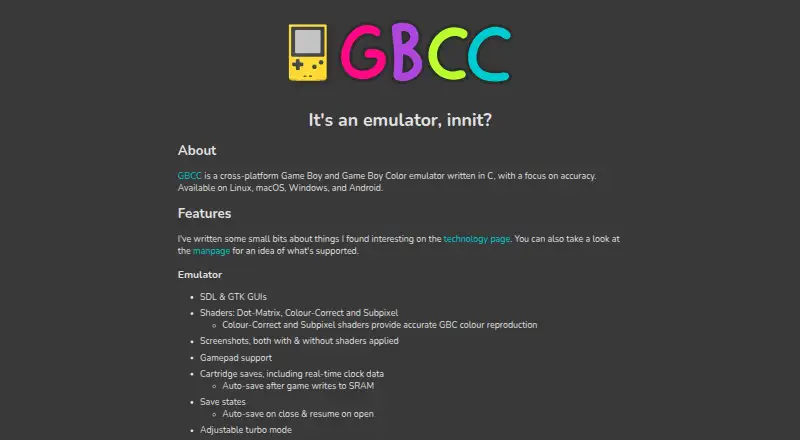
GBCC is a free, open-source emulator for Game Boy and Game Boy Color software. Written in C, it provides desktop builds or build instructions for Linux, macOS, and Windows, along with an Android version. Its audience is players who want a focused emulator for these two handheld systems across desktop and mobile platforms, without a paid plan or commercial subscription.
The published feature set covers both basic play and useful session management. GBCC supports cartridge saves with real-time clock data, save states with automatic save and resume, gamepad input, and adjustable turbo mode. SDL and GTK graphical interfaces provide two desktop interface options. Visual controls include Dot-Matrix, Colour-Correct, and Subpixel shaders, as well as palettes and frame blending. Screenshots and a VRAM tile display add tools for inspecting and capturing game visuals, giving the emulator more depth than a minimal playback-only application.
GBCC’s link-cable feature is deliberately narrow: the official description presents it as a self-connected cable for trading or battling with GBCC itself. That makes it relevant for solo experimentation, but it does not provide documented network netplay. The product also stays within the Game Boy and Game Boy Color scope, so users seeking emulation for other systems should choose a broader emulator. GBCC is a good fit for anyone prioritizing free, open-source GB/GBC emulation, save flexibility, controller support, visual shaders, and cross-platform access. It is less suitable for buyers who need multiplayer over a network or support for systems beyond Nintendo’s original handheld and its Color successor.
GBCC pricing
GBCC fact sheet
| Free plan | Yes |
|---|---|
| Paid from | None |
| Supported systems | Game Boy; Game Boy Color |
| Supported platforms | Linux; macOS; Windows; Android |
| Save states | Yes |
| Link cable emulation | Yes |
| Netplay | Not verified |
| Real-time clock | Yes |
| Controller support | Yes |
| Deployment | Desktop, Mobile |
| Platforms | Windows, macOS, Linux, Android |
| Support | Docs |
| Built for | Solo, Small business (editorial estimate) |
| Pricing | Free plan |
| Website | gbcc.dev |
| Facts checked | 20 Sep 2026 |
Alternatives to GBCC
- SameBoyAccurate, feature-rich Game Boy emulation across desktop and iOS.9.4
- GearboyA broad, free emulator with strong save, link-cable and debugging features.9.3
- BGBA free Windows emulator with hardware-accurate timing and unusually deep debugging tools.9.2

Used GBCC? Be the first to review it
The editor score above is our own research. What this page doesn't have yet is a reader's view — what you used GBCC for, what worked and what didn't. No stars are seeded and no review is paid for; an editor reads every one before it appears.
Write a reviewTwo minutes · verified accounts only · read by an editor before it appears
Featured on iTechGuides

GBCC is listed in our Game Boy Emulators directory. Add the badge to your site — it links back to this page.
<a href="https://www.itechguides.com/products/gbcc/"><img src="https://www.itechguides.com/best/badge/gbcc.svg" alt="Featured on iTechGuides" width="230" height="46"></a>
Guides on game boy emulators
Reviewed by iTechGuides Editors · Editorial team · Updated Oct 2026
Advertiser disclosure: iTechGuides is reader-supported. We may earn a commission when you click some links. How we rank.
Last updated · How we research and update