
GameOptimizer
GameOptimizer: A free web calculator for comparing graphics settings before a GPU upgrade. Ranked #6 of 34 in Game Graphics Optimization Software by our editors (8.8/10); pricing: Free plan; best for players comparing graphics settings before upgrading.
At a glance
- Editor score8.8 / 10
- PricingFree plan
- Best forPlayers comparing graphics settings before upgrading
- Free planYes
- Paid fromFree
- Auto recommendationsYes
- Facts checked20 Sep 2026
Where it wins
- Covers resolution, presets, upscaling, ray tracing, textures, and shadows
- Estimates FPS and checks CPU, GPU, VRAM, and RAM bottlenecks
- Recommends GPUs by game, resolution, and target FPS
Where it doesn't
- Recommendations are estimates rather than measurements on your exact PC
- Web-only access limits it to browser-based planning
- Does not provide verified application, overlay, or library-management features
Our verdict on GameOptimizer
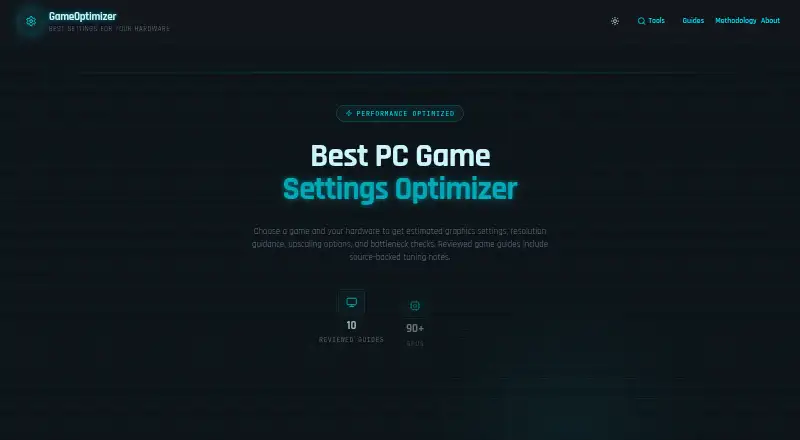
GameOptimizer is a browser-based PC gaming settings calculator for players comparing performance options before upgrading hardware. Users select a graphics card, processor, system memory, and game to receive hardware-specific guidance on resolution, presets, upscaling, ray tracing, textures, shadows, and estimated FPS. The free product also includes game-specific optimization guides covering graphics settings, VRAM, upscaling, and performance tuning. It is best suited to planning and comparison rather than applying settings directly.
Its main strength is breadth within pre-purchase and pre-configuration analysis. GameOptimizer combines graphics settings recommendations with CPU, GPU, VRAM, and RAM bottleneck checks, then adds a GPU recommender organized around game, resolution, and target FPS. Support for DLSS, FSR, and XeSS gives the recommendations a useful focus on modern upscaling choices, while ray-tracing, texture, and shadow guidance helps users compare the settings that can materially change visual quality and performance. The published product details describe these outputs as model-based estimates, so they should be treated as planning guidance rather than measurements from the user’s exact computer.
The product’s narrow focus is also its clearest boundary. GameOptimizer is free and web-based, which makes it appropriate for researching likely settings or comparing a potential GPU, but it does not provide verified application, overlay, or library-management features. Players seeking a browser tool for recommendations, FPS estimates, bottleneck checks, and educational guides should choose it. Players who want software to apply settings, monitor games through an overlay, or manage a game library should choose an alternative with those functions.
Your product? Our editors can test GameOptimizer in depth and publish a review, labelled as paid · from $149/mo →
GameOptimizer pricing
GameOptimizer fact sheet
| Free plan | Yes |
|---|---|
| Paid from | Free |
| Auto recommendations | Yes |
| Per-game profiles | Not verified |
| In-game overlay | Not verified |
| Game library scanning | Not verified |
| Supported platforms | web |
| Cloud profile sync | Not verified |
| Deployment | Cloud |
| Platforms | Web |
| Built for | Solo, Small business (editorial estimate) |
| Pricing | Free plan |
| Website | gameoptimizer.app |
| Facts checked | 20 Sep 2026 |
Alternatives to GameOptimizer
- HoneA broad Windows optimizer with presets, overlays, and a usable free tier.9.4
- GameShiftA free, open-source Windows optimizer with broad game detection and system controls.9.3
- PULSEA deep Windows tuning suite with broad free monitoring and paid optimization controls.9.2


See all GameOptimizer alternatives →
GameOptimizer vs the competition
- GameOptimizer vs Hone
- GameOptimizer vs GameShift
- GameOptimizer vs PULSE
- GameOptimizer vs FrameCoach
- GameOptimizer vs TargetFPS
- GameOptimizer vs PC Game Booster



Compare GameOptimizer with any tool side by side →
Used GameOptimizer? Be the first to review it
The editor score above is our own research. What this page doesn't have yet is a reader's view — what you used GameOptimizer for, what worked and what didn't. No stars are seeded and no review is paid for; an editor reads every one before it appears.
Write a reviewTwo minutes · verified accounts only · read by an editor before it appears
Featured on iTechGuides

GameOptimizer is listed in our Game Graphics Optimization Software directory. Add the badge to your site — it links back to this page.
<a href="https://www.itechguides.com/products/gameoptimizer/"><img src="https://www.itechguides.com/best/badge/gameoptimizer.svg" alt="Featured on iTechGuides" width="230" height="46"></a>
Reviewed by iTechGuides Editors · Editorial team · Updated Oct 2026
Advertiser disclosure: iTechGuides is reader-supported. Vendors can pay for top positions in our rankings and for a place on other products' pages, and we may earn a commission when you click some links. Bought places stand at the number bought; this page and our disclosure say so. Paying vendors may get a fuller, more detailed review from our editors, and that review can change their score. How we rank.
Last updated · How we research and update