GameHQ
GameHQ: A free, focused instant-replay tool for Windows players who prefer controller navigation. Ranked #16 of 30 in Game Recording Software by our editors (7.3/10); pricing: Free plan; best for free controller-friendly instant replay.
At a glance
- Editor score7.3 / 10
- PricingFree plan
- Best forFree controller-friendly instant replay
- Free planYes
- Paid fromFree
- Instant replayYes
- Facts checked20 Sep 2026
Where it wins
- Free and open source with no account or paid tier
- Controller-driven overlay with DualSense and XInput support
- Configurable replay capture up to 4K resolution
Where it doesn't
- Windows-only support limits cross-platform use
- Focused on instant replay rather than full-session recording
- Beta release may not suit users seeking a mature capture suite
Our verdict on GameHQ
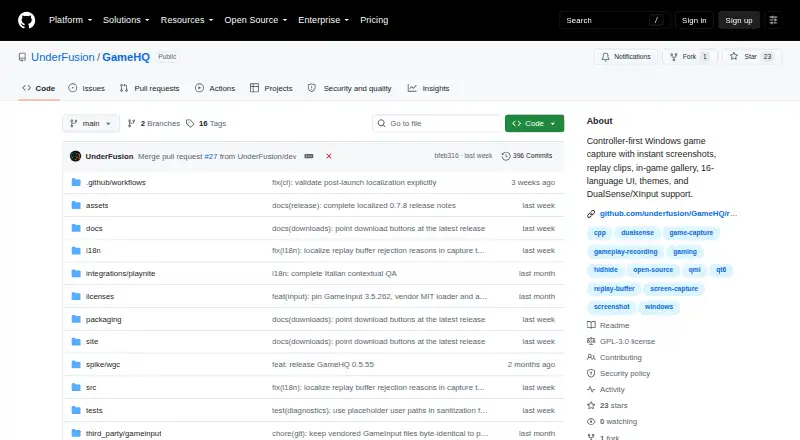
GameHQ is an open-source Windows desktop application for capturing gameplay, designed for players who want quick replay clips and screenshots rather than continuous session recording. Its rolling-buffer replay captures recent gameplay, while instant screenshots and an in-game gallery keep saved moments accessible without leaving the game. Controller-driven overlay navigation, DualSense support, and XInput support make it particularly suitable for controller-focused setups. GameHQ runs on Windows 10 and later, and it can be installed normally or launched from a portable ZIP package.
The product’s free model is straightforward: GameHQ is open source, distributed under the GNU GPL version 3, and does not require an account or paid tier. Capture settings include replay duration, quality, frame rate, and resolution, with support for up to 4K capture resolution. Clips are saved as MP4 files with system audio, while screenshots can be exported as PNG or JPEG files. This gives users practical control over output without adding a tiered pricing structure.
GameHQ also fits into an existing Windows gaming setup through integrations with Playnite, Steam, Xbox Game Bar, NVIDIA, and OBS. Its narrow focus is both its strength and its boundary: it is well suited to saving recent gameplay moments, but users seeking full-session recording should choose software built around broader recording modes. The beta release is another consideration for buyers who prioritize a more established capture environment. Choose GameHQ for free, controller-friendly instant replay on Windows; look elsewhere for cross-platform support or comprehensive recording workflows.
Your product? Our editors can test GameHQ in depth and publish a review, labelled as paid · from $149/mo →
GameHQ pricing
GameHQ fact sheet
| Free plan | Yes |
|---|---|
| Paid from | Free |
| Instant replay | Yes |
| Capture resolution | 4k |
| Recording modes | Instant-replay |
| Watermark-free video | Not verified |
| GPU encoding | Not verified |
| Webcam overlay | Not verified |
| Supported platforms | Windows 10+ |
| Deployment | Desktop |
| Platforms | Windows |
| Support | Docs, Community |
| Built for | Solo, Small business (editorial estimate) |
| Integrations | 5 integrations: Playnite, Steam, Xbox Game Bar, NVIDIA, OBS See all → |
| Pricing | Free plan |
| Website | github.com |
| Facts checked | 20 Sep 2026 |
GameHQ integrations
GameHQ lists 5 integrations on its own site.
- Playnite
- Steam
- Xbox Game Bar
- NVIDIA
- OBS
Alternatives to GameHQ
- OBS StudioA flexible free recorder and streaming tool for creators who want control.9.3
- SteelSeries MomentsA free Windows clip editor with automatic highlights, multi-track audio, and direct sharing.9.1
- OutplayedA versatile Windows recorder for automatic highlights, full sessions, and clip sharing.9.0

Used GameHQ? Be the first to review it
The editor score above is our own research. What this page doesn't have yet is a reader's view — what you used GameHQ for, what worked and what didn't. No stars are seeded and no review is paid for; an editor reads every one before it appears.
Write a reviewTwo minutes · verified accounts only · read by an editor before it appears
Featured on iTechGuides

GameHQ is listed in our Game Recording Software directory. Add the badge to your site — it links back to this page.
<a href="https://www.itechguides.com/products/gamehq/"><img src="https://www.itechguides.com/best/badge/gamehq.svg" alt="Featured on iTechGuides" width="230" height="46"></a>
Reviewed by iTechGuides Editors · Editorial team · Updated Oct 2026
Advertiser disclosure: iTechGuides is reader-supported. Vendors can pay for top positions in our rankings and for a place on other products' pages, and we may earn a commission when you click some links. Bought places stand at the number bought; this page and our disclosure say so. Paying vendors may get a fuller, more detailed review from our editors, and that review can change their score. How we rank.
Last updated · How we research and update