
GameController Mapper
GameController Mapper: A polished Mac mapper with broad input controls and a simple one-time price. Ranked #12 of 29 in Controller Mapping Software by our editors (8.0/10); pricing: From $7.99; best for mac users wanting polished multi-controller mapping.
At a glance
- Editor score8.0 / 10
- PricingFrom $7.99
- Best forMac users wanting polished multi-controller mapping
- Free planNo
- Paid from$7.99 one-time
- Per-app profilesYes
- Facts checked20 Sep 2026
Where it wins
- Maps buttons to keys, mouse actions, text, media controls, and commands
- Supports profiles, profile cycling, long-press actions, and multiple controllers
- Includes per-joystick mouse, scroll, and key modes plus menu-bar operation
Where it doesn't
- Works on macOS only
- Requires macOS accessibility permission for keyboard and mouse simulation
- Does not provide verified virtual-controller output
Our verdict on GameController Mapper
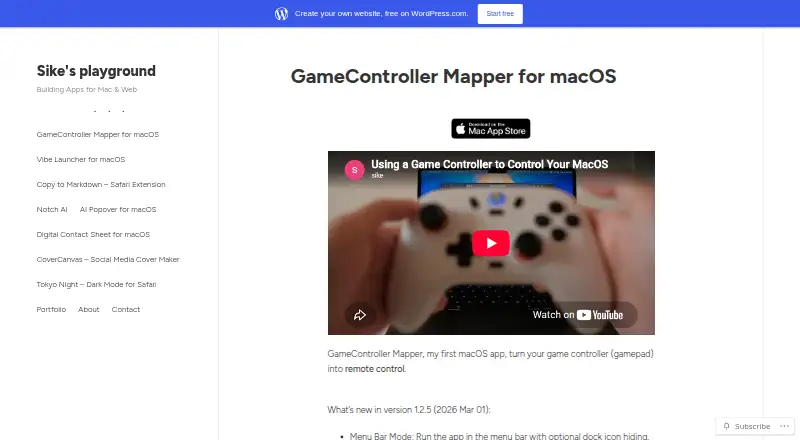
GameController Mapper is a macOS utility for turning game-controller input into keyboard shortcuts, mouse actions, scrolling, text entry, media controls, and system commands. It is aimed at Mac users who want to control browsers, presentations, media players, books, creative tools, and other applications from a gamepad. The app supports saved profiles, profile cycling, long-press actions, custom text strings, and multiple controllers used at the same time. Its one-time price is $7.99, with no free plan shown.
The feature set is broad for controller-to-computer mapping. Buttons can trigger individual keys, combinations, function keys, and media controls, while mouse simulation covers movement, clicking, dragging, double-clicking, and scrolling. Each joystick can use independent mouse, scroll, and key modes, which gives profiles more room for different control schemes. Integrations include Homerow, Books, Keynote, IINA, QuickTime, Safari, and Preview. Per-app profiles are supported, and the menu bar mode can be paired with optional Dock icon hiding for a less prominent interface.
The main fit is macOS users who value flexible mappings, multiple profiles, and simultaneous controller support in a focused utility. Setup includes granting macOS accessibility permission for keyboard and mouse simulation, and the product is limited to the Mac platform. It also does not provide verified virtual-controller output, so users seeking that type of controller emulation should choose an alternative. GameController Mapper is a clear choice for keyboard, mouse, media, and application control from physical controllers, but less suitable when cross-platform support or virtual-controller output is central.
Your product? Our editors can test GameController Mapper in depth and publish a review, labelled as paid · from $99/mo →
GameController Mapper pricing
All 1 GameController Mapper plans and prices →
GameController Mapper fact sheet
| Free plan | No |
|---|---|
| Paid from | $7.99 one-time |
| Supported platforms | macos |
| Per-app profiles | Yes |
| Profile switching | Yes |
| Macro support | Not verified |
| Keyboard and mouse remap | Yes |
| Virtual controller output | Not verified |
| Simultaneous devices | Not verified |
| Deployment | Desktop |
| Platforms | macOS |
| Built for | Solo, Small business (editorial estimate) |
| Integrations | 7 integrations: Homerow, Books, Keynote, IINA, QuickTime, Safari … |
| Pricing | From $7.99 (source) |
| Website | design.wordpress.com |
| Facts checked | 20 Sep 2026 |
GameController Mapper integrations
GameController Mapper lists 7 integrations on its own site.
- Homerow
- Books
- Keynote
- IINA
- QuickTime
- Safari
- Preview
Alternatives to GameController Mapper
- Steam InputA free, flexible mapping system for Steam players across Windows, macOS, and Linux.9.4
- JoyShockMapperA powerful free mapper for players who want advanced gyro and layered controller configurations.9.2
- DS4WindowsA capable free mapper for Windows users who need profiles, emulation, and advanced input controls.9.0


See all GameController Mapper alternatives →
Used GameController Mapper? Be the first to review it
The editor score above is our own research. What this page doesn't have yet is a reader's view — what you used GameController Mapper for, what worked and what didn't. No stars are seeded and no review is paid for; an editor reads every one before it appears.
Write a reviewTwo minutes · verified accounts only · read by an editor before it appears
Featured on iTechGuides

GameController Mapper is listed in our Controller Mapping Software directory. Add the badge to your site — it links back to this page.
<a href="https://www.itechguides.com/products/gamecontroller-mapper/"><img src="https://www.itechguides.com/best/badge/gamecontroller-mapper.svg" alt="Featured on iTechGuides" width="230" height="46"></a>
Reviewed by iTechGuides Editors · Editorial team · Updated Oct 2026
Advertiser disclosure: iTechGuides is reader-supported. Vendors can pay for top positions in our rankings and for a place on other products' pages, and we may earn a commission when you click some links. How we rank.
Last updated · How we research and update