
fsend
fsend: A free, open-source choice for private browser and command-line transfers. Ranked #80 of 105 in File Transfer Services by our editors (3.0/10); pricing: Free plan; best for self-hosted WebRTC and command-line transfers.
At a glance
- Editor score3.0 / 10
- PricingFree plan
- Best forSelf-hosted WebRTC and command-line transfers
- Free planYes
- Paid fromFree
- Facts checked21 Sep 2026
Where it wins
- Peer-to-peer WebRTC transfers with end-to-end encrypted data channels
- Command-line support for files, folders, streams, and text
- Docker Compose self-hosting with password-protected transfers
Where it doesn't
- Browser transfers require both participants to keep their tabs open
- Resumability is limited to supported Chromium-based browsers
- No mobile coverage or verified API is described
Our verdict on fsend
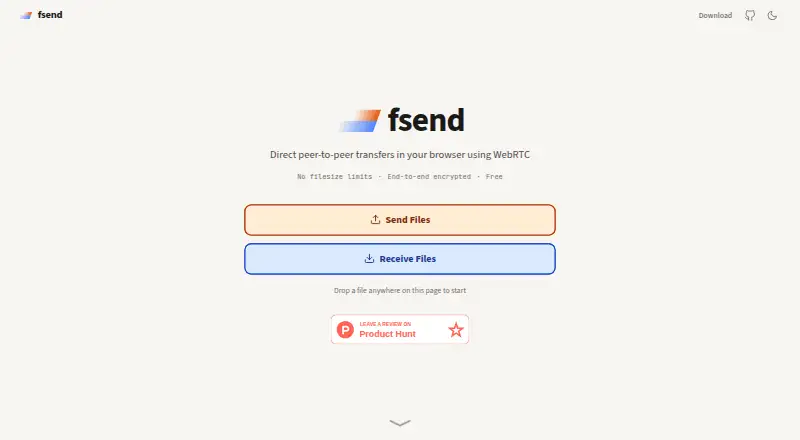
fsend is a free, open-source file-transfer product for sending files and folders directly between devices. Its web application uses WebRTC for peer-to-peer transfers, with end-to-end encrypted data channels and one-time share codes. Users can select files or folders with drag and drop, while the command-line tool supports Linux, macOS, Windows, and other supported environments. It is aimed at people who want direct transfers without storing file data on fsend’s servers, particularly self-hosting users and command-line workflows.
The browser experience centers on a focused transfer model: choose files or folders, create a one-time share code, and keep both browser tabs open while the transfer runs. Password protection adds an access control option, and resumable transfers are available in supported Chromium-based browsers. The command-line tool broadens the product beyond ordinary browser sharing, supporting multiple files, folders, stdin streams, and text. This combination makes fsend more suitable for technical workflows than for users looking for a broad collaboration or file-management platform.
Self-hosting with Docker Compose gives teams a deployment option when they want to operate the service themselves. The product runs across web, Windows, macOS, and Linux, but the browser workflow has practical constraints: both participants must remain connected through open tabs, and resumability depends on browser support. There is also no mobile coverage described. Choose fsend for encrypted peer-to-peer transfers, command-line sending and receiving, or a self-hosted setup. Choose another service if mobile clients, integrated APIs, or a more managed sharing experience are central requirements.
Your product? Our editors can test fsend in depth and publish a review, labelled as paid · from $149/mo →
fsend pricing
fsend fact sheet
| Free plan | Yes |
|---|---|
| Paid from | Free |
| Max file size | Not verified |
| Link expiry | Not verified |
| Download tracking | Not verified |
| API access | Not verified |
| Custom branding | Not verified |
| Desktop app | No |
| Deployment | Cloud |
| Platforms | Web, Windows, macOS, Linux |
| Built for | Solo, Small business (editorial estimate) |
| Pricing | Free plan |
| Website | fsend.sh |
| Facts checked | 21 Sep 2026 |
Alternatives to fsend
- Progress MOVEit TransferA compliance-focused managed file transfer service for regulated organizations.9.3
- AWS Transfer FamilyA broad, usage-priced managed transfer service for teams built around AWS.9.2
- IBM Sterling Secure File TransferA multiprotocol transfer platform for organizations coordinating secure file flows across partner networks.9.1



Used fsend? Be the first to review it
The editor score above is our own research. What this page doesn't have yet is a reader's view — what you used fsend for, what worked and what didn't. No stars are seeded and no review is paid for; an editor reads every one before it appears.
Write a reviewTwo minutes · verified accounts only · read by an editor before it appears
Featured on iTechGuides

fsend is listed in our File Transfer Services directory. Add the badge to your site — it links back to this page.
<a href="https://www.itechguides.com/products/fsend/"><img src="https://www.itechguides.com/best/badge/fsend.svg" alt="Featured on iTechGuides" width="230" height="46"></a>
Reviewed by iTechGuides Editors · Editorial team · Updated Oct 2026
Advertiser disclosure: iTechGuides is reader-supported. Vendors can pay for top positions in our rankings and for a place on other products' pages, and we may earn a commission when you click some links. Bought places stand at the number bought; this page and our disclosure say so. Paying vendors may get a fuller, more detailed review from our editors, and that review can change their score. How we rank.
Last updated · How we research and update