
FreeMeter
FreeMeter: A low-cost Windows monitor for core metrics, ping checks, and email alerts. Ranked #52 of 54 in Network Monitoring by our editors (4.1/10); pricing: Free plan; best for free basic desktop monitoring.
At a glance
- Editor score4.1 / 10
- PricingFree plan
- Best forFree basic desktop monitoring
- Free planYes
- Synthetic checksYes
- Facts checked20 Sep 2026
Where it wins
- Free plan covers core system and network meters
- Real-time traffic graphs and host ping response times
- Email alerts plus file logging and automatic updates
Where it doesn't
- Windows-only platform coverage
- Alert delivery is limited to email
- Professional features require a single-user license
Our verdict on FreeMeter
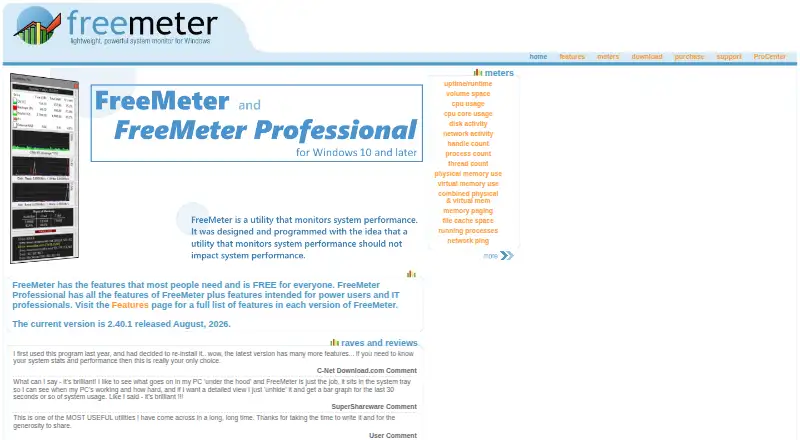
FreeMeter is a Windows desktop utility for monitoring system resources and network activity through configurable meters. It is aimed at individual users, power users, system administrators, and anyone who needs basic desktop visibility without a recurring subscription. The free edition covers CPU and logical processors, disk activity, volume space, physical and virtual memory, running processes, network traffic, and uptime. It also includes system-tray monitoring icons, file logging, and automatic updates. Support includes Windows 10, Windows 11, and Windows Server 2012 or later.
The pricing structure is straightforward. The FreeMeter plan is free for everyone and includes core system and network meters. FreeMeter Professional costs $9.99 as a one-time purchase and adds professional meters and alerts under a single-user license. The paid edition also brings host ping monitoring, additional network meters, process and thread monitoring, configurable alerts, and other tools for power users and system administrators. This one-time model suits buyers who prefer an upfront license over recurring billing, while the free plan provides a practical starting point for basic monitoring.
FreeMeter’s strongest fit is narrow desktop monitoring rather than broad infrastructure oversight. Its published capabilities center on Windows metrics, traffic graphs, ping response times, resource conditions, and email alerts for disk, memory, CPU, and ping events. That makes it a sensible choice for a Windows user who wants local visibility and basic notifications. Buyers needing monitoring across multiple operating systems, broader platform coverage, or more varied alert channels should choose an alternative. FreeMeter Professional is the better fit when process monitoring, additional meters, logging, and configurable alerts justify the one-time fee.
Your product? Our editors can test FreeMeter in depth and publish a review, labelled as paid · from $149/mo →
FreeMeter pricing
All 2 FreeMeter plans and prices →
FreeMeter fact sheet
| Free plan | Yes |
|---|---|
| Paid from | Not verified |
| Synthetic checks | Yes |
| Device limit | Not verified |
| Traffic monitoring | Yes |
| Topology maps | Not verified |
| Alert channels | |
| Deployment | Not verified |
| Deployment | Desktop |
| Platforms | Windows |
| Support | Tickets |
| Built for | Solo, Small business (editorial estimate) |
| Pricing | Free plan (source) |
| Website | freemeter.us |
| Facts checked | 20 Sep 2026 |
Alternatives to FreeMeter
- ZabbixBroad infrastructure monitoring with a free self-hosted edition and paid cloud options.9.4
- CheckmkA broad hybrid monitoring platform with a capable free edition and costly paid entry.9.3
- ManageEngine OpManagerBroad monitoring, mapping, traffic analysis, automation, and distributed coverage across four editions.9.1



See all FreeMeter alternatives →
Used FreeMeter? Be the first to review it
The editor score above is our own research. What this page doesn't have yet is a reader's view — what you used FreeMeter for, what worked and what didn't. No stars are seeded and no review is paid for; an editor reads every one before it appears.
Write a reviewTwo minutes · verified accounts only · read by an editor before it appears
Featured on iTechGuides

FreeMeter is listed in our Network Monitoring directory. Add the badge to your site — it links back to this page.
<a href="https://www.itechguides.com/products/freemeter/"><img src="https://www.itechguides.com/best/badge/freemeter.svg" alt="Featured on iTechGuides" width="230" height="46"></a>
Reviewed by iTechGuides Editors · Editorial team · Updated Oct 2026
Advertiser disclosure: iTechGuides is reader-supported. Vendors can pay for top positions in our rankings and for a place on other products' pages, and we may earn a commission when you click some links. Bought places stand at the number bought; this page and our disclosure say so. Paying vendors may get a fuller, more detailed review from our editors, and that review can change their score. How we rank.
Last updated · How we research and update