
Folio AI
Folio AI: A deck-focused assistant for generating slides and restyling existing presentations. Ranked #56 of 109 in AI Presentation Makers by our editors (3.4/10); pricing: Free plan; best for restyling existing PowerPoint or Google Slides decks.
At a glance
- Editor score3.4 / 10
- PricingFree plan
- Best forRestyling existing PowerPoint or Google Slides decks
- Free planYes
- Facts checked24 Sep 2026
Where it wins
- Edits, restructures, rewrites, reformats, and extends existing decks
- Preserves templates, fonts, colors, and layouts
- Works with editable PowerPoint and Google Slides objects
Where it doesn't
- Starter's 500 credits are finite and described as a free trial
- Higher monthly credit allowances require paid plans
- Support channels listed are limited to documentation
Our verdict on Folio AI
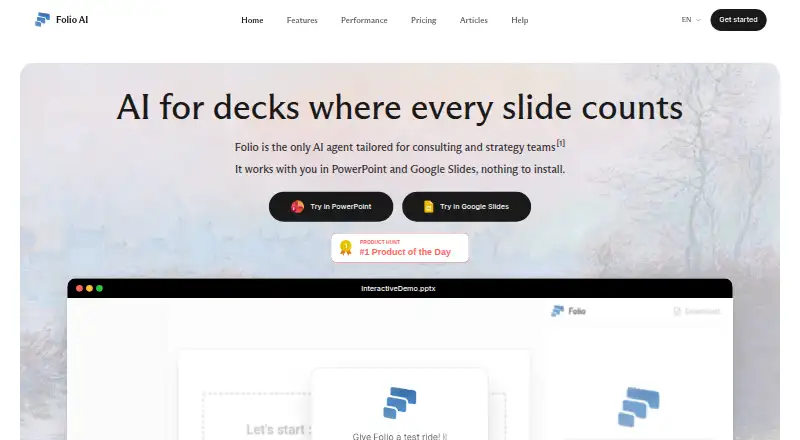
Folio AI works inside PowerPoint and Google Slides to generate presentations from prompts and revise existing decks. It is aimed at users who want to adapt a presentation without rebuilding its visual system: Folio can preserve templates, fonts, colors, and layouts while keeping slide elements editable. Uploading files such as logos, images, data, or inspiration decks provides context for prompts. That makes it a focused option for consulting and strategy teams, as well as others restyling decks they already have. It is less suited to buyers seeking a presentation tool with a broad set of integrations beyond the two named slide platforms.
Its workflow is centered on editing rather than only prompt-to-deck generation. Users can restructure, rewrite, reformat, or extend an existing presentation, and adjust slide content for tone, length, or audience. Folio also supports full-deck generation from a text prompt and exports in multiple formats. PowerPoint and Google Slides are available through an add-in or add-on, with web, Windows, and macOS listed as platforms. The ability to work with editable objects and retain a deck's design is the key distinction for teams with established templates; buyers who need a standalone design environment or other integrations should compare alternatives.
The Starter plan provides 500 credits to start, along with AI-powered slide editing, the PowerPoint add-in, Google Slides add-on, and multi-format exports; the pricing page describes the credits as a free trial, so this is a finite starting allowance rather than an ongoing free plan. Plus provides 2,000 credits per month and unlocks Folio Medium, while Pro provides 5,000 and unlocks Folio Max. Enterprise adds 20,000 monthly credits, stored instructions, and agent external research. Ultimate adds 50,000 monthly credits, SSO and MFA login, and a dedicated account manager. Folio is a better fit for recurring deck work where those editing and template-preservation capabilities matter than for occasional users needing only a simple one-off presentation.
Your product? Our editors can test Folio AI in depth and publish a review, labelled as paid · from $149/mo →
Folio AI pricing
All 5 Folio AI plans and prices →
Folio AI fact sheet
| Free plan | Yes |
|---|---|
| Paid from | Not verified |
| Prompt-to-deck generation | Yes |
| Document-to-deck generation | Not verified |
| PPTX export | Not verified |
| PDF export | Not verified |
| Brand controls | Yes |
| Collaboration level | Realtime |
| Maximum slides | Not verified |
| Deployment | Cloud, Browser extension |
| Platforms | Web, Windows, macOS |
| Compliance & security | GDPR, SSO/SAML, 2FA |
| Support | Docs |
| Built for | Small business, Mid-market, Enterprise (editorial estimate) |
| Integrations | 2 integrations: Microsoft PowerPoint, Google Slides |
| Pricing | Free plan (source) |
| Website | get-folio.ai |
| Facts checked | 24 Sep 2026 |
Folio AI integrations
Folio AI lists 2 integrations on its own site.
- Microsoft PowerPoint
- Google Slides
Alternatives to Folio AI
- GammaA free, collaborative AI creator with broad exports, publishing, and automation options.9.3
- PitchA flexible presentation workspace for teams that need AI, brand control, and collaboration.8.8
- OpenChartsA freemium deck builder with presenter coaching, collaboration, and flexible exports.8.7



See all Folio AI alternatives →
Used Folio AI? Be the first to review it
The editor score above is our own research. What this page doesn't have yet is a reader's view — what you used Folio AI for, what worked and what didn't. No stars are seeded and no review is paid for; an editor reads every one before it appears.
Write a reviewTwo minutes · verified accounts only · read by an editor before it appears
Featured on iTechGuides

Folio AI is listed in our AI Presentation Makers directory. Add the badge to your site — it links back to this page.
<a href="https://www.itechguides.com/products/folio-ai/"><img src="https://www.itechguides.com/best/badge/folio-ai.svg" alt="Featured on iTechGuides" width="230" height="46"></a>
Reviewed by iTechGuides Editors · Editorial team · Updated Oct 2026
Advertiser disclosure: iTechGuides is reader-supported. Vendors can pay for top positions in our rankings and for a place on other products' pages, and we may earn a commission when you click some links. Bought places stand at the number bought; this page and our disclosure say so. Paying vendors may get a fuller, more detailed review from our editors, and that review can change their score. How we rank.
Last updated · How we research and update