
FocuSee
FocuSee: A focused Windows and macOS recorder for polished demos, tutorials, and presentations. Ranked #27 of 131 in Screen Recording Software by our editors (6.4/10); pricing: Paid; best for desktop recordings with automated presentation polish.
At a glance
- Editor score6.4 / 10
- PricingPaid
- Best forDesktop recordings with automated presentation polish
- Paid from$49.99/device/yr
- Webcam recordingYes
- Founded2011
- Facts checked22 Sep 2026
Where it wins
- Records screen, webcam, microphone, and system audio together
- Automatic zoom, cursor effects, annotations, and AI subtitles
- Exports MP4 or GIF recordings at up to 4K and 60 FPS
Where it doesn't
- Runs on Windows and macOS only
- Standard includes 5 GB of cloud storage
- Advanced credit allowances may limit some workflows
Our verdict on FocuSee
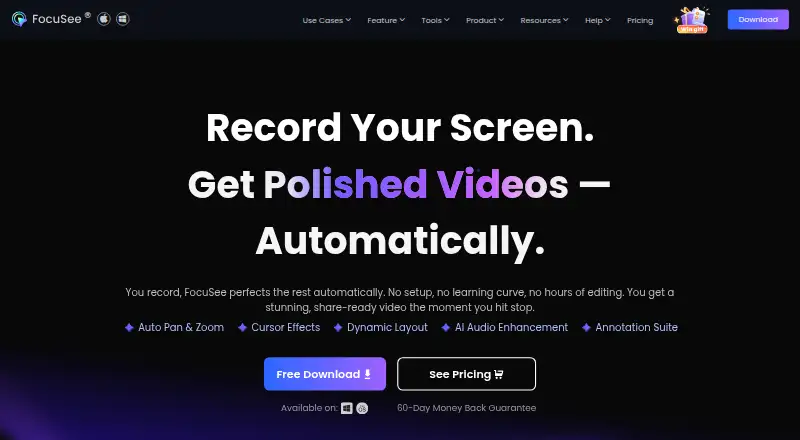
FocuSee is a Windows and macOS screen recorder for product demos, tutorials, presentations, online courses, training, and marketing videos. It captures a full screen, window, or custom area alongside webcam footage, microphone input, and system audio. Its editing and presentation tools include automatic zoom, cursor effects, annotations, blur effects, camera layouts, background removal, a teleprompter, AI subtitles, and noise reduction. Recordings can be exported as MP4 or GIF at up to 4K, while secure link sharing adds password controls. It also supports recording connected iOS and Android devices from a computer.
Pricing is organized around Standard and Advanced plans. Standard costs $49.99 per computer per year when billed annually or $19.99 per computer per month, and includes one computer, unlimited videos, unlimited recording duration, 4K and 60 FPS export, and 5 GB of cloud storage. Advanced costs $79.99 per computer per year, $24.99 per computer per month, or $199.99 one time. The subscription versions support up to three computers and include credits alongside Standard features; the one-time option supports up to five computers, includes 1,000 credits valid for one year, and provides lifetime access to FocuSee 2.x.
FocuSee fits creators who want desktop recordings to receive presentation polish without relying on a separate editing workflow. Automatic zoom, cursor highlighting, subtitles, voice enhancement, and camera layouts are especially relevant for instructional and product-focused videos. The main trade-off is platform scope: the desktop application is limited to Windows and macOS, even though it can record connected mobile devices. Standard also caps cloud storage at 5 GB, while Advanced introduces credit allowances that buyers should assess against their production needs. Choose FocuSee for polished desktop capture with built-in recording and editing tools; consider another option if broader platform coverage or a different storage model is essential.
Your product? Our editors can test FocuSee in depth and publish a review, labelled as paid · from $149/mo →
FocuSee pricing
All 2 FocuSee plans and prices →
FocuSee fact sheet
| Free plan | Not verified |
|---|---|
| Paid from | $49.99/device/yr |
| Webcam recording | Yes |
| System audio | Yes |
| Microphone recording | Yes |
| Max recording length | Not verified |
| Maximum video quality | 4k |
| Supported platforms | Windows, macOS |
| Deployment | Desktop |
| Platforms | Windows, macOS |
| Support | Email, Live chat, Docs |
| Built for | Solo, Small business, Mid-market (editorial estimate) |
| Pricing | Paid (source) |
| Website | focusee.imobie.com |
| Facts checked | 22 Sep 2026 |
Alternatives to FocuSee
- CamtasiaA deep desktop toolkit for training videos, tutorials, and structured learning content.9.3
- ScreenPalA feature-rich choice for budget-conscious creators who need more than basic recording.9.1
- LoomA broad screen recorder for teams that communicate through polished async video.9.0



See all FocuSee alternatives →
Also Ranked In
FocuSee is ranked in 2 of our directories.
Used FocuSee? Be the first to review it
The editor score above is our own research. What this page doesn't have yet is a reader's view — what you used FocuSee for, what worked and what didn't. No stars are seeded and no review is paid for; an editor reads every one before it appears.
Write a reviewTwo minutes · verified accounts only · read by an editor before it appears
Featured on iTechGuides

FocuSee is listed in our Screen Recording Software directory. Add the badge to your site — it links back to this page.
<a href="https://www.itechguides.com/products/focusee/"><img src="https://www.itechguides.com/best/badge/focusee.svg" alt="Featured on iTechGuides" width="230" height="46"></a>
Reviewed by iTechGuides Editors · Editorial team · Updated Oct 2026
Advertiser disclosure: iTechGuides is reader-supported. Vendors can pay for top positions in our rankings and for a place on other products' pages, and we may earn a commission when you click some links. Bought places stand at the number bought; this page and our disclosure say so. Paying vendors may get a fuller, more detailed review from our editors, and that review can change their score. How we rank.
Last updated · How we research and update