Flash Renamer
Flash Renamer: A focused Windows renamer with scripting depth, but not a complete file manager. Ranked #80 of 100 in File Manager Software by our editors (3.0/10); pricing: Paid; best for windows users focused on scripted renaming.
At a glance
- Editor score3.0 / 10
- PricingPaid
- Best forWindows users focused on scripted renaming
- Free planNo
- Paid from$19.95 one-time
- Supported platformswindows
- Facts checked22 Sep 2026
Where it wins
- Regex, wildcards, metadata, scripting, and CSV workflows
- Presets, live preview, and undo support repeatable rename jobs
- Explorer integration with thumbnail mode for image files
Where it doesn't
- Windows-only desktop software
- Focused on renaming rather than browsing, archiving, or synchronization
- Paid product with no free plan
Our verdict on Flash Renamer
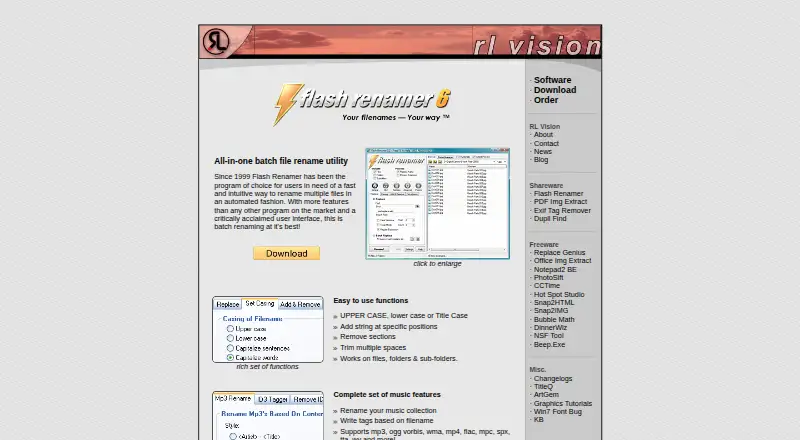
Flash Renamer is a Windows desktop utility for renaming files, folders, photos, and music collections in batches. It suits photographers, music collectors, webmasters, and other Windows users who need to automate repetitive filename changes. Its scope is deliberately focused: this is a renaming tool rather than a general-purpose file manager for browsing, archiving, and synchronization.
The feature set is strongest when renaming rules need more control than simple search and replace. Flash Renamer supports wildcards and regular expressions, counters with zero-padding, casing changes, and metadata-based naming from music and image tags. Presets can group multiple rename operations, while filename scripting and CSV-based renaming support structured workflows. A realtime preview and undo provide checkpoints before and after applying changes. Thumbnail mode is available for image files, and Windows Explorer context-menu integration places the utility within a familiar desktop workflow. ExifTool is also listed among its integrations.
Pricing is straightforward. The published plans show a fully functional trial and a Full version priced at $19.95 USD as a one-time payment. The Full version is described as a Windows desktop batch-renaming utility. Flash Renamer is a strong fit for Windows users who regularly process large or complex collections and want presets, metadata rules, scripts, or CSV input. It is less suitable for buyers seeking a broader file-management environment, cross-platform support, or built-in archive and synchronization features. Those needs point toward a more comprehensive file manager instead.
Your product? Our editors can test Flash Renamer in depth and publish a review, labelled as paid · from $149/mo →
Flash Renamer pricing
All 2 Flash Renamer plans and prices →
Flash Renamer fact sheet
| Free plan | No |
|---|---|
| Paid from | $19.95 one-time |
| Supported platforms | windows |
| Dual-pane view | Not verified |
| Tabbed interface | Yes |
| Batch rename | Yes |
| Archive support | Not verified |
| Cloud storage access | Not verified |
| Portable version | Yes |
| Deployment | Desktop |
| Platforms | Windows |
| Support | Docs |
| Built for | Solo, Small business (editorial estimate) |
| Integrations | 2 integrations: Windows Explorer, ExifTool |
| Pricing | Paid (source) |
| Website | rlvision.com |
| Facts checked | 22 Sep 2026 |
Flash Renamer integrations
Flash Renamer lists 2 integrations on its own site.
- Windows Explorer
- ExifTool
Alternatives to Flash Renamer
- Total CommanderA feature-rich file manager for Windows users who want power beyond Explorer.9.3
- DolphinA capable free file manager, especially for Linux and KDE-oriented desktops.9.1
- WinSCPA capable Windows file manager for secure transfers, automation, and synchronization.9.0



See all Flash Renamer alternatives →
Also Ranked In
Flash Renamer is ranked in 2 of our directories.
Used Flash Renamer? Be the first to review it
The editor score above is our own research. What this page doesn't have yet is a reader's view — what you used Flash Renamer for, what worked and what didn't. No stars are seeded and no review is paid for; an editor reads every one before it appears.
Write a reviewTwo minutes · verified accounts only · read by an editor before it appears
Featured on iTechGuides

Flash Renamer is listed in our File Manager Software directory. Add the badge to your site — it links back to this page.
<a href="https://www.itechguides.com/products/flash-renamer/"><img src="https://www.itechguides.com/best/badge/flash-renamer.svg" alt="Featured on iTechGuides" width="230" height="46"></a>
Reviewed by iTechGuides Editors · Editorial team · Updated Oct 2026
Advertiser disclosure: iTechGuides is reader-supported. Vendors can pay for top positions in our rankings and for a place on other products' pages, and we may earn a commission when you click some links. Bought places stand at the number bought; this page and our disclosure say so. Paying vendors may get a fuller, more detailed review from our editors, and that review can change their score. How we rank.
Last updated · How we research and update