
Firebase Performance Monitoring
Firebase Performance Monitoring: A no-cost choice for core startup, rendering, network, and trace visibility. Ranked #16 of 23 in Mobile App Monitoring by our editors (7.7/10); pricing: Free plan; best for teams wanting no-cost basic app performance monitoring.
At a glance
- Editor score7.7 / 10
- PricingFree plan
- Best forTeams wanting no-cost basic app performance monitoring
- Free planYes
- Paid fromNone
- Facts checked20 Sep 2026
Where it wins
- Tracks startup, screen rendering, HTTP/S requests, and custom traces
- Filters performance data by device, country, app version, and OS
- Includes threshold alerts and a real-time performance dashboard
Where it doesn't
- Does not cover crash, ANR, or session replay monitoring
- Integration features are not part of its stated coverage
- Retention varies from 30 to 60 days by data type
Our verdict on Firebase Performance Monitoring
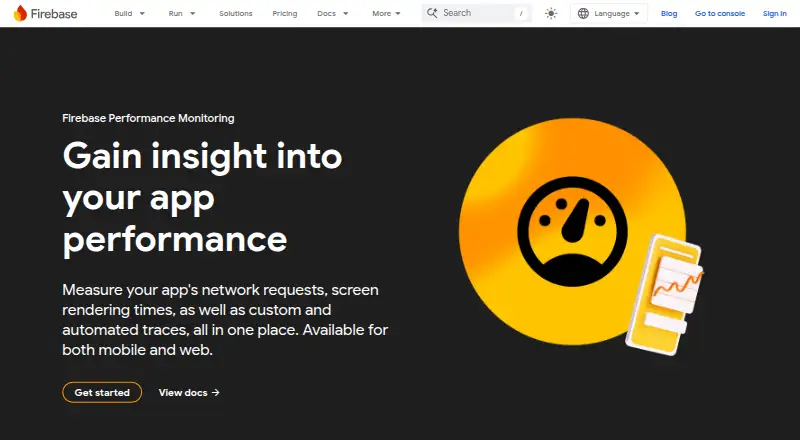
Firebase Performance Monitoring is a cloud service for measuring application performance across iOS, Android, web, and Flutter apps. It is designed for developers and teams that need visibility into startup time, screen rendering, page loading, and HTTP/S network requests without adding a software license cost. Firebase SDKs collect performance metrics automatically, while the Firebase console provides a place to inspect traces and performance trends.
Its strongest fit is broad application coverage combined with useful diagnostic detail. Teams can create custom code traces and custom metrics, define custom URL patterns for network requests, and filter results by device, country, app version, and operating system. Performance threshold alerts and a real-time dashboard support ongoing monitoring rather than occasional investigation. The platform therefore suits teams that want a shared view of client-side and network performance across mobile and web properties.
Performance Monitoring is listed as no-cost, and the Spark plan does not require a payment method. Retention is 30 days for IP-associated events and 60 days for installation-associated and de-identified performance data. The stated coverage centers on performance signals: startup, rendering, loading, requests, custom traces, filtering, alerts, and dashboards. Teams specifically prioritizing crash monitoring, ANR detection, session replay, or integration features should choose a tool that covers those needs. For teams focused on core performance visibility across supported platforms, Firebase Performance Monitoring is a practical no-cost starting point.
Firebase Performance Monitoring pricing
All 1 Firebase Performance Monitoring plans and prices →
Firebase Performance Monitoring fact sheet
| Free plan | Yes |
|---|---|
| Paid from | None |
| ANR monitoring | Not verified |
| Network request tracing | Yes |
| App performance monitoring | Yes |
| Session replay | Not verified |
| Supported platforms | iOS, Android, Web, Flutter |
| Data retention | 60 days |
| Deployment | Cloud |
| Platforms | Web, iOS, Android |
| Support | Community, Docs |
| Built for | Small business, Mid-market, Enterprise (editorial estimate) |
| Pricing | Free plan (source) |
| Website | firebase.google.com |
| Facts checked | 20 Sep 2026 |
Alternatives to Firebase Performance Monitoring
- Guance Mobile RUMBroad mobile RUM coverage with crash, replay, journey, and backend-correlation analysis.9.4
- bitdrift CaptureA free tier with deep mobile diagnostics, alerting, and session context.9.3
- BugseeA strong fit for teams that need session replay alongside detailed mobile performance data.9.1



See all Firebase Performance Monitoring alternatives →
Also listed in
Used Firebase Performance Monitoring? Be the first to review it
The editor score above is our own research. What this page doesn't have yet is a reader's view — what you used Firebase Performance Monitoring for, what worked and what didn't. No stars are seeded and no review is paid for; an editor reads every one before it appears.
Write a reviewTwo minutes · verified accounts only · read by an editor before it appears
Featured on iTechGuides

Firebase Performance Monitoring is listed in our Mobile App Monitoring directory. Add the badge to your site — it links back to this page.
<a href="https://www.itechguides.com/products/firebase-performance-monitoring/"><img src="https://www.itechguides.com/best/badge/firebase-performance-monitoring.svg" alt="Featured on iTechGuides" width="230" height="46"></a>
Reviewed by iTechGuides Editors · Editorial team · Updated Oct 2026
Advertiser disclosure: iTechGuides is reader-supported. Vendors can pay for top positions in our rankings and for a place on other products' pages, and we may earn a commission when you click some links. How we rank.
Last updated · How we research and update