
FillApp
FillApp: A focused browser agent for forms, PDFs, extraction, and multi-step workflows. Ranked #16 of 23 in AI Browser Agents by our editors (7.6/10); pricing: 7-day trial; best for form-heavy document and browser workflows.
At a glance
- Editor score7.6 / 10
- Pricing7-day trial
- Best forForm-heavy document and browser workflows
- Free planNo
- Paid from$14.99/mo
- Browser controlYes
- Facts checked20 Sep 2026
Where it wins
- Fills web and PDF forms using saved snippets or prompts
- Automates multi-tab workflows with visible actions and approvals
- Connects with tools including Salesforce, HubSpot, and Workday
Where it doesn't
- Agent mode and premium models require the Pro plan
- The browser experience is limited to web and a Chrome extension
- Credit purchases are separate from the monthly plan structure
Our verdict on FillApp
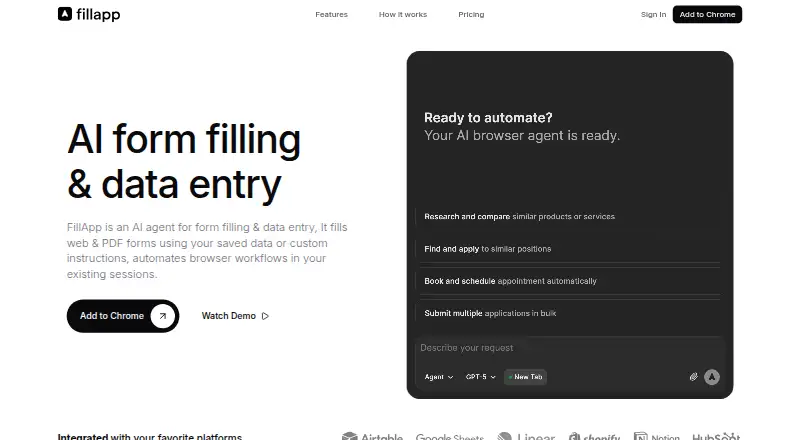
FillApp is a Chrome extension and AI browser agent for completing web and PDF forms, entering data, analyzing pages and files, and automating multi-step workflows across browser tabs. It is aimed at repetitive browser work in areas such as recruiting, logistics, sales operations, and other data-entry tasks. Its read-only assistance can summarize or extract information from pages, PDFs, and images, while its workflow features can upload documents, handle files, and pause for confirmation before sensitive actions.
Pricing is structured around a seven-day trial and monthly plans. Pay as you go costs $0 per month and includes the AI PDF editor, all AI models, and the option to buy credits at any time. Starter costs $14.99 per month and adds form filling, page summaries, document uploads, image and screenshot support, and saved snippets. Pro costs $29.99 per month and adds agent mode for multi-step automation, premium AI models, custom system prompts, custom AI fine-tuning, and priority email support. The published plans show monthly billing, with annual billing also presented as an option.
The product’s strongest fit is work that combines structured forms with browser navigation and document handling. Visible cursors, highlights, action traces, and confirmation prompts make its activity easier to follow than an entirely hidden workflow. Integrations include Google Forms, Microsoft Forms, Salesforce, HubSpot, Jotform, Airtable, Workday, Greenhouse, Atlassian, and ServiceNow. Choose FillApp when browser-based form completion and multi-step document workflows are central to the job. Choose an alternative when the priority is a broader platform experience beyond web and Chrome, or when agent mode is needed without moving to the Pro tier.
Your product? Our editors can test FillApp in depth and publish a review, labelled as paid · from $149/mo →
FillApp pricing
All 3 FillApp plans and prices →
FillApp fact sheet
| Free plan | No |
|---|---|
| Paid from | $14.99/mo |
| Browser control | Yes |
| Form filling | Yes |
| Research tasks | Yes |
| Human approval steps | Yes |
| Scheduled tasks | Not verified |
| Parallel runs | Not verified |
| Team workspace | Not verified |
| Free trial | 7 days · no card needed |
| Deployment | Cloud, Browser extension |
| Platforms | Web, Chrome extension |
| Support | |
| Built for | Solo, Small business (editorial estimate) |
| Integrations | 120+ integrations: Google Forms, Microsoft Forms, Salesforce, HubSpot, Jotform, Airtable … |
| Pricing | 7-day trial (source) |
| Website | fillapp.ai |
| Facts checked | 20 Sep 2026 |
FillApp integrations
FillApp lists 120+ integrations on its own site — the 10 named here are the ones its pages call out.
- Google Forms
- Microsoft Forms
- Salesforce
- HubSpot
- Jotform
- Airtable
- Workday
- Greenhouse
- Atlassian
- ServiceNow
Alternatives to FillApp
- Claude in ChromeA governed Chrome agent for research, forms, workflows, and scheduled browser tasks.9.3
- Retriever AIA broad browser agent with a low paid entry point and useful workflow controls.9.2
- SkyvernA visual browser-automation platform with APIs, security controls, and self-hosting.9.1



See all FillApp alternatives →
Used FillApp? Be the first to review it
The editor score above is our own research. What this page doesn't have yet is a reader's view — what you used FillApp for, what worked and what didn't. No stars are seeded and no review is paid for; an editor reads every one before it appears.
Write a reviewTwo minutes · verified accounts only · read by an editor before it appears
Featured on iTechGuides

FillApp is listed in our AI Browser Agents directory. Add the badge to your site — it links back to this page.
<a href="https://www.itechguides.com/products/fillapp/"><img src="https://www.itechguides.com/best/badge/fillapp.svg" alt="Featured on iTechGuides" width="230" height="46"></a>
Reviewed by iTechGuides Editors · Editorial team · Updated Oct 2026
Advertiser disclosure: iTechGuides is reader-supported. Vendors can pay for top positions in our rankings and for a place on other products' pages, and we may earn a commission when you click some links. Bought places stand at the number bought; this page and our disclosure say so. Paying vendors may get a fuller, more detailed review from our editors, and that review can change their score. How we rank.
Last updated · How we research and update