
FFmpeg
FFmpeg: A flexible free encoder toolkit for developers comfortable with command-line workflows. Ranked #13 of 70 in Live Streaming Encoders by our editors (8.1/10); pricing: Open source; best for developers needing flexible free encoding.
At a glance
- Editor score8.1 / 10
- PricingOpen source
- Best forDevelopers needing flexible free encoding
- Paid fromFree
- Encoder typeDesktop
- Facts checked20 Sep 2026
Where it wins
- Free and open source across Windows, macOS, and Linux
- Supports HLS, RTMP, RTMPS, RTP, RTSP, SRT, and UDP output
- Combines transcoding, filtering, recording, and reusable libraries
Where it doesn't
- Command-line orientation may challenge users seeking a visual workflow
- Protocol and codec availability can depend on build configuration
- Not a hosted live-production application with an integrated interface
Our verdict on FFmpeg
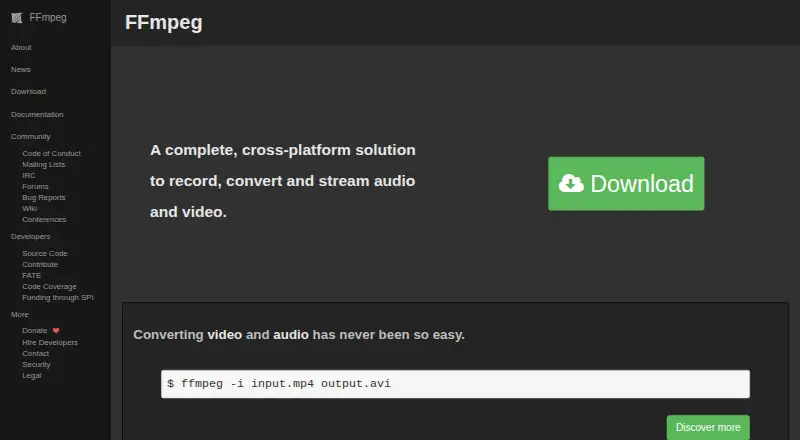
FFmpeg is a cross-platform multimedia framework for developers and technical users who need control over audio and video workflows. Its command-line tools—ffmpeg, ffplay, and ffprobe—handle encoding, decoding, transcoding, muxing, demuxing, filtering, playback, recording, and streaming. For live streaming, it supports desktop use on Windows, macOS, and Linux, with output protocols including HLS, RTMP, RTMPS, RTP, RTSP, SRT, and UDP. Reusable libraries such as libavcodec and libavformat also support application integration.
The main strength is breadth within a developer-oriented toolkit. FFmpeg can convert media between formats, build configurable filter graphs, record audio and video locally, and stream over several network protocols. That makes it suitable for developers building encoding pipelines or applications that need reusable multimedia components. Its open-source distribution, with most components under LGPL and optional components under GPL, supports flexible implementation choices. The tradeoff is that this breadth comes through tools and libraries rather than a hosted live-production workspace, so teams looking for an integrated production interface should consider a different type of product.
FFmpeg has no paid tiers to compare because it is distributed as open-source software. Build configuration matters: protocol and codec availability can depend on how a particular build is configured. The command-line orientation also places more responsibility on the user to design workflows, configure inputs and outputs, and connect the toolkit to a broader application or production setup. Choose FFmpeg when flexible encoding, filtering, recording, protocol support, or library integration is more important than a guided interface. Choose an alternative when the priority is a hosted live-production application with a visual workflow and packaged operational features.
Your product? Our editors can test FFmpeg in depth and publish a review, labelled as paid · from $149/mo →
FFmpeg pricing
FFmpeg fact sheet
| Free plan | Not verified |
|---|---|
| Paid from | Free |
| Encoder type | Desktop |
| Output protocols | HLS, RTMP, RTMPS, RTP, RTSP, SRT, UDP |
| Maximum resolution | Not verified |
| Simultaneous outputs | Not verified |
| Local recording | Yes |
| Remote guest sources | Not verified |
| Deployment | Desktop, Self-hosted |
| Platforms | Windows, macOS, Linux |
| Support | Community, Docs |
| Built for | Solo, Small business, Mid-market, Enterprise (editorial estimate) |
| Pricing | Open source |
| Website | ffmpeg.org |
| Facts checked | 20 Sep 2026 |
Alternatives to FFmpeg
- AWS Elemental MediaLiveA capable cloud encoder for complex AWS-based broadcast workflows.9.4
- Bitmovin Live EncoderA broad live-encoding stack for platforms, broadcasters, and streaming service providers.9.3
- Google Cloud Live Stream APIA cloud API for multi-rendition live delivery, recording, captions, and distribution.9.2


Also Ranked In
FFmpeg is ranked in 7 of our directories.
Used FFmpeg? Be the first to review it
The editor score above is our own research. What this page doesn't have yet is a reader's view — what you used FFmpeg for, what worked and what didn't. No stars are seeded and no review is paid for; an editor reads every one before it appears.
Write a reviewTwo minutes · verified accounts only · read by an editor before it appears
Featured on iTechGuides

FFmpeg is listed in our Live Streaming Encoders directory. Add the badge to your site — it links back to this page.
<a href="https://www.itechguides.com/products/ffmpeg/"><img src="https://www.itechguides.com/best/badge/ffmpeg.svg" alt="Featured on iTechGuides" width="230" height="46"></a>
Reviewed by iTechGuides Editors · Editorial team · Updated Oct 2026
Advertiser disclosure: iTechGuides is reader-supported. Vendors can pay for top positions in our rankings and for a place on other products' pages, and we may earn a commission when you click some links. Bought places stand at the number bought; this page and our disclosure say so. Paying vendors may get a fuller, more detailed review from our editors, and that review can change their score. How we rank.
Last updated · How we research and update