FEX-Emu
FEX-Emu: A focused compatibility layer for running Windows games on ARM64 Linux. Ranked #13 of 27 in Game Compatibility Layers by our editors (6.0/10); pricing: Open source; best for ARM64 Linux users running x86 Windows games.
At a glance
- Editor score6.0 / 10
- PricingOpen source
- Best forARM64 Linux users running x86 Windows games
- Paid fromNone
- Runtime modelTranslation + runtime
- Facts checked20 Sep 2026
Where it wins
- Combines x86 emulation with binary recompilation and system-call translation
- Forwards OpenGL and Vulkan calls to native ARM64 libraries
- Works with Wine, Proton and Steam for Windows game workflows
Where it doesn't
- Requires an ARM64 Linux host environment
- Windows game workflows depend on Wine or Proton compatibility
- Anti-cheat compatibility is not stated
Our verdict on FEX-Emu
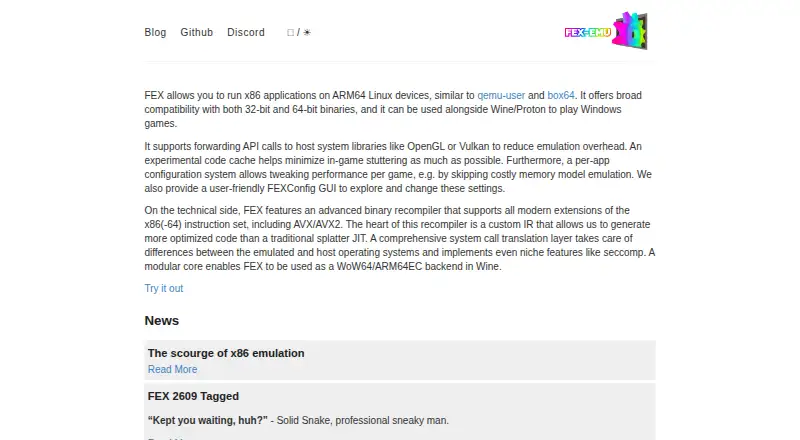
FEX-Emu is an open-source Linux user-mode emulator for running 32-bit and 64-bit x86 applications on ARM64 Linux devices. It is aimed at users who want to run Windows games and other x86 software on AArch64 hardware, particularly through Wine, Proton and Steam. Its runtime combines binary recompilation, x86 instruction-set support and system-call translation between the emulated and host operating systems.
The main strength is its breadth across the compatibility stack. FEX-Emu can forward OpenGL and Vulkan calls to native ARM64 libraries, supports Vulkan, and works with Wine and Proton for Windows applications. Official compatibility pages document support for games using Direct3D 10, 11 and 12. Steam game launching through Proton is supported, while root filesystem tooling supports AArch64 hosts. FEXConfig adds per-application runtime settings, giving users a way to manage different application requirements rather than relying on one global configuration.
FEX-Emu is a focused choice rather than a general-purpose solution for every Linux application. Its host platform is Linux on ARM64, and its primary scope is x86 and x86-64 software; users running native ARM64 applications do not need this compatibility layer for that purpose. Windows game support also depends on the Wine or Proton path, so the overall experience is shaped by that ecosystem and by each game's compatibility. Users who need to run x86 Windows games on ARM64 Linux should consider FEX-Emu, while users on other host platforms or seeking native ARM64 software support should look elsewhere.
FEX-Emu pricing
FEX-Emu fact sheet
| Free plan | Not verified |
|---|---|
| Paid from | None |
| Host platforms | Linux |
| Runtime model | Translation + runtime |
| DirectX support | Directx 9/10/11 + 12 |
| Vulkan support | Yes |
| Steam integration | Yes |
| Anti-cheat status | Not stated |
| Deployment | Self-hosted |
| Platforms | Linux |
| Support | Community, Docs |
| Built for | Solo, Small business, Mid-market, Enterprise (editorial estimate) |
| Integrations | 5 integrations: Wine, Proton, Steam, OpenGL, Vulkan |
| Pricing | Open source |
| Website | fex-emu.com |
| Facts checked | 20 Sep 2026 |
FEX-Emu integrations
FEX-Emu lists 5 integrations on its own site.
- Wine
- Proton
- Steam
- OpenGL
- Vulkan
Alternatives to FEX-Emu
- CrossOverA mature paid compatibility layer with broad Windows app support for Mac and Linux.9.2
- WineA mature, free compatibility layer for running many Windows apps across Linux and macOS.8.2
- OpenNativeA flexible Android game container with broad runtime controls and unsupported anti-cheat.7.7


See all FEX-Emu alternatives →
Used FEX-Emu? Be the first to review it
The editor score above is our own research. What this page doesn't have yet is a reader's view — what you used FEX-Emu for, what worked and what didn't. No stars are seeded and no review is paid for; an editor reads every one before it appears.
Write a reviewTwo minutes · verified accounts only · read by an editor before it appears
Featured on iTechGuides

FEX-Emu is listed in our Game Compatibility Layers directory. Add the badge to your site — it links back to this page.
<a href="https://www.itechguides.com/products/fex-emu/"><img src="https://www.itechguides.com/best/badge/fex-emu.svg" alt="Featured on iTechGuides" width="230" height="46"></a>
Reviewed by iTechGuides Editors · Editorial team · Updated Sep 2026
Advertiser disclosure: iTechGuides is reader-supported. We may earn a commission when you click some links. How we rank.
Last updated · How we research and update