
Fenestra
Fenestra: A credit-based web renderer covering prompts, CAD, sketches, 3D models, and animation. Ranked #13 of 23 in AI Architectural Rendering Software by our editors (6.2/10); pricing: Free plan · paid from $8/user/mo (annual); best for budget-conscious architectural visualizers.
At a glance
- Editor score6.2 / 10
- PricingFree plan · paid from $8/user/mo (annual)
- Best forBudget-conscious architectural visualizers
- Free planYes
- Workflow modeMixed
- Founded2024 · United Arab Emirates
- Facts checked20 Sep 2026
Where it wins
- Supports prompts, sketches, CAD drawings, photos, and 3D model imports
- Combines rendering with editing, staging, upscaling, and animations
- Free access and annual-billing plans starting at $8 per user monthly
Where it doesn't
- Credit allowances can limit monthly rendering volume
- The platform is available through the web only
- Higher-volume workflows require more expensive paid plans
Our verdict on Fenestra
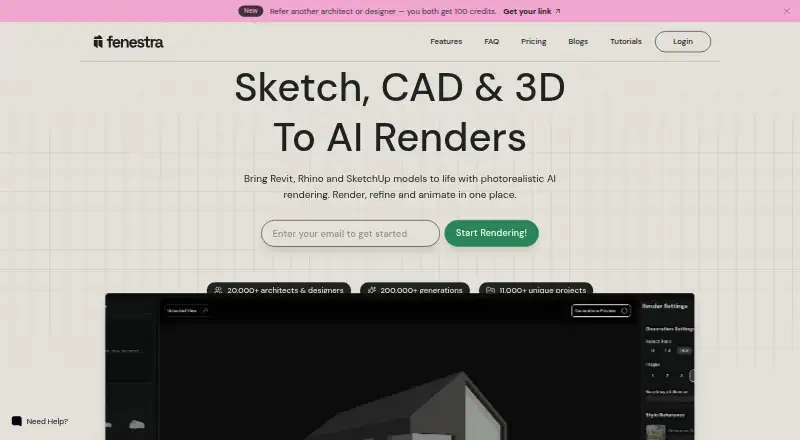
Fenestra is a browser-based AI rendering and visualization platform for architects, interior designers, landscape architects, real estate professionals, and visualization studios. It generates architectural imagery from prompts, sketches, CAD drawings, photos, and 3D models. Supported inputs include JPG, PNG, WEBP, PDF drawings, CAD exports, photos, GLB, FBX, and 3DM files. Its workflow spans prompt-based generation, sketch-to-render output, CAD and 3D model rendering, image editing, masking, enhancement, upscaling, custom style references, virtual staging, multi-angle views, animated walkthroughs, and real-time sketch rendering.
Pricing is organized around monthly credits. The free plan provides access without a listed paid commitment. The Individual plan costs $8 per user per month with annual billing and includes 200 credits, approximately 200 renders per month, AI-enhanced prompting, and commercial use. Pro costs $28 per user per month with annual billing and raises the allowance to 1,000 credits, while adding image editing, fast support, fast rendering, unlimited projects, and commercial use. Studio costs $48 per user per month with annual billing, 2,000 credits, professional image editing, priority render speeds, priority support, unlimited projects, and commercial use. Team costs $208.33 per month with annual billing and includes a shared credit pool, centralized billing, and up to 5 seats. Enterprise adds flexible multi-user licensing, shared credit pools, centralized administration and billing, personalized onboarding and support, and shared AI model access.
Fenestra’s main strength is breadth: one web workspace can move from an early sketch or prompt to rendered imagery, refined edits, staged scenes, multiple views, and animated walkthroughs. That makes it suitable for visualizers who need varied inputs and presentation outputs rather than a single rendering step. The tradeoff is its credit-based structure, which makes usage volume central to plan selection, while the web-only platform may not fit teams seeking a desktop application. Choose Fenestra for accessible, multi-input architectural visualization; consider an alternative if offline or desktop workflows are essential.
Fenestra pricing
All 5 Fenestra plans and prices →
Fenestra fact sheet
| Free plan | Yes |
|---|---|
| Paid from | Not verified |
| Workflow mode | Mixed |
| Supported inputs | prompts, JPG, PNG, WEBP, PDF drawings, sketches, CAD exports, photos, GLB, FBX, 3DM |
| Maximum output resolution | Not verified |
| Commercial use rights | Not verified |
| CAD/BIM import | Yes |
| Monthly credits | 200 credits/mo |
| API access | Not verified |
| Deployment | Cloud, Browser extension |
| Platforms | Web |
| Support | Email, Live chat, Docs |
| Built for | Solo, Small business, Mid-market, Enterprise (editorial estimate) |
| Pricing | Free plan · paid from $8/user/mo (annual) (source) |
| Website | fenestra.app |
| Facts checked | 20 Sep 2026 |
Alternatives to Fenestra
- HarthA web-based rendering workspace for BIM teams with broad model imports and credit-based plans.9.3
- Luw.ai StudioA broad browser-based workspace for architectural planning, modeling, furnishing, and rendering.9.0
- TreformA broad AI architecture workspace for early-stage modeling, massing, and site studies.8.0



See all Fenestra alternatives →
Used Fenestra? Be the first to review it
The editor score above is our own research. What this page doesn't have yet is a reader's view — what you used Fenestra for, what worked and what didn't. No stars are seeded and no review is paid for; an editor reads every one before it appears.
Write a reviewTwo minutes · verified accounts only · read by an editor before it appears
Featured on iTechGuides

Fenestra is listed in our AI Architectural Rendering Software directory. Add the badge to your site — it links back to this page.
<a href="https://www.itechguides.com/products/fenestra/"><img src="https://www.itechguides.com/best/badge/fenestra.svg" alt="Featured on iTechGuides" width="230" height="46"></a>
Reviewed by iTechGuides Editors · Editorial team · Updated Sep 2026
Advertiser disclosure: iTechGuides is reader-supported. We may earn a commission when you click some links. How we rank.
Last updated · How we research and update