
Treform
Treform: A broad AI architecture workspace for early-stage modeling, massing, and site studies. Ranked #3 of 23 in AI Architectural Rendering Software by our editors (7.7/10); pricing: Free plan; best for early-stage design and massing workflows.
At a glance
- Editor score7.7 / 10
- PricingFree plan
- Best forEarly-stage design and massing workflows
- Free planYes
- Paid from$25/mo
- Workflow modeMixed
- Facts checked20 Sep 2026
Where it wins
- Generates models, floor plans, sections, elevations, and BIM massing
- Imports site context with terrain, satellite imagery, and surrounding buildings
- Connects with Rhino, Revit, SketchUp, Blender, AutoCAD, and Archicad
Where it doesn't
- The Free plan includes no rendering and preview-only exports
- Pro limits photorealistic rendering to 25 renders per month
- Standard paid plans use annual billing
Our verdict on Treform
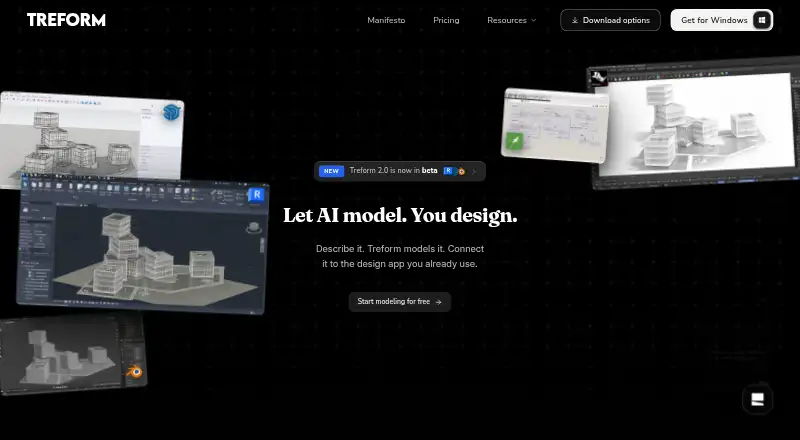
Treform is an AI-native architecture platform for students, solo architects, practicing architects, and design teams. It supports text-to-model generation, image-to-model generation from reference photos, natural-language geometry editing, BIM-oriented modeling, architectural rendering, and site analysis. Its workflow accepts text prompts, reference photos, site addresses, and property lines, making it suited to early design, massing, and context studies across web, Windows, and macOS.
The feature breadth is its clearest strength. Treform can generate floor plans, sections, and elevations; create editable 3D massing; convert massing to BIM; export IFC files; calculate areas; and analyze sun paths. Site imports can include satellite imagery, terrain, and surrounding buildings. Seven integrations—Rhino, Grasshopper, SketchUp, Revit, Blender, AutoCAD, and Archicad—help it fit into established architecture workflows. This makes Treform more than a rendering tool, particularly for projects that move between concept modeling, documentation, and site context.
Pricing offers a meaningful entry point. The Free plan is forever free but provides Haiku-only generations, no rendering, and preview-only exports. Pro costs $39 per month with annual billing and adds the full-power agent, 25 photoreal renders per month, unlimited site and map imports, and GLB, STL, OBJ, and Rhino 3DM exports. Studio costs $99 per month with Opus quality mode, Fable ultra mode, and priority compute and rendering queues. BYOK costs $25 per month with annual billing and supports user-provided Claude and/or OpenAI keys, while team and student plans address shared projects and academic use. Treform suits early-stage design teams seeking a broad AI modeling workspace; users focused primarily on high-volume rendering may prefer a narrower rendering product.
Your product? Our editors can test Treform in depth and publish a review, labelled as paid · from $149/mo →
Treform pricing
All 8 Treform plans and prices →
Treform fact sheet
| Free plan | Yes |
|---|---|
| Paid from | $25/mo |
| Workflow mode | Mixed |
| Supported inputs | text prompts, reference photos, site addresses, property lines |
| Maximum output resolution | Not verified |
| Commercial use rights | Yes |
| CAD/BIM import | Not verified |
| Monthly credits | Not verified |
| API access | Not verified |
| Money-back guarantee | 14 days |
| Deployment | Cloud, Desktop |
| Platforms | Web, Windows, macOS |
| Support | |
| Built for | Solo, Small business, Mid-market, Enterprise (editorial estimate) |
| Integrations | 7 integrations: Rhino, Grasshopper, SketchUp, Revit, Blender, AutoCAD … |
| Pricing | Free plan (source) |
| Website | treform.ai |
| Facts checked | 20 Sep 2026 |
Treform integrations
Treform lists 7 integrations on its own site.
- Rhino
- Grasshopper
- SketchUp
- Revit
- Blender
- AutoCAD
- Archicad
Alternatives to Treform
- HarthA web-based rendering workspace for BIM teams with broad model imports and credit-based plans.7.9
- Luw.ai StudioA broad browser-based workspace for architectural planning, modeling, furnishing, and rendering.7.8
- mnml.aiA broad browser-based rendering workspace with flexible inputs and credit-based plans.7.6



See all Treform alternatives →
Treform vs the competition
- Treform vs Harth
- Treform vs Luw.ai Studio
- Treform vs mnml.ai
- Treform vs Massing Labs
- Treform vs Veras
- Treform vs Rendero


Compare Treform with any tool side by side →
Also Ranked In
Treform is ranked in 2 of our directories.
Used Treform? Be the first to review it
The editor score above is our own research. What this page doesn't have yet is a reader's view — what you used Treform for, what worked and what didn't. No stars are seeded and no review is paid for; an editor reads every one before it appears.
Write a reviewTwo minutes · verified accounts only · read by an editor before it appears
Featured on iTechGuides

Treform is listed in our AI Architectural Rendering Software directory. Add the badge to your site — it links back to this page.
<a href="https://www.itechguides.com/products/treform/"><img src="https://www.itechguides.com/best/badge/treform.svg" alt="Featured on iTechGuides" width="230" height="46"></a>
Reviewed by iTechGuides Editors · Editorial team · Updated Oct 2026
Advertiser disclosure: iTechGuides is reader-supported. Vendors can pay for top positions in our rankings and for a place on other products' pages, and we may earn a commission when you click some links. Bought places stand at the number bought; this page and our disclosure say so. Paying vendors may get a fuller, more detailed review from our editors, and that review can change their score. How we rank.
Last updated · How we research and update