
FE File Explorer
FE File Explorer: A cross-location file manager for Apple users who need sync, transfers, and media access. Ranked #37 of 100 in File Manager Software by our editors (5.3/10); pricing: Paid; best for apple users managing files across devices and servers.
At a glance
- Editor score5.3 / 10
- PricingPaid
- Best forApple users managing files across devices and servers
- Free planNo
- Facts checked21 Sep 2026
Where it wins
- Connects to NAS, SMB/CIFS, WebDAV, FTP, SFTP, and cloud storage
- Two-way folder sync and transfers between connected locations
- Streams and manages documents, photos, and media files
Where it doesn't
- Paid product with no free plan
- Focused on iOS and macOS rather than a broad range of platforms
- Support is offered by email
Our verdict on FE File Explorer
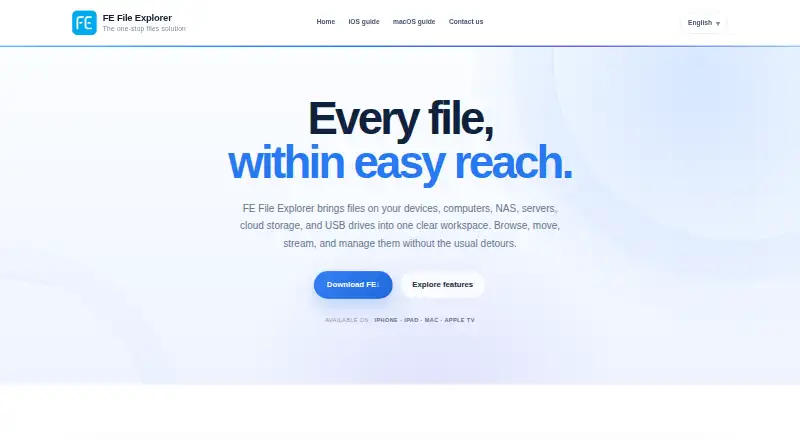
FE File Explorer brings files from computers, NAS devices, servers, and cloud storage into one manager for iPhone, iPad, and Mac. It is aimed at Apple users who move files among devices and remote locations, and want to browse, search, copy, move, rename, or delete them without switching between separate storage connections. It also handles document and photo viewing and editing, plus movie and music streaming. The product is paid and has no free plan.
Its strongest fit is the breadth of connections and the ability to act on files across them. FE File Explorer supports SMB/CIFS, WebDAV, FTP, SFTP, NAS, and cloud services including Dropbox, OneDrive, Box, and Google Drive. Transfers can run between connected servers, cloud storage, computers, and mobile devices. Two-way folder synchronisation extends that utility beyond one-off copying, while nearby transfer and built-in FTP and HTTP servers offer additional ways to exchange files. This combination suits people who routinely bridge local and remote storage; someone who only needs a basic single-device file browser may not need this range.
Media access is another practical strength: the app can stream movies and music from remote locations and view or edit documents, photos, and media files. MDM configuration distribution is supported, though the product's listed platform scope remains Apple devices, so organizations seeking a cross-platform file manager should look elsewhere. It may also be more capability than a user needs if their files already live in one cloud service and require little movement between locations. Choose FE File Explorer when connections, synchronization, and transfers across Apple devices and servers are central to the workflow; skip it when a free option or broader platform coverage is essential.
Your product? Our editors can test FE File Explorer in depth and publish a review, labelled as paid · from $149/mo →
FE File Explorer pricing
All 1 FE File Explorer plans and prices →
FE File Explorer fact sheet
| Free plan | No |
|---|---|
| Paid from | Not verified |
| Supported platforms | Not verified |
| Dual-pane view | Not verified |
| Tabbed interface | Not verified |
| Batch rename | Not verified |
| Archive support | Not verified |
| Cloud storage access | Not verified |
| Portable version | Not verified |
| Deployment | Desktop, Mobile |
| Platforms | iOS, macOS |
| Support | |
| Built for | Solo, Small business (editorial estimate) |
| Integrations | 8 integrations: Dropbox, OneDrive, Box, Google Drive, SMB/CIFS, WebDAV … |
| Pricing | Paid (source) |
| Website | skyjos.com |
| Facts checked | 21 Sep 2026 |
FE File Explorer integrations
FE File Explorer lists 8 integrations on its own site.
- Dropbox
- OneDrive
- Box
- Google Drive
- SMB/CIFS
- WebDAV
- FTP
- SFTP
Alternatives to FE File Explorer
- Total CommanderA feature-rich file manager for Windows users who want power beyond Explorer.9.3
- DolphinA capable free file manager, especially for Linux and KDE-oriented desktops.9.1
- WinSCPA capable Windows file manager for secure transfers, automation, and synchronization.9.0



See all FE File Explorer alternatives →
Also Ranked In
FE File Explorer is ranked in 2 of our directories.
Used FE File Explorer? Be the first to review it
The editor score above is our own research. What this page doesn't have yet is a reader's view — what you used FE File Explorer for, what worked and what didn't. No stars are seeded and no review is paid for; an editor reads every one before it appears.
Write a reviewTwo minutes · verified accounts only · read by an editor before it appears
Featured on iTechGuides

FE File Explorer is listed in our File Manager Software directory. Add the badge to your site — it links back to this page.
<a href="https://www.itechguides.com/products/fe-file-explorer/"><img src="https://www.itechguides.com/best/badge/fe-file-explorer.svg" alt="Featured on iTechGuides" width="230" height="46"></a>
Reviewed by iTechGuides Editors · Editorial team · Updated Oct 2026
Advertiser disclosure: iTechGuides is reader-supported. Vendors can pay for top positions in our rankings and for a place on other products' pages, and we may earn a commission when you click some links. Bought places stand at the number bought; this page and our disclosure say so. Paying vendors may get a fuller, more detailed review from our editors, and that review can change their score. How we rank.
Last updated · How we research and update