
Executor
Executor: A customizable Windows launcher that combines search, commands, and multi-action workflows. Ranked #11 of 40 in App Launcher Software by our editors (8.1/10); pricing: Free plan; best for windows command-and-workflow users.
At a glance
- Editor score8.1 / 10
- PricingFree plan
- Best forWindows command-and-workflow users
- Free planYes
- Paid fromFree
- Supported platformsWindows
- Facts checked19 Sep 2026
Where it wins
- Launches apps, files, folders, websites, web services, and system commands
- Supports configurable multi-action commands, keywords, parameters, and hotkeys
- Includes clipboard tools, window management, calculator, and custom indexing
Where it doesn't
- Windows-only, with no broader platform coverage
- No plugin support
- Setup depends on configuring keywords, hotkeys, and indexed locations
Our verdict on Executor
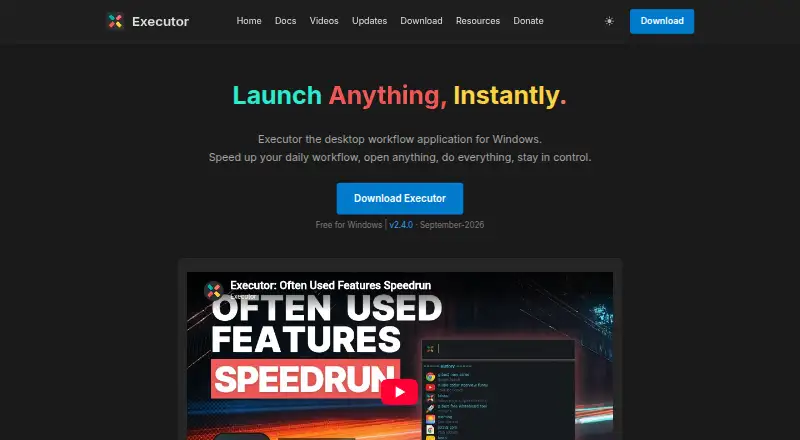
Executor brings application launching, search, and configurable commands together in a free, open-source Windows desktop tool. It is aimed at people who want to reach apps, files, folders, websites, web services, and system commands through searchable keywords, hotkeys, or indexed items rather than relying only on standard Windows launch and search tools. Its scope extends beyond opening single items: users can configure multi-action commands, use clipboard actions, manage windows, run calculations, and customize the interface with skins. The vendor describes support for Windows 7 and later, with 32-bit and 64-bit versions. This makes Executor a fit for Windows users who value command-driven workflows and local customization; it is less suitable for someone seeking a launcher that spans operating systems or supports plugins.
The published Free plan is free for commercial use and MIT licensed. The feature set includes custom keywords with parameters and hotkeys, indexing for applications and Control Panel items, and the option to add custom indexing locations. Configurable separators let a command string trigger multiple actions, while clipboard history and actions, window management commands, calculator, and system tools give the launcher utility beyond search. Those capabilities favor users willing to shape their own shortcuts and command patterns. Executor's internal browser is optional, and web services can also be launched; these are integrations within its launcher workflow rather than a broader cross-device ecosystem.
The main trade-off is breadth across Windows tasks versus breadth across platforms and extensions. Executor covers launching, file search, command execution, and workflow support, but its Windows-only availability and lack of plugin support narrow its fit for people who want a multi-platform launcher or an extensible add-on ecosystem. Custom indexing, keywords, parameters, hotkeys, and multi-action commands offer control, but also mean the value depends on configuring the tool around one's workflow. Choose Executor if a free, customizable Windows command launcher with clipboard and window tools matches the job; choose another option if plugins or platform coverage are central requirements.
Your product? Our editors can test Executor in depth and publish a review, labelled as paid · from $149/mo →
Executor pricing
All 1 Executor plans and prices →
Executor fact sheet
| Free plan | Yes |
|---|---|
| Paid from | Free |
| Supported platforms | Windows |
| File search | Yes |
| Command launching | Yes |
| Workflow support | Yes |
| Plugin support | No |
| Cloud sync | Not verified |
| Shortcut limit | Not verified |
| Deployment | Desktop |
| Platforms | Windows |
| Integrations | 2 integrations: internal browser, web services |
| Pricing | Free plan (source) |
| Website | executor.dk |
| Facts checked | 19 Sep 2026 |
Executor integrations
Executor lists 2 integrations on its own site.
- internal browser
- web services
Alternatives to Executor
- RaycastRaycast combines app and file search with commands, extensions, and optional AI.9.4
- WoxWox combines app launching, search, commands, plugins, and cloud sync in an open-source launcher.9.2
- AlfredA capable Mac launcher whose Powerpack adds automation and productivity tools.8.9



See all Executor alternatives →
Also Ranked In
Executor is ranked in 2 of our directories.
Used Executor? Be the first to review it
The editor score above is our own research. What this page doesn't have yet is a reader's view — what you used Executor for, what worked and what didn't. No stars are seeded and no review is paid for; an editor reads every one before it appears.
Write a reviewTwo minutes · verified accounts only · read by an editor before it appears
Featured on iTechGuides

Executor is listed in our App Launcher Software directory. Add the badge to your site — it links back to this page.
<a href="https://www.itechguides.com/products/executor/"><img src="https://www.itechguides.com/best/badge/executor.svg" alt="Featured on iTechGuides" width="230" height="46"></a>
Reviewed by iTechGuides Editors · Editorial team · Updated Oct 2026
Advertiser disclosure: iTechGuides is reader-supported. Vendors can pay for top positions in our rankings and for a place on other products' pages, and we may earn a commission when you click some links. Bought places stand at the number bought; this page and our disclosure say so. Paying vendors may get a fuller, more detailed review from our editors, and that review can change their score. How we rank.
Last updated · How we research and update