
Erasee
Erasee: A focused Apple photo editor for cutouts, generated backgrounds, and quick creative edits. Ranked #56 of 93 in AI Background Removers by our editors (5.3/10); pricing: Freemium; best for apple users wanting removal plus creative editing.
At a glance
- Editor score5.3 / 10
- PricingFreemium
- Best forApple users wanting removal plus creative editing
- Replacement backgroundsYes
- Facts checked22 Sep 2026
Where it wins
- One-tap AI removal creates transparent-background cutouts
- Generated backgrounds, templates, blur, borders, and object removal
- Layer-based editing and resizing support social and product formats
Where it doesn't
- Available only on iOS and macOS
- Plan choices include repeated weekly and credit options
- Best suited to image editing rather than broader production workflows
Our verdict on Erasee
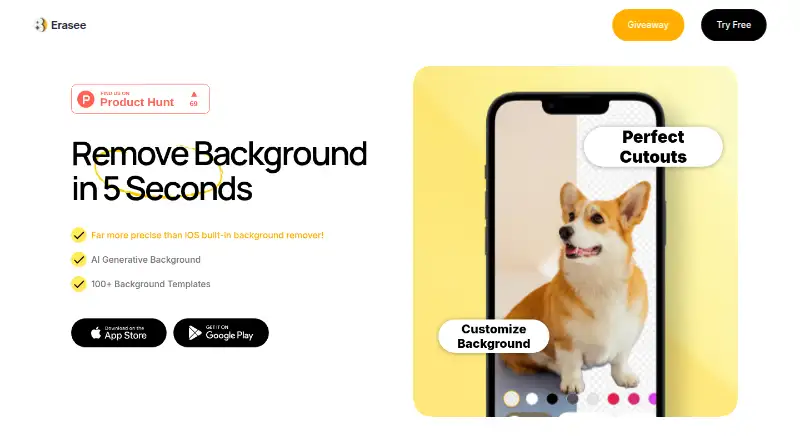
Erasee is a freemium photo-editing app from Nero AG for iPhone and iPad, with Mac compatibility through Apple silicon devices. Its central feature is one-tap AI background removal, which creates transparent cutouts for product photography, social media, portraits, stickers, and memes. The app also combines removal with creative editing tools, making it relevant to Apple users who want to prepare and adapt images in one place rather than use a background remover alone.
The feature set extends beyond cutouts. Erasee can generate replacement backgrounds from descriptions, apply templates, remove unwanted objects, blur backgrounds, add borders, resize images for social and product formats, and support layer-based photo editing. An AI chat assistant adds another way to edit photos. Together, these capabilities give the app a broad creative focus: users can isolate a subject, place it into a new visual setting, adjust the composition, and prepare different image sizes from the same workflow.
Its freemium model includes several access formats: 7-Day (Weekly) Full Access, Weekly Pro, 1-Year (Yearly) Full Access, Erasee Lifetime Pro, and Pay As You Go Credits options for 50 or 100 credits. The published plan types cover short-term access, Pro access, yearly access, lifetime access, and credit-based use. Erasee should suit Apple users who want background removal alongside templates and editing tools. Buyers seeking a workflow centered on batch processing or API access should compare products designed specifically for those needs.
Your product? Our editors can test Erasee in depth and publish a review, labelled as paid · from $149/mo →
Erasee pricing
All 7 Erasee plans and prices →
Erasee fact sheet
| Free plan | Not verified |
|---|---|
| Paid from | Not verified |
| Replacement backgrounds | Yes |
| Batch processing | Not verified |
| API access | Not verified |
| Maximum output resolution | Not verified |
| Monthly image allowance | Not verified |
| Export formats | Not verified |
| Commercial use | Not verified |
| Deployment | Mobile |
| Platforms | iOS, macOS |
| Support | |
| Built for | Solo, Small business (editorial estimate) |
| Pricing | Freemium (source) |
| Website | pcai.nero.com |
| Facts checked | 22 Sep 2026 |
Alternatives to Erasee
- remove.bgA versatile background remover for teams that need automation, integrations, and high-resolution exports.9.3
- PixelcutA flexible background remover for ecommerce catalogs, creators, and marketing teams.9.1
- PhotoroomA broad image editor that combines background removal with AI, batch, team, and API workflows.9.0



Used Erasee? Be the first to review it
The editor score above is our own research. What this page doesn't have yet is a reader's view — what you used Erasee for, what worked and what didn't. No stars are seeded and no review is paid for; an editor reads every one before it appears.
Write a reviewTwo minutes · verified accounts only · read by an editor before it appears
Featured on iTechGuides

Erasee is listed in our AI Background Removers directory. Add the badge to your site — it links back to this page.
<a href="https://www.itechguides.com/products/erasee/"><img src="https://www.itechguides.com/best/badge/erasee.svg" alt="Featured on iTechGuides" width="230" height="46"></a>
Reviewed by iTechGuides Editors · Editorial team · Updated Oct 2026
Advertiser disclosure: iTechGuides is reader-supported. Vendors can pay for top positions in our rankings and for a place on other products' pages, and we may earn a commission when you click some links. Bought places stand at the number bought; this page and our disclosure say so. Paying vendors may get a fuller, more detailed review from our editors, and that review can change their score. How we rank.
Last updated · How we research and update