EasyOCR
EasyOCR: A flexible OCR library for developers extracting multilingual image text. Ranked #16 of 40 in OCR Software by our editors (7.1/10); pricing: Free plan; best for developers extracting multilingual image text.
At a glance
- Editor score7.1 / 10
- PricingFree plan
- Best forDevelopers extracting multilingual image text
- Free planYes
- Paid fromFree
- Supported languages80 languages
- Facts checked23 Sep 2026
Where it wins
- Supports more than 80 languages and multiple writing systems
- Returns text, bounding boxes, and confidence scores
- Offers Python, CLI, GPU, CPU-only, and custom model options
Where it doesn't
- Does not create searchable PDFs
- Does not export results to Word
- Handwriting OCR is not currently supported
Our verdict on EasyOCR
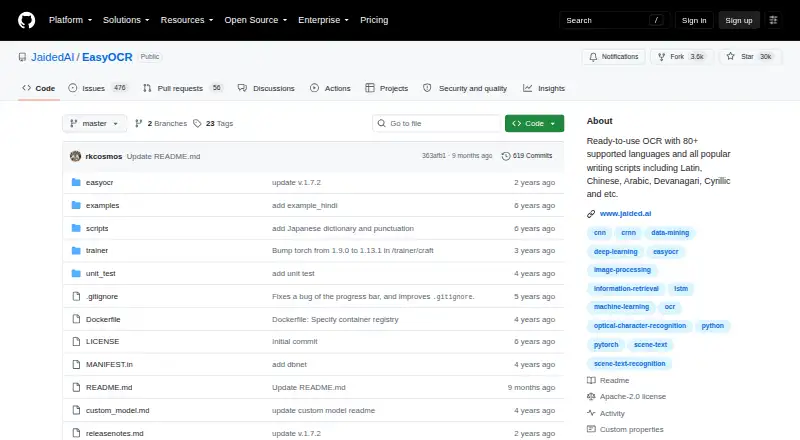
EasyOCR is an open-source Python module for extracting text from images, built for developers who need programmatic OCR rather than a document-conversion workspace. It supports more than 80 languages and writing systems including Latin, Chinese, Arabic, Devanagari, and Cyrillic. The library recognizes both natural-scene text and dense document text, making it suitable for image-processing workflows that need structured recognition results.
Its strongest area is implementation flexibility. The Python API and command-line interface support image paths, OpenCV arrays, image bytes, and image URLs, while results include detected text, bounding boxes, and confidence scores. GPU acceleration is available, with CPU-only execution as an alternative. Developers can also train or use custom detection and recognition models, which gives teams room to adapt the OCR pipeline to specialized image sources or recognition requirements.
EasyOCR is less suited to users who need finished office or archival documents. It does not provide searchable PDF creation or Word export, and handwriting OCR is not currently supported. Its focus is image text extraction on a Windows desktop platform, not a broader document-management workflow. Choose it when multilingual recognition, API access, command-line use, model customization, or confidence data matter most. Choose another OCR product when the priority is converting documents into searchable PDFs, exporting directly to Word, or recognizing handwritten text.
Your product? Our editors can test EasyOCR in depth and publish a review, labelled as paid · from $149/mo →
EasyOCR pricing
EasyOCR fact sheet
| Free plan | Yes |
|---|---|
| Paid from | Free |
| Searchable PDF | Not verified |
| Word export | Not verified |
| Handwriting OCR | No |
| Supported languages | 80 languages |
| Monthly page limit | Not verified |
| Primary platform | Desktop |
| Supported inputs | Image |
| Deployment | Self-hosted |
| Platforms | Windows, Linux, macOS |
| Support | Community, Docs |
| Built for | Solo, Small business, Mid-market, Enterprise (editorial estimate) |
| Pricing | Free plan |
| Website | github.com |
| Facts checked | 23 Sep 2026 |
Alternatives to EasyOCR
- PaddleOCRA developer-focused OCR toolkit with multilingual, handwriting, and document parsing workflows.9.3
- Tesseract OCRA mature, developer-focused OCR engine with broad outputs and self-hosting flexibility.9.1
- ABBYY FineReader PDFA broad desktop PDF suite for OCR, editing, conversion, forms, and document control.9.0

See all EasyOCR alternatives →
Also Ranked In
EasyOCR is ranked in 2 of our directories.
Used EasyOCR? Be the first to review it
The editor score above is our own research. What this page doesn't have yet is a reader's view — what you used EasyOCR for, what worked and what didn't. No stars are seeded and no review is paid for; an editor reads every one before it appears.
Write a reviewTwo minutes · verified accounts only · read by an editor before it appears
Featured on iTechGuides

EasyOCR is listed in our OCR Software directory. Add the badge to your site — it links back to this page.
<a href="https://www.itechguides.com/products/easyocr/"><img src="https://www.itechguides.com/best/badge/easyocr.svg" alt="Featured on iTechGuides" width="230" height="46"></a>
Reviewed by iTechGuides Editors · Editorial team · Updated Oct 2026
Advertiser disclosure: iTechGuides is reader-supported. Vendors can pay for top positions in our rankings and for a place on other products' pages, and we may earn a commission when you click some links. Bought places stand at the number bought; this page and our disclosure say so. Paying vendors may get a fuller, more detailed review from our editors, and that review can change their score. How we rank.
Last updated · How we research and update