
easyHDR
easyHDR: A broad HDR toolkit for Lightroom users, with perpetual licenses and no free plan. Ranked #8 of 20 in HDR Software by our editors (6.9/10); pricing: Paid; best for feature-rich HDR with Lightroom.
At a glance
- Editor score6.9 / 10
- PricingPaid
- Best forFeature-rich HDR with Lightroom
- Free planNo
- HDR merge modeBoth
- Facts checked20 Sep 2026
Where it wins
- Combines HDR merging, LDR enhancement, RAW decoding, and tone mapping
- Includes alignment, ghost removal, layers, masks, and batch processing
- Supports Windows, macOS, and Linux through Wine, plus Lightroom Classic
Where it doesn't
- The product is paid and has no free plan
- HOME and COMMERCIAL licenses separate non-profit and commercial use
- Linux usage relies on Wine rather than a listed native Linux version
Our verdict on easyHDR
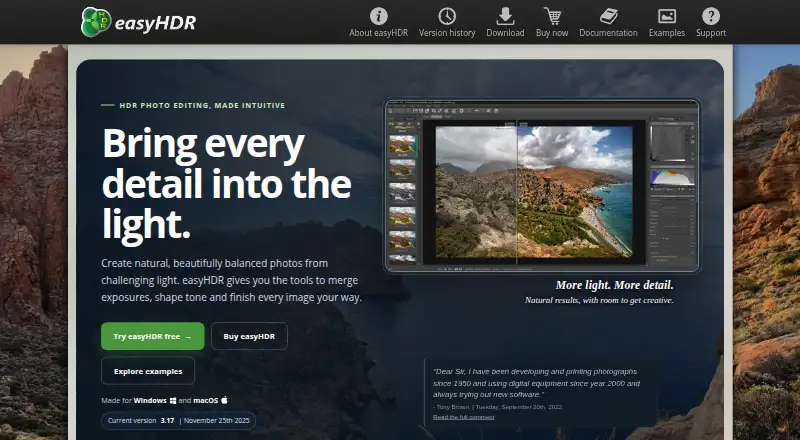
easyHDR is desktop photo-processing software for photographers who need more than basic exposure blending. It supports HDR creation from multiple exposures as well as single-photo enhancement for JPEG and RAW files. Its audience includes photographers working with landscapes, architecture, interiors, panoramas, astrophotography, and HDR timelapses. The feature set also suits users who want detailed control over alignment, ghost removal, tone mapping, and output preparation rather than a narrowly focused merge utility.
The paid licensing structure is straightforward. HOME provides a single-user license for non-profit use, with a lifetime license, free updates, and Windows and macOS licensing. COMMERCIAL keeps the same single-user, lifetime, and update terms while covering commercial use. Both plans separate usage rights rather than offering different editing features. easyHDR also provides output options including OpenEXR, Radiance RGBE, and 32-bit TIFF, which fits workflows that retain high dynamic range beyond standard image formats.
Its main advantage is breadth within HDR processing. Users can combine automatic and manual alignment with automatic and manual ghost removal, global and local tone mapping, layers and masks with independent tone-mapping settings, lens correction, chromatic-aberration correction, presets, color management, and batch processing. Adobe Lightroom Classic integration adds a direct fit for photographers organizing work in that ecosystem. Windows and macOS users seeking a broad desktop HDR tool should find the scope relevant. It is less suitable for buyers who require a free plan, a license that covers both non-profit and commercial work without distinction, or a native Linux application rather than Wine-based usage.
easyHDR pricing
All 2 easyHDR plans and prices →
easyHDR fact sheet
| Free plan | No |
|---|---|
| Paid from | Not verified |
| HDR merge mode | Both |
| Tone mapping controls | Multiple |
| Batch processing | Yes |
| RAW file support | Yes |
| HDR output formats | OpenEXR, Radiance RGBE, 32-bit TIFF |
| Supported platforms | Windows, macOS, Linux with Wine |
| Maximum input images | Not verified |
| Deployment | Desktop |
| Platforms | Windows, macOS, Linux |
| Support | Email, Docs |
| Built for | Solo, Small business (editorial estimate) |
| Integrations | 1 integrations: Adobe Lightroom Classic |
| Pricing | Paid (source) |
| Website | easyhdr.com |
| Facts checked | 20 Sep 2026 |
easyHDR integrations
easyHDR lists 1 integrations on its own site.
- Adobe Lightroom Classic
Alternatives to easyHDR
- Luminance HDRA free, full-featured HDR toolkit for photographers on Windows, macOS, and Linux.9.0
- ColorForgeA free cross-platform HDR editor with strong RAW and bracket-fusion controls.8.6
- Photomatix ProA feature-rich desktop HDR editor for photographers who need advanced control.8.1

See all easyHDR alternatives →
easyHDR vs the competition
- easyHDR vs Luminance HDR
- easyHDR vs ColorForge
- easyHDR vs Photomatix Pro
- easyHDR vs ON1 HDR
- easyHDR vs AKVIS HDRFactory
- easyHDR vs PhotomatixCL


Compare easyHDR with any tool side by side →
Also listed in
Used easyHDR? Be the first to review it
The editor score above is our own research. What this page doesn't have yet is a reader's view — what you used easyHDR for, what worked and what didn't. No stars are seeded and no review is paid for; an editor reads every one before it appears.
Write a reviewTwo minutes · verified accounts only · read by an editor before it appears
Featured on iTechGuides

easyHDR is listed in our HDR Software directory. Add the badge to your site — it links back to this page.
<a href="https://www.itechguides.com/products/easyhdr/"><img src="https://www.itechguides.com/best/badge/easyhdr.svg" alt="Featured on iTechGuides" width="230" height="46"></a>
Guides on HDR software
- Here Are the Best Nintendo Switch 2 HDR Settings for TVs and Monitors to Fix Washed-Out VisualsAug 2026
- Best Dolby Atmos TV Boxes for 4K HDR: Choose the Right Streaming BoxAug 2026
- Best HDR Monitor in 2026: Our Top Picks for GamingAug 2026
Reviewed by iTechGuides Editors · Editorial team · Updated Sep 2026
Advertiser disclosure: iTechGuides is reader-supported. We may earn a commission when you click some links. How we rank.
Last updated · How we research and update