
ColorForge
ColorForge: A free cross-platform HDR editor with strong RAW and bracket-fusion controls. Ranked #2 of 20 in HDR Software by our editors (8.6/10); pricing: Free plan; best for free cross-platform HDR editing.
At a glance
- Editor score8.6 / 10
- PricingFree plan
- Best forFree cross-platform HDR editing
- Free planYes
- Paid fromNone
- HDR merge modeBoth
- Facts checked20 Sep 2026
Where it wins
- Supports RAW decoding across major camera file formats
- Combines bracket fusion with alignment and deghosting controls
- Runs on web, desktop operating systems, iOS, and Android
Where it doesn't
- No verified batch-processing workflow
- Browser use depends on a modern browser environment
- Export options are limited to JPEG, PNG, and 16-bit TIFF
Our verdict on ColorForge
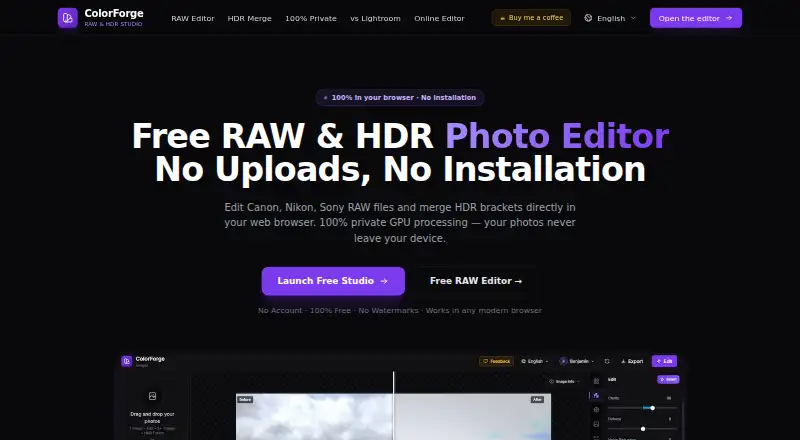
ColorForge is a free photo editor for photographers who need to develop camera RAW files, merge exposure brackets into HDR images, adjust tonal and color properties, and export finished work. It runs in modern browsers across web, Windows, macOS, Linux, iOS, and Android. The editor also processes images locally through WebAssembly and WebGL, while allowing use without installation or a mandatory account. Its Free plan includes RAW editing, HDR bracket merging, and watermark-free exports.
Its standout capability is the combination of RAW development and HDR control in one editor. ColorForge decodes CR2, CR3, NEF, ARW, DNG, RAF, ORF, and RW2 files, then provides multi-exposure fusion, image alignment, and deghosting controls. Tone shaping includes parametric RGB and channel curves, while the eight-channel HSL mixer, 3D LUT loading, and built-in presets give photographers several ways to refine color. This makes it a practical fit for single-image RAW work and bracket-based landscape, architecture, or interior photography.
The main constraint is workflow scale: batch processing is not verified, so photographers handling large collections may prefer a tool with documented batch support. Output is also focused on JPEG, PNG, and 16-bit TIFF, which may not suit workflows requiring other delivery formats. ColorForge should appeal to photographers who want a no-cost, cross-platform HDR editor with local browser processing and no required account. It is less suitable for teams or high-volume workflows that depend on confirmed batch operations or a broader export system.
ColorForge pricing
All 1 ColorForge plans and prices →
ColorForge fact sheet
| Free plan | Yes |
|---|---|
| Paid from | None |
| HDR merge mode | Both |
| Tone mapping controls | Multiple |
| Batch processing | Not verified |
| RAW file support | Yes |
| HDR output formats | JPEG, PNG, 16-bit TIFF |
| Supported platforms | web, Windows, macOS, Linux, iOS, Android |
| Maximum input images | Not verified |
| Deployment | Cloud |
| Platforms | Web, Windows, macOS, Linux, iOS, Android |
| Support | Tickets |
| Built for | Solo, Small business (editorial estimate) |
| Pricing | Free plan (source) |
| Website | colorforge.studio |
| Facts checked | 20 Sep 2026 |
Alternatives to ColorForge
- Luminance HDRA free, full-featured HDR toolkit for photographers on Windows, macOS, and Linux.9.0
- Photomatix ProA feature-rich desktop HDR editor for photographers who need advanced control.8.1
- ON1 HDRA focused HDR editor with AI masking, batch processing, and RAW support for over 800 cameras.8.0

See all ColorForge alternatives →
ColorForge vs the competition
- ColorForge vs Luminance HDR
- ColorForge vs Photomatix Pro
- ColorForge vs ON1 HDR
- ColorForge vs AKVIS HDRFactory
- ColorForge vs PhotomatixCL
- ColorForge vs SNS-HDR


Compare ColorForge with any tool side by side →
Used ColorForge? Be the first to review it
The editor score above is our own research. What this page doesn't have yet is a reader's view — what you used ColorForge for, what worked and what didn't. No stars are seeded and no review is paid for; an editor reads every one before it appears.
Write a reviewTwo minutes · verified accounts only · read by an editor before it appears
Featured on iTechGuides

ColorForge is listed in our HDR Software directory. Add the badge to your site — it links back to this page.
<a href="https://www.itechguides.com/products/colorforge/"><img src="https://www.itechguides.com/best/badge/colorforge.svg" alt="Featured on iTechGuides" width="230" height="46"></a>
Guides on HDR software
- Here Are the Best Nintendo Switch 2 HDR Settings for TVs and Monitors to Fix Washed-Out VisualsAug 2026
- Best Dolby Atmos TV Boxes for 4K HDR: Choose the Right Streaming BoxAug 2026
- Best HDR Monitor in 2026: Our Top Picks for GamingAug 2026
Reviewed by iTechGuides Editors · Editorial team · Updated Sep 2026
Advertiser disclosure: iTechGuides is reader-supported. We may earn a commission when you click some links. How we rank.
Last updated · How we research and update