
Easy Context Menu
Easy Context Menu: A free, focused utility for reshaping Windows context menus—not organizing desktop files. Ranked #45 of 47 in Desktop Organization Software by our editors (5.8/10); pricing: Free plan; best for customizing Windows context menus.
At a glance
- Editor score5.8 / 10
- PricingFree plan
- Best forCustomizing Windows context menus
- Free planYes
- Paid fromFree
- Platform supportWindows_only
- Facts checked22 Sep 2026
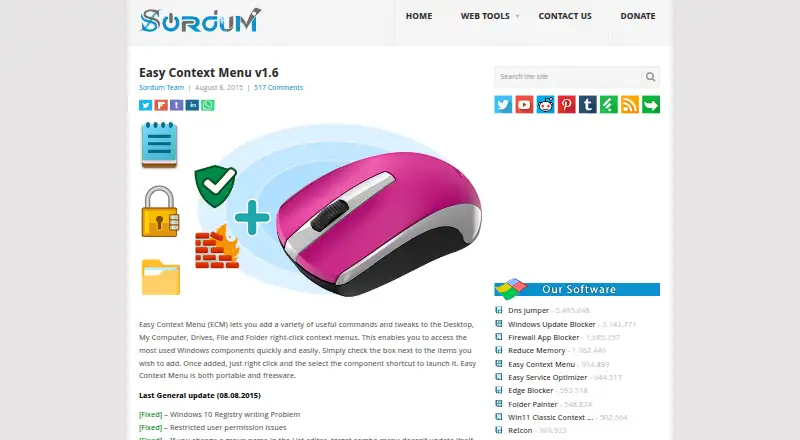
Where it wins
- Adds commands and shortcuts across multiple Windows context-menu locations
- Cleaner removes unwanted entries, with icon visibility and position controls
- Includes Windows Firewall block and removal commands for executable files
Where it doesn't
- Windows-only, with no support for other platforms
- Does not organize desktop files or provide automatic sorting
- The last general update shown is dated August 8, 2015
Our verdict on Easy Context Menu
Easy Context Menu is a portable freeware Windows utility from Sordum Team for users who want more control over right-click menus. It supports Windows versions from XP through Windows 11, with 32-bit and 64-bit executables listed. Its audience is primarily solo users and small teams working on Windows desktops, especially those who want to add shortcuts, remove clutter, or adjust how commands appear across common locations.
Its main strength is the breadth of context-menu locations and the level of control within that narrow purpose. Users can add commands to the Desktop, This PC, drives, folders, files, and executable files. A drag-and-drop list editor supports adding custom programs, while the cleaner removes unwanted entries. Icons can be shown or hidden, positioned at the top, middle, or bottom, and concealed until Shift-click is used. The utility also adds Windows Firewall blocking and removal commands for executable files, extending its scope beyond appearance and shortcuts.
Easy Context Menu is a focused choice for Windows users who want a free, portable way to customize right-click behavior without a broader desktop-organization suite. Its limits are equally clear: it runs on Windows only, does not organize desktop files, and does not provide automatic sorting. The official product page shows the last general update as August 8, 2015, which may matter to buyers prioritizing a more recently updated utility. Pick it for direct context-menu customization; choose a different type of desktop organization tool if file arrangement or automatic sorting is the primary need.
Your product? Our editors can test Easy Context Menu in depth and publish a review, labelled as paid · from $149/mo →
Easy Context Menu pricing
Easy Context Menu fact sheet
| Free plan | Yes |
|---|---|
| Paid from | Free |
| Platform support | Windows_only |
| Organization model | Not verified |
| Automatic sorting | Not verified |
| Maximum containers | Not verified |
| Saved layouts | Not verified |
| Multi-monitor support | Not verified |
| Deployment | Desktop |
| Platforms | Windows |
| Built for | Solo, Small business (editorial estimate) |
| Pricing | Free plan |
| Website | sordum.org |
| Facts checked | 22 Sep 2026 |
Alternatives to Easy Context Menu
- AutoShelfDeep automated file sorting for Mac users who want precise control.9.4
- Desktop Frames+A flexible Windows desktop organizer with frames, profiles, rules, and search.9.3
- DeskBoxDeskBox combines automatic desktop organization with search, widgets, todos, and recovery tools.9.2


See all Easy Context Menu alternatives →
Used Easy Context Menu? Be the first to review it
The editor score above is our own research. What this page doesn't have yet is a reader's view — what you used Easy Context Menu for, what worked and what didn't. No stars are seeded and no review is paid for; an editor reads every one before it appears.
Write a reviewTwo minutes · verified accounts only · read by an editor before it appears
Featured on iTechGuides

Easy Context Menu is listed in our Desktop Organization Software directory. Add the badge to your site — it links back to this page.
<a href="https://www.itechguides.com/products/easy-context-menu/"><img src="https://www.itechguides.com/best/badge/easy-context-menu.svg" alt="Featured on iTechGuides" width="230" height="46"></a>
Reviewed by iTechGuides Editors · Editorial team · Updated Oct 2026
Advertiser disclosure: iTechGuides is reader-supported. Vendors can pay for top positions in our rankings and for a place on other products' pages, and we may earn a commission when you click some links. Bought places stand at the number bought; this page and our disclosure say so. Paying vendors may get a fuller, more detailed review from our editors, and that review can change their score. How we rank.
Last updated · How we research and update