e4defrag
e4defrag: A focused Linux command-line utility for online ext4 defragmentation. Ranked #11 of 20 in Disk Defragmentation Software by our editors (7.0/10); pricing: Open source; best for focused ext4 command-line defragmentation.
At a glance
- Editor score7.0 / 10
- PricingOpen source
- Best forFocused ext4 command-line defragmentation
- Paid fromFree
- Facts checked20 Sep 2026
Where it wins
- Processes files, directories, and mounted ext4 devices
- Reports current and ideal fragmentation counts
- Checks available filesystem space before defragmentation
Where it doesn't
- Linux-only platform support
- Focused on extent-based files on ext4
- Requires command-line operation
Our verdict on e4defrag
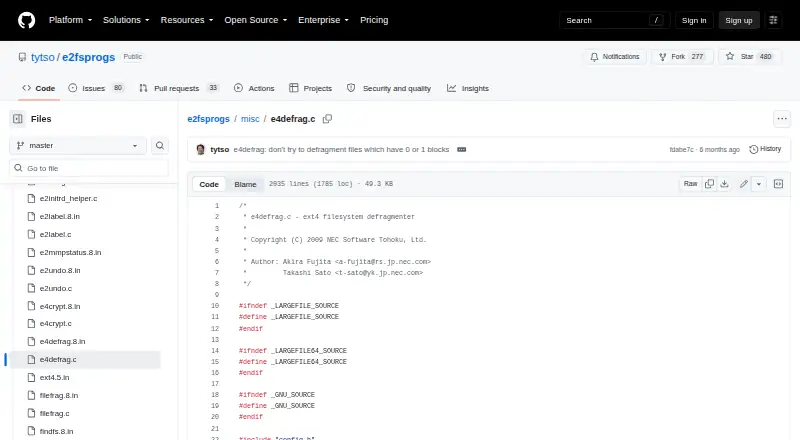
e4defrag is a Linux command-line utility for reducing fragmentation in extent-based files on ext4 filesystems. It is intended for users who manage Linux storage from the command line and need to process individual files, directories with their files, or mounted ext4 devices. As part of the e2fsprogs project, it fits into a broader collection of ext2, ext3, and ext4 filesystem utilities. The utility can also operate on files in active use.
Its strongest capability is focused fragmentation analysis and online processing. The -c option calculates current and ideal fragmentation counts, while -v reports fragmentation counts before and after processing. That gives administrators a way to inspect fragmentation and review the result around a defragmentation operation. Before processing, e4defrag checks available filesystem space, adding a storage-availability check to the workflow. It can report fragmentation scores without modifying targets, which supports an assessment-first approach.
The trade-off is a narrow, purpose-built scope. e4defrag is centered on ext4 and command-line workflows rather than broader platform coverage or a general disk-optimization interface. Users looking for a Linux utility that directly handles ext4 files, directories, or mounted devices should find its boundaries clear and useful. It is less suitable for anyone seeking a graphical tool, support centered on other filesystems, or a broader optimization suite. Choose e4defrag when ext4 defragmentation and fragmentation reporting are the priority; choose an alternative when the need extends beyond that filesystem and command-line focus.
Your product? Our editors can test e4defrag in depth and publish a review, labelled as paid · from $149/mo →
e4defrag pricing
e4defrag fact sheet
| Free plan | Not verified |
|---|---|
| Paid from | Free |
| Drive types | Not verified |
| Scheduled optimization | Not verified |
| Automatic optimization | Not verified |
| Boot-time optimization | Not verified |
| Filesystem support | Multi-filesystem |
| Maximum drive count | Not verified |
| Deployment | Self-hosted |
| Platforms | Linux |
| Support | Email, Docs |
| Built for | Solo, Enterprise (editorial estimate) |
| Pricing | Open source |
| Website | github.com |
| Facts checked | 20 Sep 2026 |
Alternatives to e4defrag
- IObit Smart DefragA Windows-focused optimizer with free defragmentation and paid automation features.9.4
- Disk SpeedUpA free Windows tool for HDD and SSD analysis, defragmentation, and optimization.9.2
- O&O DefragA paid Windows optimizer combining drive maintenance, monitoring, and automation.8.8


See all e4defrag alternatives →
Used e4defrag? Be the first to review it
The editor score above is our own research. What this page doesn't have yet is a reader's view — what you used e4defrag for, what worked and what didn't. No stars are seeded and no review is paid for; an editor reads every one before it appears.
Write a reviewTwo minutes · verified accounts only · read by an editor before it appears
Featured on iTechGuides

e4defrag is listed in our Disk Defragmentation Software directory. Add the badge to your site — it links back to this page.
<a href="https://www.itechguides.com/products/e4defrag/"><img src="https://www.itechguides.com/best/badge/e4defrag.svg" alt="Featured on iTechGuides" width="230" height="46"></a>
Reviewed by iTechGuides Editors · Editorial team · Updated Oct 2026
Advertiser disclosure: iTechGuides is reader-supported. Vendors can pay for top positions in our rankings and for a place on other products' pages, and we may earn a commission when you click some links. Bought places stand at the number bought; this page and our disclosure say so. Paying vendors may get a fuller, more detailed review from our editors, and that review can change their score. How we rank.
Last updated · How we research and update