DVM
DVM: A focused, cross-platform Deno version manager with project pinning and Windows support. Ranked #20 of 30 in Runtime Version Managers by our editors (7.2/10); pricing: Open source; best for deno developers needing Windows support.
At a glance
- Editor score7.2 / 10
- PricingOpen source
- Best forDeno developers needing Windows support
- Paid fromFree
- Automatic switchingNo
- Facts checked20 Sep 2026
Where it wins
- Installs and switches specific, latest, LTS, and canary Deno releases
- Pins project versions with local .dvmrc files
- Supports Windows, macOS, and Linux environments
Where it doesn't
- Focused only on the Deno runtime
- Does not provide automatic version switching
- Command-line workflow requires shell or PowerShell setup
Our verdict on DVM
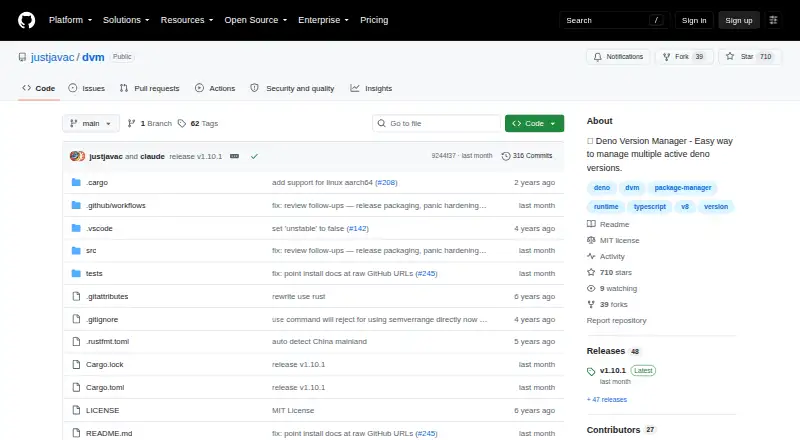
DVM is an open-source command-line version manager for developers working with Deno. It installs released Deno versions, lists installed and remote releases, switches the active version, and runs commands with a selected version. Semantic-version ranges and aliases such as latest and lts help cover both precise and moving version requirements. Project teams can pin a Deno version in a local .dvmrc file, making DVM a practical fit for developers who need repeatable runtime selection across Windows, macOS, and Linux.
Its strongest area is focused Deno version control. DVM can manage specific, latest, LTS, and canary releases, while also providing aliases, registries, cache management, environment diagnostics, and shell completions. The project distributes shell and PowerShell installers alongside downloadable release binaries. Windows support includes PowerShell, WSL, and MSYS environments, giving Deno developers more options than a tool limited to Unix-like shells. These capabilities make DVM particularly relevant where Windows compatibility and project-level version pinning matter together.
DVM remains a narrow tool by design: its runtime type is language, and its scope is Deno rather than a broader collection of languages or runtimes. The published category specifications also indicate that automatic switching is not included, so selecting a project version remains an explicit workflow around commands, aliases, or the local .dvmrc file. Developers who need Deno-only version management, cross-platform coverage, and command-line control should consider DVM. Teams seeking one manager for multiple runtime ecosystems or automatic environment changes should choose a broader alternative.
Your product? Our editors can test DVM in depth and publish a review, labelled as paid · from $149/mo →
DVM pricing
DVM fact sheet
| Free plan | Not verified |
|---|---|
| Paid from | Free |
| Runtime types | Language |
| Automatic switching | No |
| Project version pinning | Yes |
| Version source | Binaries |
| Supported platforms | windows, macos, linux |
| Team controls | Not verified |
| Deployment | Desktop |
| Platforms | Windows, macOS, Linux |
| Built for | Solo, Small business (editorial estimate) |
| Pricing | Open source |
| Website | github.com |
| Facts checked | 20 Sep 2026 |
Alternatives to DVM
- asdfAn open-source version manager for coordinating runtimes and tools across projects.9.2
- miseA cross-platform CLI that combines version management with task automation and monorepo workflows.9.0
- SDKMAN!A free, open-source CLI for standardizing SDK versions across projects and CI.8.9


Used DVM? Be the first to review it
The editor score above is our own research. What this page doesn't have yet is a reader's view — what you used DVM for, what worked and what didn't. No stars are seeded and no review is paid for; an editor reads every one before it appears.
Write a reviewTwo minutes · verified accounts only · read by an editor before it appears
Featured on iTechGuides

DVM is listed in our Runtime Version Managers directory. Add the badge to your site — it links back to this page.
<a href="https://www.itechguides.com/products/dvm/"><img src="https://www.itechguides.com/best/badge/dvm.svg" alt="Featured on iTechGuides" width="230" height="46"></a>
Reviewed by iTechGuides Editors · Editorial team · Updated Oct 2026
Advertiser disclosure: iTechGuides is reader-supported. Vendors can pay for top positions in our rankings and for a place on other products' pages, and we may earn a commission when you click some links. Bought places stand at the number bought; this page and our disclosure say so. Paying vendors may get a fuller, more detailed review from our editors, and that review can change their score. How we rank.
Last updated · How we research and update