
DriverPack Solution
DriverPack Solution: A free Windows driver tool with online, offline, automatic, and expert installation modes. Ranked #8 of 28 in Driver Updater Software by our editors (8.5/10); pricing: Free plan; best for free online or offline driver installation.
At a glance
- Editor score8.5 / 10
- PricingFree plan
- Best forFree online or offline driver installation
- Free planYes
- Paid fromFree
- Founded2008
- Facts checked20 Sep 2026
Where it wins
- Supports online and offline driver installation packages
- Searches by device, laptop model, or Device ID
- Covers Windows 2000, XP, Vista, 7, 8, 8.1, 10, and 11
Where it doesn't
- Windows-only, with no support for other platforms
- Online installation requires an internet connection
- Rollback centers on restore points and Device Manager undo
Our verdict on DriverPack Solution
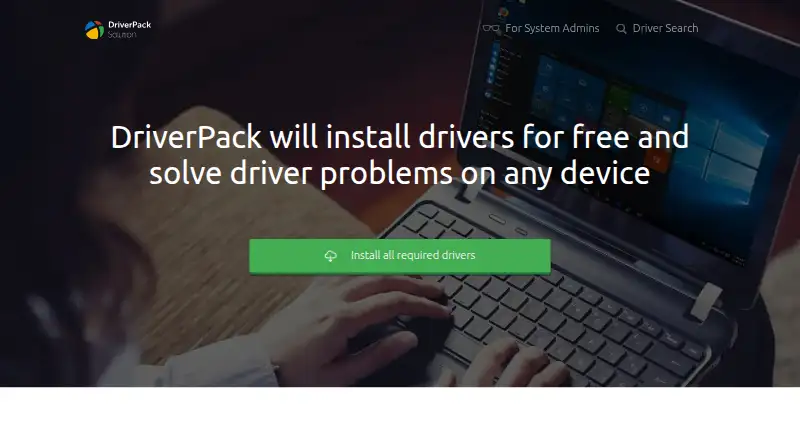
DriverPack Solution is free Windows software for identifying, selecting, downloading, and installing device drivers. It is aimed at beginners who want automatic driver selection as well as administrators managing computers without internet access. Supported hardware categories include network adapters, chipsets, printers, sound, video, webcams, and Wi-Fi devices. The vendor supports Windows 2000, XP, Vista, 7, 8, 8.1, 10, and 11, giving it a broad Windows coverage range. Downloaded DriverPack versions require no installation.
The main distinction is its online and offline delivery model. Online installation works with an internet connection, while offline packages are intended for systems that cannot connect to the internet and for administrator workflows. Driver searches can be narrowed by device, laptop model, or Device ID, which gives more control when automatic identification is not enough. The software also offers an automatic mode and an Expert Mode with extended settings, allowing users to choose between a simpler workflow and more configuration. According to the vendor, DriverPack is provided free of charge, with no paid tier described.
System recovery is handled through restore points, allowing a return to a previously configured state, alongside Windows Device Manager undo functionality. That makes the product more suitable for driver installation and recovery than for broader device-maintenance workflows. Its Windows-only scope also limits its fit for households or teams managing macOS or Linux computers, while online installation depends on available connectivity unless the appropriate offline package is used. Choose DriverPack Solution if free online or offline driver installation, device-ID searching, and broad legacy-to-current Windows coverage are priorities. Choose another tool if you need support beyond Windows or a wider maintenance feature set.
Your product? Our editors can test DriverPack Solution in depth and publish a review, labelled as paid · from $149/mo →
DriverPack Solution pricing
DriverPack Solution fact sheet
| Free plan | Yes |
|---|---|
| Paid from | Free |
| Driver backup | Not verified |
| Driver rollback | Not verified |
| Scheduled scans | Not verified |
| Offline scanning | Yes |
| Device limit | Not verified |
| Windows support | Windows 2000, XP, Vista, 7, 8, 8.1, 10, and 11 |
| Deployment | Desktop |
| Platforms | Windows |
| Support | Email, Community, Docs |
| Built for | Solo, Small business, Mid-market, Enterprise (editorial estimate) |
| Pricing | Free plan |
| Website | driverpack.io |
| Facts checked | 20 Sep 2026 |
Alternatives to DriverPack Solution
- DriversCloudA free driver manager with detection, recovery tools, offline scanning, and hardware monitoring.9.4
- Driver BoosterA Windows-focused updater with offline tools, recovery features, and a free plan.9.2
- Driver GeniusA broad Windows driver toolkit with unusually capable free backup and recovery features.9.0
See all DriverPack Solution alternatives →
DriverPack Solution vs the competition
- DriverPack Solution vs DriversCloud
- DriverPack Solution vs Driver Booster
- DriverPack Solution vs Driver Genius
- DriverPack Solution vs Snappy Driver Installer Origin
- DriverPack Solution vs Driver Easy
- DriverPack Solution vs Dell Command | Update


Compare DriverPack Solution with any tool side by side →
Also Ranked In
DriverPack Solution is ranked in 3 of our directories.
Used DriverPack Solution? Be the first to review it
The editor score above is our own research. What this page doesn't have yet is a reader's view — what you used DriverPack Solution for, what worked and what didn't. No stars are seeded and no review is paid for; an editor reads every one before it appears.
Write a reviewTwo minutes · verified accounts only · read by an editor before it appears
Featured on iTechGuides

DriverPack Solution is listed in our Driver Updater Software directory. Add the badge to your site — it links back to this page.
<a href="https://www.itechguides.com/products/driverpack-solution/"><img src="https://www.itechguides.com/best/badge/driverpack-solution.svg" alt="Featured on iTechGuides" width="230" height="46"></a>
Reviewed by iTechGuides Editors · Editorial team · Updated Oct 2026
Advertiser disclosure: iTechGuides is reader-supported. Vendors can pay for top positions in our rankings and for a place on other products' pages, and we may earn a commission when you click some links. Bought places stand at the number bought; this page and our disclosure say so. Paying vendors may get a fuller, more detailed review from our editors, and that review can change their score. How we rank.
Last updated · How we research and update