DOSBox
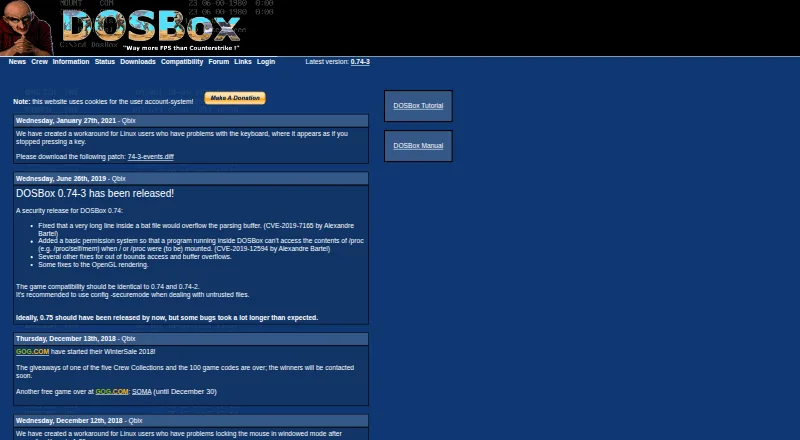
DOSBox: A capable free DOS emulator with broad hardware and disk-image support. Ranked #4 of 26 in MS-DOS Emulators by our editors (7.4/10); pricing: Free plan; best for general-purpose classic DOS emulation.
At a glance
- Editor score7.4 / 10
- PricingFree plan
- Best forGeneral-purpose classic DOS emulation
- Free planYes
- Paid fromNone
- Supported host platformsWindows, Linux, macOS
- Facts checked20 Sep 2026
Where it wins
- Free and open source across Windows, macOS, and Linux
- Emulates period graphics, sound, CPU, controller, and CD hardware
- Supports directories, floppy images, hard-drive images, and CD images
Where it doesn't
- Primarily operated through command-line commands and configuration files
- The listed 0.74-3 release dates to an older development period
- Modern convenience features are less prominent than core emulation support
Our verdict on DOSBox
DOSBox is a free, open-source emulator for running classic DOS games and applications on modern computers. It is aimed at users who need general-purpose DOS compatibility across Windows, macOS, and Linux, with support for DOS-compatible software and period PC hardware. Its scope suits both games and applications that depend on older processors, graphics adapters, sound hardware, storage media, or input devices.
The emulator’s main strength is the breadth of its hardware and media coverage. It includes 286/386 real-mode and protected-mode CPU emulation, CGA through VESA graphics, Tandy and Hercules support, and emulation for SoundBlaster, AdLib, Gravis Ultrasound, PC speaker, and MIDI hardware. Joystick and gamepad input, keyboard mapping, configurable controls, CD audio playback, and IPX network emulation extend its usefulness for software with varied hardware requirements. Storage support includes mounting local directories as emulated drives, along with floppy, CD-ROM, and hard-drive images. ISO, CUE/BIN, and CUE/IMG CD-ROM formats are covered.
The trade-off is a more technical operating model. DOSBox is primarily controlled through command-line commands and configuration files, so it is better suited to users comfortable with DOS-style workflows than to those seeking a modern graphical launcher or streamlined setup experience. The listed DOSBox 0.74-3 release and the older 0.74 release history also make the product’s core emulation capabilities more central than newer convenience features. Choose DOSBox for broad, free classic DOS emulation with configurable hardware and image support; consider an alternative if graphical management and contemporary usability matter more than emulation breadth.
DOSBox pricing
DOSBox fact sheet
| Free plan | Yes |
|---|---|
| Paid from | None |
| Supported host platforms | Windows, Linux, macOS |
| DOS target versions | Dos-compatible |
| Disk image formats | ISO, CUE/BIN, CUE/IMG, floppy images, hard-drive images |
| Gamepad support | Yes |
| Save states | Not verified |
| Audio CD support | Yes |
| Source available | Yes |
| Deployment | Desktop |
| Platforms | Windows, macOS, Linux |
| Support | Docs |
| Pricing | Free plan |
| Website | dosbox.com |
| Facts checked | 20 Sep 2026 |
Alternatives to DOSBox
- DOSBox StagingA capable free emulator for DOS software, games, and Windows 3.1 environments.9.0
- DOSBox PureA focused, free DOS emulator with convenient archive loading and Libretro support.8.8
- DOSBox-XA free, highly configurable choice for advanced DOS and legacy Windows emulation.7.7


DOSBox vs the competition
- DOSBox vs DOSBox Staging
- DOSBox vs DOSBox Pure
- DOSBox vs DOSBox-X
- DOSBox vs DOS Browser
- DOSBox vs UniPCemu
- DOSBox vs DosKit


Compare DOSBox with any tool side by side →
Used DOSBox? Be the first to review it
The editor score above is our own research. What this page doesn't have yet is a reader's view — what you used DOSBox for, what worked and what didn't. No stars are seeded and no review is paid for; an editor reads every one before it appears.
Write a reviewTwo minutes · verified accounts only · read by an editor before it appears
Featured on iTechGuides

DOSBox is listed in our MS-DOS Emulators directory. Add the badge to your site — it links back to this page.
<a href="https://www.itechguides.com/products/dosbox/"><img src="https://www.itechguides.com/best/badge/dosbox.svg" alt="Featured on iTechGuides" width="230" height="46"></a>
Reviewed by iTechGuides Editors · Editorial team · Updated Sep 2026
Advertiser disclosure: iTechGuides is reader-supported. We may earn a commission when you click some links. How we rank.
Last updated · How we research and update