DOSBox Optionals
DOSBox Optionals: A free Windows DOSBox fork with broad image, graphics, audio, and joystick support. Ranked #10 of 26 in MS-DOS Emulators by our editors (6.5/10); pricing: Free plan; best for windows users wanting enhanced DOSBox features.
At a glance
- Editor score6.5 / 10
- PricingFree plan
- Best forWindows users wanting enhanced DOSBox features
- Free planYes
- Paid fromNone
- Supported host platformsWindows
- Facts checked20 Sep 2026
Where it wins
- Supports MS-DOS, Windows 95, and Windows 98 emulation
- Mounts hard-disk, floppy, and CD-ROM images, including MAME CHD
- Adds shaders, extended 3DFX, multi-monitor, audio, and joystick support
Where it doesn't
- Windows-only platform coverage
- No AI features
- Its focus is limited to DOS and Windows 9x software
Our verdict on DOSBox Optionals
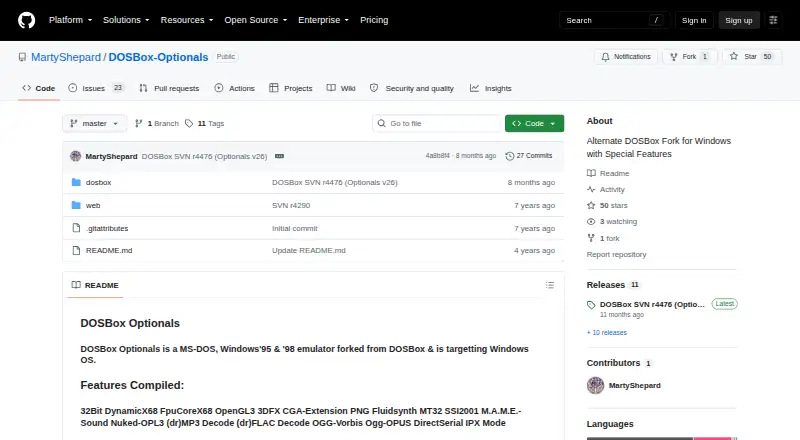
DOSBox Optionals is a Windows-targeted DOSBox fork for running MS-DOS, Windows 95, and Windows 98 software. It suits Windows users who want a standalone DOSBox executable with more display, storage-image, audio, and controller options than a basic emulator setup. The project publishes Windows releases and source code through GitHub, and the offering is free.
Its strongest area is breadth within the DOSBox use case. Video options include SDL 2, OpenGL, and OpenGL 3 backends, along with shader support, extended 3DFX support, and multi-monitor support. Storage handling covers hard-disk, floppy, and CD-ROM images, CDR-WIN CUE sheets, and MAME CHD support for CD-ROM images. Multiple sound backends, audio decoding, CD audio support, and joystick support with up to 10 buttons give it useful coverage for older games and software with varied hardware requirements.
The main trade-off is platform scope: DOSBox Optionals is built for Windows, so it is a narrower choice for anyone seeking a multi-platform emulator. Its focus is also specific to MS-DOS and Windows 9x software rather than newer operating systems. Choose it if you want enhanced DOSBox capabilities on Windows, especially for image-based software, 3DFX-era graphics, multi-monitor output, or configurable audio and joystick support. Choose an alternative if running the same workloads outside Windows is essential.
DOSBox Optionals pricing
DOSBox Optionals fact sheet
| Free plan | Yes |
|---|---|
| Paid from | None |
| Supported host platforms | Windows |
| DOS target versions | Ms-dos |
| Disk image formats | hard disk images, floppy images, CD-ROM images, CDR-WIN CUE sheets, MAME CHD |
| Gamepad support | Yes |
| Save states | Not verified |
| Audio CD support | Yes |
| Source available | Yes |
| Deployment | Desktop |
| Platforms | Windows |
| Support | Community |
| Built for | Solo, Small business (editorial estimate) |
| Pricing | Free plan |
| Website | github.com |
| Facts checked | 20 Sep 2026 |
Alternatives to DOSBox Optionals
- DOSBox StagingA capable free emulator for DOS software, games, and Windows 3.1 environments.9.0
- DOSBox PureA focused, free DOS emulator with convenient archive loading and Libretro support.8.8
- DOSBox-XA free, highly configurable choice for advanced DOS and legacy Windows emulation.7.7


See all DOSBox Optionals alternatives →
Used DOSBox Optionals? Be the first to review it
The editor score above is our own research. What this page doesn't have yet is a reader's view — what you used DOSBox Optionals for, what worked and what didn't. No stars are seeded and no review is paid for; an editor reads every one before it appears.
Write a reviewTwo minutes · verified accounts only · read by an editor before it appears
Featured on iTechGuides

DOSBox Optionals is listed in our MS-DOS Emulators directory. Add the badge to your site — it links back to this page.
<a href="https://www.itechguides.com/products/dosbox-optionals/"><img src="https://www.itechguides.com/best/badge/dosbox-optionals.svg" alt="Featured on iTechGuides" width="230" height="46"></a>
Reviewed by iTechGuides Editors · Editorial team · Updated Sep 2026
Advertiser disclosure: iTechGuides is reader-supported. We may earn a commission when you click some links. How we rank.
Last updated · How we research and update