
Dockside
Dockside: A broad Mac file shelf with automation, previews, and a low one-time price. Ranked #18 of 47 in Desktop Organization Software by our editors (7.7/10); pricing: 14-day trial; best for mac users needing a versatile file shelf.
At a glance
- Editor score7.7 / 10
- Pricing14-day trial
- Best forMac users needing a versatile file shelf
- Free planNo
- Paid from$5.99 one-time
- Platform supportMacos_only
- Facts checked20 Sep 2026
Where it wins
- Combines shelves, notes, previews, clipboard history, and file utilities
- Folder monitoring and drop zones support recurring file workflows
- One-time $5.99 license works on up to three machines
Where it doesn't
- Available only for macOS
- No permanent free plan is offered
- The shelf model supports up to three active file areas
Our verdict on Dockside
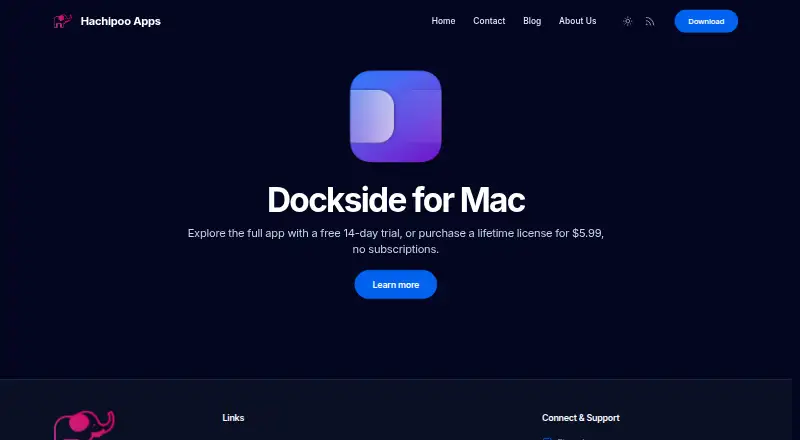
Dockside is a native macOS file shelf for users who need a temporary workspace for files, folders, apps, links, notes, screenshots, and downloads. It sits beside or independently of the Dock and supports drag-and-drop staging, Quick Look, hover previews, multiple file areas, and multi-monitor placement. It is aimed at Mac users who want more structure than a single desktop or Dock folder can provide, especially for recurring file-handling workflows.
Pricing is straightforward. The Lifetime license costs $5.99 as a one-time payment and provides full access after the 14-day trial. The license is valid on up to three machines. There is no permanent free plan, so users deciding whether to keep Dockside have a trial period rather than an ongoing free tier. For buyers who prefer a single purchase and need the app across several Macs, the plan is easy to understand; users seeking a free organizer should look elsewhere.
Dockside covers a wide range of organization tasks rather than focusing only on file staging. Its shelves can surface screenshots, downloads, recents, and clipboard history, while folder monitoring supports exclusions and matching rules. Configurable drop zones can trigger shortcuts, scripts, commands, and file actions, and utilities handle ZIP compression, archive extraction, and metadata removal. Integrations include Finder, Apple Shortcuts, macOS Share Sheet, Clop, Dropshare, and PopClip. The trade-off is platform scope: Windows users are not served, and the shelf model is capped at three active areas. Mac users wanting a customizable, feature-dense file workspace should consider Dockside; users needing broader platform support or a simpler narrow-purpose shelf should choose an alternative.
Your product? Our editors can test Dockside in depth and publish a review, labelled as paid · from $149/mo →
Dockside pricing
All 1 Dockside plans and prices →
Dockside fact sheet
| Free plan | No |
|---|---|
| Paid from | $5.99 one-time |
| Platform support | Macos_only |
| Organization model | Shelves |
| Automatic sorting | Not verified |
| Maximum containers | 3 |
| Saved layouts | Not verified |
| Multi-monitor support | Yes |
| Free trial | 14 days |
| Deployment | Desktop |
| Platforms | macOS |
| Support | Email, Community, Docs |
| Built for | Solo, Small business (editorial estimate) |
| Integrations | 6 integrations: Clop, Dropshare, PopClip, Apple Shortcuts, Finder, macOS Share Sheet See all → |
| Pricing | 14-day trial (source) |
| Website | thedockside.app |
| Facts checked | 20 Sep 2026 |
Dockside integrations
Dockside lists 6 integrations on its own site.
- Clop
- Dropshare
- PopClip
- Apple Shortcuts
- Finder
- macOS Share Sheet
See all Dockside integrations →
Alternatives to Dockside
- AutoShelfDeep automated file sorting for Mac users who want precise control.9.4
- Desktop Frames+A flexible Windows desktop organizer with frames, profiles, rules, and search.9.3
- DeskBoxDeskBox combines automatic desktop organization with search, widgets, todos, and recovery tools.9.2


See all Dockside alternatives →
Used Dockside? Be the first to review it
The editor score above is our own research. What this page doesn't have yet is a reader's view — what you used Dockside for, what worked and what didn't. No stars are seeded and no review is paid for; an editor reads every one before it appears.
Write a reviewTwo minutes · verified accounts only · read by an editor before it appears
Featured on iTechGuides

Dockside is listed in our Desktop Organization Software directory. Add the badge to your site — it links back to this page.
<a href="https://www.itechguides.com/products/dockside/"><img src="https://www.itechguides.com/best/badge/dockside.svg" alt="Featured on iTechGuides" width="230" height="46"></a>
Reviewed by iTechGuides Editors · Editorial team · Updated Oct 2026
Advertiser disclosure: iTechGuides is reader-supported. Vendors can pay for top positions in our rankings and for a place on other products' pages, and we may earn a commission when you click some links. Bought places stand at the number bought; this page and our disclosure say so. Paying vendors may get a fuller, more detailed review from our editors, and that review can change their score. How we rank.
Last updated · How we research and update