DisplayMagician
DisplayMagician: A focused way to automate per-game display, audio, and helper-program changes. Ranked #26 of 34 in Game Graphics Optimization Software by our editors (6.6/10); pricing: Free plan; best for multi-display gamers using per-game setups.
At a glance
- Editor score6.6 / 10
- PricingFree plan
- Best forMulti-display gamers using per-game setups
- Free planYes
- Paid fromFree
- Facts checked20 Sep 2026
Where it wins
- Applies saved display and audio profiles through game shortcuts
- Launches games from five major PC game stores
- Restores previous display settings after a game closes
Where it doesn't
- Windows-only support limits platform choice
- Focuses on display orchestration, not graphics performance
- Requires stable-release selection instead of test or prerelease builds
Our verdict on DisplayMagician
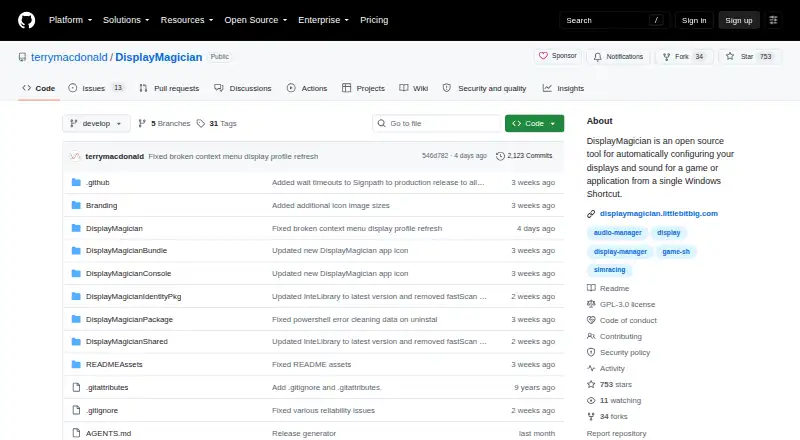
DisplayMagician is an open-source Windows desktop utility for gamers who change display layouts, audio devices, or helper programs between games. It is especially suited to sim racers and other PC players using multi-monitor, surround, Eyefinity, HDR, rotated-display, or changing audio setups. Users can create display profiles, pair them with game shortcuts, switch audio configurations, and launch supported games from Steam, Ubisoft Uplay, Origin, Epic Games, or GOG.com.
Its main strength is per-game orchestration. A shortcut can apply a saved display profile, select an audio device or audio profile, start and stop helper programs, and launch from the desktop, notification tray, hotkeys, or a controller. DisplayMagician also supports NVIDIA Surround, AMD Eyefinity, Intel Combined Displays, and Windows multi-display views. After a game closes, it can restore the previous display profile, while the field-of-view calculator adds a focused tool for multi-display configuration.
The product is free and open source, with Windows 10 64-bit and Windows 11 64-bit support. Integrations include SuperDisplay and Spacedesk alongside the listed game stores, giving it a defined role in a Windows multi-display setup. It is not a graphics-performance optimizer, so players looking for frame-rate tuning or broader graphics controls should choose a different type of tool. DisplayMagician fits users who want repeatable display and audio changes around game launches; it is less suitable for gamers on other operating systems or those who do not need per-game configuration.
Your product? Our editors can test DisplayMagician in depth and publish a review, labelled as paid · from $149/mo →
DisplayMagician pricing
DisplayMagician fact sheet
| Free plan | Yes |
|---|---|
| Paid from | Free |
| Auto recommendations | Not verified |
| Per-game profiles | Yes |
| In-game overlay | Not verified |
| Game library scanning | Yes |
| Supported platforms | Windows 10 64-bit and Windows 11 64-bit |
| Cloud profile sync | Not verified |
| Deployment | Desktop |
| Platforms | Windows |
| Support | Community, Docs |
| Built for | Solo, Small business (editorial estimate) |
| Integrations | 7 integrations: Steam, Ubisoft Uplay, Origin, Epic Games, GOG.com, SuperDisplay … |
| Pricing | Free plan |
| Website | github.com |
| Facts checked | 20 Sep 2026 |
DisplayMagician integrations
DisplayMagician lists 7 integrations on its own site.
- Steam
- Ubisoft Uplay
- Origin
- Epic Games
- GOG.com
- SuperDisplay
- Spacedesk
Alternatives to DisplayMagician
- HoneA broad Windows optimizer with presets, overlays, and a usable free tier.9.4
- GameShiftA free, open-source Windows optimizer with broad game detection and system controls.9.3
- PULSEA deep Windows tuning suite with broad free monitoring and paid optimization controls.9.2


See all DisplayMagician alternatives →
Used DisplayMagician? Be the first to review it
The editor score above is our own research. What this page doesn't have yet is a reader's view — what you used DisplayMagician for, what worked and what didn't. No stars are seeded and no review is paid for; an editor reads every one before it appears.
Write a reviewTwo minutes · verified accounts only · read by an editor before it appears
Featured on iTechGuides

DisplayMagician is listed in our Game Graphics Optimization Software directory. Add the badge to your site — it links back to this page.
<a href="https://www.itechguides.com/products/displaymagician/"><img src="https://www.itechguides.com/best/badge/displaymagician.svg" alt="Featured on iTechGuides" width="230" height="46"></a>
Reviewed by iTechGuides Editors · Editorial team · Updated Oct 2026
Advertiser disclosure: iTechGuides is reader-supported. Vendors can pay for top positions in our rankings and for a place on other products' pages, and we may earn a commission when you click some links. Bought places stand at the number bought; this page and our disclosure say so. Paying vendors may get a fuller, more detailed review from our editors, and that review can change their score. How we rank.
Last updated · How we research and update