DiskWave
DiskWave: A focused Mac utility for finding large folders and clearing unwanted files. Ranked #88 of 104 in Disk Space Analyzers by our editors (3.0/10); pricing: Free plan; best for mac users needing straightforward drive cleanup.
At a glance
- Editor score3.0 / 10
- PricingFree plan
- Best forMac users needing straightforward drive cleanup
- Free planYes
- Paid fromFree
- Desktop platformsmacos
- Facts checked22 Sep 2026
Where it wins
- Scans internal, external, and Time Machine drives
- Calculates folder and subfolder sizes for quick inspection
- Supports Finder reveal, Trash, invisible files, and Quick Look
Where it doesn't
- No visual maps for viewing disk usage
- No export features or integrations
- Limited depth beyond file and folder size analysis
Our verdict on DiskWave
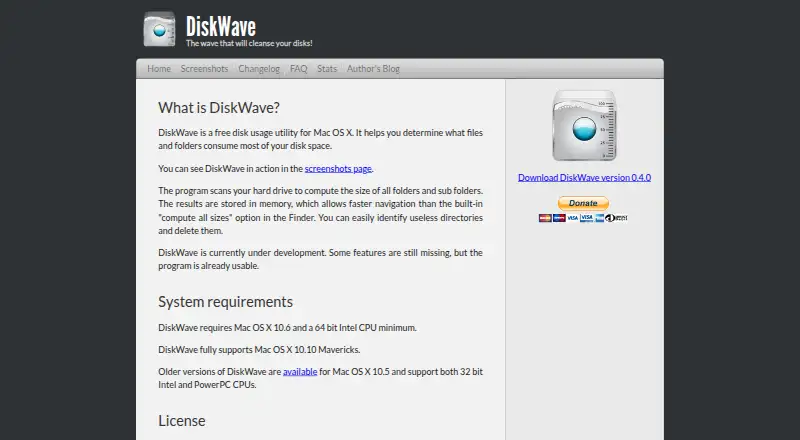
DiskWave is a free desktop disk usage utility for macOS users who need a straightforward way to inspect storage. It scans hard drives, external drives, and Time Machine drives, then calculates the sizes of folders and subfolders. Results are stored in memory for faster navigation, while custom folder locations let users focus on a particular area of a drive. It is a practical fit for solo users and small teams looking for a focused cleanup tool rather than a broader storage management platform.
Its strongest workflow is direct inspection followed by basic file handling. Users can show or hide invisible files, reveal selected items in Finder, move items to Trash, and use Quick Look on supported macOS versions. That combination keeps the path from identifying large directories to reviewing or removing items within the desktop environment. The published download is version 0.4.0, and the official site documents support for external and Time Machine drives. According to the vendor's published information, the product is free, with no paid tiers to compare.
DiskWave's narrow scope is also its main limitation. It focuses on file and folder sizes and does not provide visual maps, exports, integrations, or deeper analysis features. That makes it suitable for users who prefer a simple tree-based view of storage and basic Finder actions. Users who need reporting, connected workflows, visual disk maps, or more advanced analysis should choose a different disk space analyzer. For basic Mac drive inspection and cleanup, DiskWave keeps the feature set centered on the tasks that matter most.
Your product? Our editors can test DiskWave in depth and publish a review, labelled as paid · from $149/mo →
DiskWave pricing
DiskWave fact sheet
| Free plan | Yes |
|---|---|
| Paid from | Free |
| Desktop platforms | macos |
| Treemap view | Not verified |
| Application sizes | Not verified |
| File-type breakdown | Not verified |
| External drive scans | Yes |
| Exportable reports | Not verified |
| Scan scope | Files_folders |
| Deployment | Desktop |
| Platforms | macOS |
| Support | Email, Docs |
| Built for | Solo, Small business (editorial estimate) |
| Pricing | Free plan |
| Website | diskwave.barthe.ph |
| Facts checked | 22 Sep 2026 |
Alternatives to DiskWave
- TreeSizeA broad Windows analyzer with strong free features and tiered automation tools.9.3
- WinDirStatA classic Windows analyzer with treemaps, file breakdowns, duplicate detection, and CSV export.9.1
- FilelightA free, open-source disk analyzer with strong KDE integrations and ring-based visuals.9.0



See all DiskWave alternatives →
Used DiskWave? Be the first to review it
The editor score above is our own research. What this page doesn't have yet is a reader's view — what you used DiskWave for, what worked and what didn't. No stars are seeded and no review is paid for; an editor reads every one before it appears.
Write a reviewTwo minutes · verified accounts only · read by an editor before it appears
Featured on iTechGuides

DiskWave is listed in our Disk Space Analyzers directory. Add the badge to your site — it links back to this page.
<a href="https://www.itechguides.com/products/diskwave/"><img src="https://www.itechguides.com/best/badge/diskwave.svg" alt="Featured on iTechGuides" width="230" height="46"></a>
Reviewed by iTechGuides Editors · Editorial team · Updated Oct 2026
Advertiser disclosure: iTechGuides is reader-supported. Vendors can pay for top positions in our rankings and for a place on other products' pages, and we may earn a commission when you click some links. Bought places stand at the number bought; this page and our disclosure say so. Paying vendors may get a fuller, more detailed review from our editors, and that review can change their score. How we rank.
Last updated · How we research and update