
DigitalOcean CMS Hosting
DigitalOcean CMS Hosting: Low-cost, configurable CMS hosting for teams comfortable managing servers and applications. Ranked #20 of 26 in CMS Hosting by our editors (7.2/10); pricing: Paid; best for technical users wanting low-cost cloud CMS hosting.
At a glance
- Editor score7.2 / 10
- PricingPaid
- Best forTechnical users wanting low-cost cloud CMS hosting
- Free planNo
- Paid from$4/mo
- Managed CMS updatesNo
- Founded2012
- Facts checked21 Sep 2026
Where it wins
- $4 monthly Droplet with 1 vCPU, 10 GiB SSD, and 500 GiB transfer
- One-click CMS apps with automatic WordPress setup and HTTPS configuration
- Backups, monitoring, firewalls, 2FA, resizing, and API management included
Where it doesn't
- CMS core, themes, plugins, and application maintenance remain customer-managed
- Does not provide managed CMS updates or staging
- The entry-level Droplet offers only 512 MiB memory and 10 GiB storage
Our verdict on DigitalOcean CMS Hosting
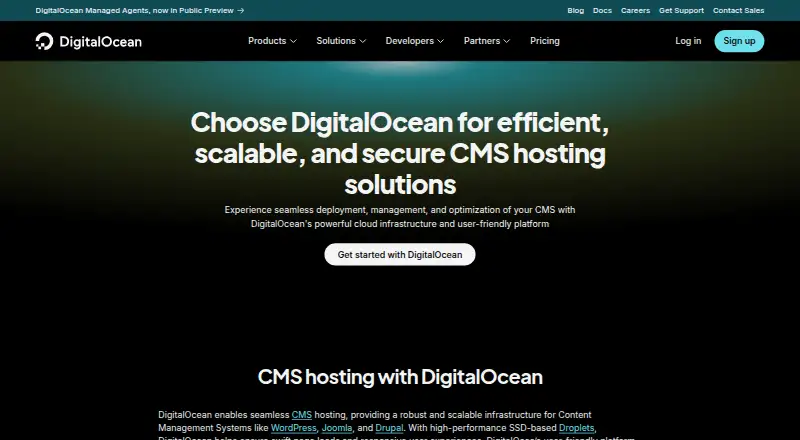
DigitalOcean CMS Hosting provides Linux-based Droplets for running WordPress, Joomla, Drupal, Ghost, and other content management systems. It is aimed at developers, startups, small businesses, and technical teams that want configurable cloud infrastructure rather than a fully managed CMS service. Deployment is available through Marketplace 1-Click Apps, while control-panel and API management support web, Linux, and API workflows. Terraform, Slack, Puppet, GitHub, and GitLab are listed integrations.
Pricing is straightforward at the entry level. The Basic Droplet 512 MiB plan costs $4 per month and includes 1 vCPU, 10 GiB SSD storage, and 500 GiB transfer. The same plan is also listed at $0.00595 per hour with monthly billing. WordPress setup and HTTPS configuration are automated, and automated Droplet backups can use selectable frequencies with 28-day retention. Monitoring covers CPU, memory, disk I/O, and network activity, while cloud firewalls and two-factor authentication add infrastructure controls.
The main trade-off is operational responsibility. Customers manage the CMS and server configuration themselves, including CMS core, themes, plugins, and application maintenance. The service also does not provide managed CMS updates or staging. Droplets can be resized as requirements grow, but the entry-level configuration is limited to 512 MiB memory and 10 GiB storage; the WordPress 1-Click documentation recommends at least 1 GiB RAM and 25 GB storage for deployment. Choose DigitalOcean CMS Hosting for low-cost, configurable infrastructure and technical control. Choose another option if you want managed application maintenance or a built-in staging workflow.
Your product? Our editors can test DigitalOcean CMS Hosting in depth and publish a review, labelled as paid · from $149/mo →
DigitalOcean CMS Hosting pricing
All 1 DigitalOcean CMS Hosting plans and prices →
DigitalOcean CMS Hosting fact sheet
| Free plan | No |
|---|---|
| Paid from | $4/mo |
| Managed CMS updates | No |
| Automatic backups | Yes |
| Staging environment | Not verified |
| Caching included | Not verified |
| CMS installation | One_click |
| Backup retention | 28 days |
| Included storage | 10 GB |
| Deployment | Cloud |
| Platforms | Web, Linux |
| Compliance & security | SOC 2, GDPR, PCI DSS |
| Support | Tickets, Email, Live chat, Docs · 24/7 |
| Built for | Solo, Small business, Mid-market (editorial estimate) |
| Integrations | 5 integrations: Terraform, Slack, Puppet, GitHub, GitLab See all → |
| Pricing | Paid (source) |
| Website | digitalocean.com |
| Facts checked | 21 Sep 2026 |
DigitalOcean CMS Hosting integrations
DigitalOcean CMS Hosting lists 5 integrations on its own site.
- Terraform
- Slack
- Puppet
- GitHub
- GitLab
See all DigitalOcean CMS Hosting integrations →
Alternatives to DigitalOcean CMS Hosting
- HostPapa CMS HostingA managed WordPress host for businesses and agencies that want routine operations handled.9.4
- Ultra Web Hosting Application HostingA low-cost host with deep CMS tooling, backups, staging, and broad application support.9.2
- 20i Web HostingManaged Linux hosting for multi-site CMS portfolios, with scaling and migration tools.9.0



See all DigitalOcean CMS Hosting alternatives →
Used DigitalOcean CMS Hosting? Be the first to review it
The editor score above is our own research. What this page doesn't have yet is a reader's view — what you used DigitalOcean CMS Hosting for, what worked and what didn't. No stars are seeded and no review is paid for; an editor reads every one before it appears.
Write a reviewTwo minutes · verified accounts only · read by an editor before it appears
Featured on iTechGuides

DigitalOcean CMS Hosting is listed in our CMS Hosting directory. Add the badge to your site — it links back to this page.
<a href="https://www.itechguides.com/products/digitalocean-cms-hosting/"><img src="https://www.itechguides.com/best/badge/digitalocean-cms-hosting.svg" alt="Featured on iTechGuides" width="230" height="46"></a>
Reviewed by iTechGuides Editors · Editorial team · Updated Oct 2026
Advertiser disclosure: iTechGuides is reader-supported. Vendors can pay for top positions in our rankings and for a place on other products' pages, and we may earn a commission when you click some links. Bought places stand at the number bought; this page and our disclosure say so. Paying vendors may get a fuller, more detailed review from our editors, and that review can change their score. How we rank.
Last updated · How we research and update