
dfine.io Review
dfine.io Review: A collaboration-focused review workspace with strong approvals and live-review tools. Ranked #16 of 34 in Video Annotation Software by our editors (7.3/10); pricing: Free plan; best for client reviews with live collaboration.
At a glance
- Editor score7.3 / 10
- PricingFree plan
- Best forClient reviews with live collaboration
- Free planYes
- Paid from€59/mo
- Frame-accurate markingYes
- Facts checked20 Sep 2026
Where it wins
- Frame-accurate annotations, approvals and client sign-off tracking
- Guest review links, permissions, passwords and expiry controls
- Premiere Pro and DaVinci Resolve plugins with live review tools
Where it doesn't
- The free plan includes only 250 MB of cloud storage and 25 files
- Paid plans start at €59 per month on monthly billing
- Livestreaming is charged regardless of viewer count
Our verdict on dfine.io Review
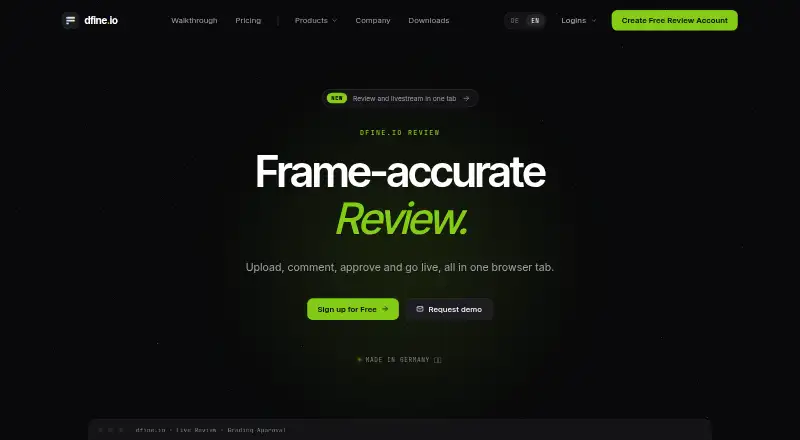
dfine.io Review is a browser-based media review and collaboration platform for video teams, creative departments and post-production workflows. It combines media uploads, version control, frame-accurate comments, annotations, approvals and client sign-off tracking in one workspace. Guest reviewers can access shared review links without creating accounts, while project folders and workflow status badges help organize active work. The service is available on the web and macOS, with a native desktop plugin for Adobe Premiere Pro and DaVinci Resolve.
Pricing is structured around a free tier and paid monthly plans. FREE includes 250 MB of cloud storage, 25 files and no credit card requirement. STARTER costs €59 per month and adds frame-accurate annotations and notes, 250 GB of shared storage, conferencing, livestreaming, PDF reports, AI-assisted comment translation, custom templates and audit export. STUDIO costs €179 per month, includes everything in STARTER, raises shared storage to 750 GB, provides higher conferencing and livestreaming limits, and includes five team members. Additional members can be added in-app. Pay-as-you-go conferencing and livestreaming apply to the paid plans, with livestreaming charged regardless of viewer count.
The strongest fit is for teams that need structured client review rather than annotation alone. Protected links support permissions, passwords and expiry, while synchronized conferencing and livestreaming up to UHD extend the workflow into live presentations and reviews. PDF reports, audit export and approval tracking add useful process visibility, and integrations with Premiere Pro, DaVinci Resolve and OBS connect review activity with production and broadcast tools. Teams needing only occasional, lightweight feedback may find the free storage and file limits restrictive. Those planning regular paid use should also account for the €59 monthly entry point and usage-based conferencing or livestreaming charges.
Your product? Our editors can test dfine.io Review in depth and publish a review, labelled as paid · from $99/mo →
dfine.io Review pricing
All 6 dfine.io Review plans and prices →
dfine.io Review fact sheet
| Free plan | Yes |
|---|---|
| Paid from | €59/mo |
| Frame-accurate marking | Yes |
| Drawing annotations | Not verified |
| Custom labels or fields | Not verified |
| Review workflow | Yes |
| Dataset export | Not verified |
| Video length limit | Not verified |
| Deployment | Cloud, Desktop |
| Platforms | Web, macOS |
| Compliance & security | GDPR, 2FA |
| Support | |
| Built for | Small business, Mid-market, Enterprise (editorial estimate) |
| Integrations | 3 integrations: Adobe Premiere Pro, DaVinci Resolve, OBS |
| Pricing | Free plan (source) |
| Website | dfine.io |
| Facts checked | 20 Sep 2026 |
dfine.io Review integrations
dfine.io Review lists 3 integrations on its own site.
- Adobe Premiere Pro
- DaVinci Resolve
- OBS
Alternatives to dfine.io Review
- Frame.ioFrame-accurate review, approvals, version comparison, and production-tool integrations.9.3
- KollaborateA mature review hub with strong editing-app integrations and low-cost entry pricing.9.1
- FrameQueryA strong choice for AI-assisted footage search, precise review, and editing exports.9.0



See all dfine.io Review alternatives →
Used dfine.io Review? Be the first to review it
The editor score above is our own research. What this page doesn't have yet is a reader's view — what you used dfine.io Review for, what worked and what didn't. No stars are seeded and no review is paid for; an editor reads every one before it appears.
Write a reviewTwo minutes · verified accounts only · read by an editor before it appears
Featured on iTechGuides

dfine.io Review is listed in our Video Annotation Software directory. Add the badge to your site — it links back to this page.
<a href="https://www.itechguides.com/products/dfine-io-review/"><img src="https://www.itechguides.com/best/badge/dfine-io-review.svg" alt="Featured on iTechGuides" width="230" height="46"></a>
Reviewed by iTechGuides Editors · Editorial team · Updated Sep 2026
Advertiser disclosure: iTechGuides is reader-supported. Vendors can pay for top positions in our rankings and for a place on other products' pages, and we may earn a commission when you click some links. How we rank.
Last updated · How we research and update