
Delta Widgets
Delta Widgets: A free, open-source Windows widget builder with broad customization options. Ranked #15 of 29 in Desktop Widget Software by our editors (7.6/10); pricing: Free plan; best for windows users building custom widgets.
At a glance
- Editor score7.6 / 10
- PricingFree plan
- Best forWindows users building custom widgets
- Free planYes
- Paid fromFree
- Supported platformsWindows
- Facts checked20 Sep 2026
Where it wins
- Visual drag-and-drop editor with custom HTML, CSS, and JavaScript
- Supports system data, media controls, weather, and audio visualizations
- Free and open source, with templates and URL webpage embeds
Where it doesn't
- Available only on Windows
- Custom widgets may require HTML, CSS, or JavaScript knowledge
- Its feature set is focused on desktop widgets rather than broader platforms
Our verdict on Delta Widgets
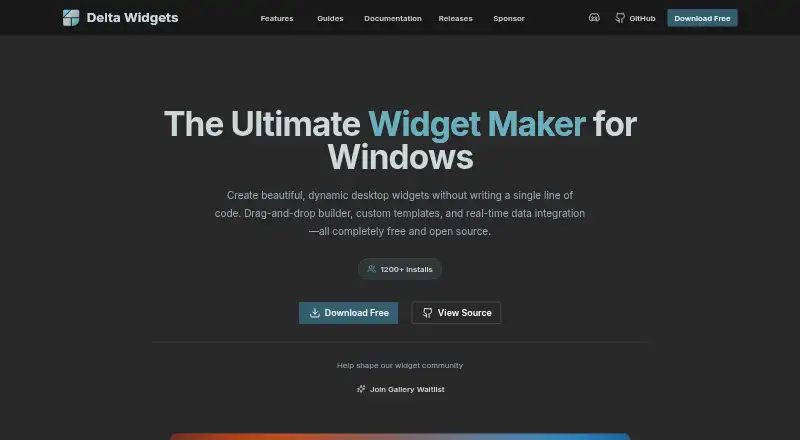
Delta Widgets is a free, open-source desktop widget maker for Windows 10 and 11. It is aimed at Windows users who want to create custom desktop displays without being limited to fixed widget designs. The visual drag-and-drop builder supports layouts for date and time, media, weather, disks, RAM, CPU, battery, system statistics, audio visualization, custom HTML, and URL or web content. Users can publish widgets to the desktop and control whether they are enabled or disabled.
The main strength is breadth within the desktop-widget category. Delta Widgets combines visual construction with custom HTML, CSS, and JavaScript, giving users a path from simple arrangements to more tailored interfaces. Templates can provide a starting point, while template cloning, dynamic variables, and expressions support repeatable designs and changing content. System information widgets, media playback information, and audio visualizations also make it suitable for dashboards that combine monitoring with desktop personalization. Tauri is listed as an integration, and URL widgets can embed webpages directly.
According to the vendor’s description, Delta Widgets is completely free and open source, so its published model does not divide features across paid tiers. That makes it a practical choice for Windows users who want customization without a subscription. The main boundary is platform support: the product is Windows-only, which rules it out for users seeking a cross-platform widget tool. It also offers deeper control than a fixed widget catalog, but custom HTML, CSS, or JavaScript features may suit technically inclined users better than those who want only ready-made layouts. Choose Delta Widgets for flexible Windows desktop widgets; consider an alternative if broader platform coverage is essential.
Your product? Our editors can test Delta Widgets in depth and publish a review, labelled as paid · from $149/mo →
Delta Widgets pricing
Delta Widgets fact sheet
| Free plan | Yes |
|---|---|
| Paid from | Free |
| Supported platforms | Windows |
| Widget categories | date and time, media, audio visualizer, weather, disks, RAM, CPU, battery, system stats, custom HTML, URL/web content |
| System monitoring | Yes |
| Custom layouts | Yes |
| Weather widgets | Yes |
| Calendar widgets | Not verified |
| Feed widgets | Not verified |
| Deployment | Desktop |
| Platforms | Windows |
| Support | Community, Docs |
| Built for | Solo, Small business (editorial estimate) |
| Integrations | 1 integrations: Tauri |
| Pricing | Free plan |
| Website | deltawidgets.com |
| Facts checked | 20 Sep 2026 |
Delta Widgets integrations
Delta Widgets lists 1 integrations on its own site.
- Tauri
Alternatives to Delta Widgets
- Monitor FlowsA flexible Windows dashboard tool with broad integrations and multi-monitor support.9.4
- RainmeterA flexible Windows widget toolkit for system data, feeds, controls, and custom layouts.9.3
- GadgetPack (formerly 8GadgetPack)A free Windows gadget collection with monitoring, utilities, and desktop organization.9.0


See all Delta Widgets alternatives →
Used Delta Widgets? Be the first to review it
The editor score above is our own research. What this page doesn't have yet is a reader's view — what you used Delta Widgets for, what worked and what didn't. No stars are seeded and no review is paid for; an editor reads every one before it appears.
Write a reviewTwo minutes · verified accounts only · read by an editor before it appears
Featured on iTechGuides

Delta Widgets is listed in our Desktop Widget Software directory. Add the badge to your site — it links back to this page.
<a href="https://www.itechguides.com/products/delta-widgets/"><img src="https://www.itechguides.com/best/badge/delta-widgets.svg" alt="Featured on iTechGuides" width="230" height="46"></a>
Reviewed by iTechGuides Editors · Editorial team · Updated Oct 2026
Advertiser disclosure: iTechGuides is reader-supported. Vendors can pay for top positions in our rankings and for a place on other products' pages, and we may earn a commission when you click some links. Bought places stand at the number bought; this page and our disclosure say so. Paying vendors may get a fuller, more detailed review from our editors, and that review can change their score. How we rank.
Last updated · How we research and update