Defraginator
Defraginator: A focused open-source tool for arranging fragmented ROM and firmware images. Ranked #14 of 20 in Disk Defragmentation Software by our editors (6.4/10); pricing: Open source; best for removable-volume .bin file defragmentation.
At a glance
- Editor score6.4 / 10
- PricingOpen source
- Best forRemovable-volume .bin file defragmentation
- Paid fromFree
- Facts checked20 Sep 2026
Where it wins
- Works across Windows, macOS, and Linux
- Inspects physical clusters and relocates fragmented files
- Verifies rewrites and restores backups after failures
Where it doesn't
- Focuses on selected .bin ROM and firmware images
- Requires the .NET 10 SDK to run from source
- Targets removable media rather than general system defragmentation
Our verdict on Defraginator
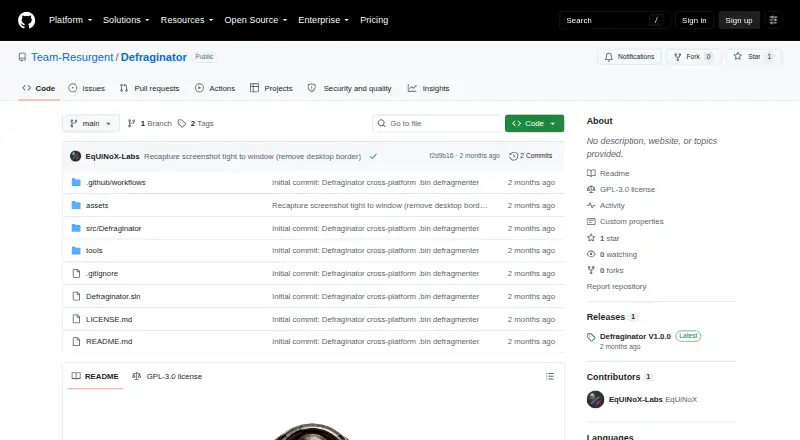
Defraginator is an open-source desktop utility for defragmenting selected .bin ROM and firmware images on SD cards and other removable media. It detects mounted removable volumes across Windows, Linux, and macOS, recursively scans for files within configurable target sizes from 256 KB to 2048 KB, and works across multi-filesystem environments. Its intended audience is developers, technicians, and hardware-focused users working with devices that read files by raw sector rather than ordinary desktop storage workflows.
Its standout capability is physical layout awareness. Defraginator reads cluster layouts, reports free space and the largest contiguous block, and relocates fragmented files into contiguous space. The platform-specific rewrite approach is clearly defined: Windows uses in-place cluster moves, while Linux and macOS rewrite and verify files after defragmentation. Backup-preserving rewrites and restoration on failure add a useful safeguard for operations where file placement matters, and configurable target sizes let users narrow scanning to relevant image files.
The main trade-off is focus. Defraginator is designed around removable-volume .bin files, not broad, system-wide disk optimization, so users with a general desktop defragmentation need should choose a different category of tool. Setup also follows a source-based workflow: the project requires the .NET 10 SDK to build and run. Choose Defraginator when cross-platform removable-media support, cluster inspection, and failure-aware file rewriting are priorities; avoid it when you need a packaged utility for general filesystem maintenance or files outside its .bin-focused scope.
Your product? Our editors can test Defraginator in depth and publish a review, labelled as paid · from $149/mo →
Defraginator pricing
Defraginator fact sheet
| Free plan | Not verified |
|---|---|
| Paid from | Free |
| Drive types | Not verified |
| Scheduled optimization | Not verified |
| Automatic optimization | Not verified |
| Boot-time optimization | Not verified |
| Filesystem support | Multi-filesystem |
| Maximum drive count | Not verified |
| Deployment | Desktop |
| Platforms | Windows, macOS, Linux |
| Built for | Solo, Small business (editorial estimate) |
| Pricing | Open source |
| Website | github.com |
| Facts checked | 20 Sep 2026 |
Alternatives to Defraginator
- IObit Smart DefragA Windows-focused optimizer with free defragmentation and paid automation features.9.4
- Disk SpeedUpA free Windows tool for HDD and SSD analysis, defragmentation, and optimization.9.2
- O&O DefragA paid Windows optimizer combining drive maintenance, monitoring, and automation.8.8


See all Defraginator alternatives →
Used Defraginator? Be the first to review it
The editor score above is our own research. What this page doesn't have yet is a reader's view — what you used Defraginator for, what worked and what didn't. No stars are seeded and no review is paid for; an editor reads every one before it appears.
Write a reviewTwo minutes · verified accounts only · read by an editor before it appears
Featured on iTechGuides

Defraginator is listed in our Disk Defragmentation Software directory. Add the badge to your site — it links back to this page.
<a href="https://www.itechguides.com/products/defraginator/"><img src="https://www.itechguides.com/best/badge/defraginator.svg" alt="Featured on iTechGuides" width="230" height="46"></a>
Reviewed by iTechGuides Editors · Editorial team · Updated Oct 2026
Advertiser disclosure: iTechGuides is reader-supported. Vendors can pay for top positions in our rankings and for a place on other products' pages, and we may earn a commission when you click some links. Bought places stand at the number bought; this page and our disclosure say so. Paying vendors may get a fuller, more detailed review from our editors, and that review can change their score. How we rank.
Last updated · How we research and update