DeckLab
DeckLab: A focused web app for quickly creating pitch, report, and proposal decks. Ranked #74 of 109 in AI Presentation Makers by our editors (3.0/10); pricing: Free plan; best for fast pitch and proposal deck creation.
At a glance
- Editor score3.0 / 10
- PricingFree plan
- Best forFast pitch and proposal deck creation
- Free planYes
- Facts checked22 Sep 2026
Where it wins
- Generates pitch, report, and proposal decks from written briefs
- Exports native, editable PowerPoint files
- Extracts website branding and generates AI images on Pro
Where it doesn't
- Free decks include a watermark and only basic themes
- Integrations are limited to Microsoft PowerPoint
- Available as a web app rather than a broader desktop platform
Our verdict on DeckLab
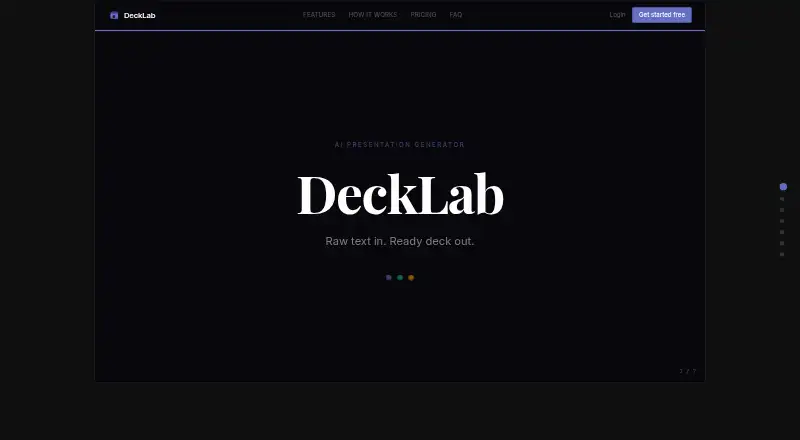
DeckLab is a web-based AI presentation generator for solo users, small businesses, and mid-market teams that need business decks from a written brief. It supports pitch, report, and proposal presentations, then exports the result as a native, editable PowerPoint file. The workflow also includes automatic slide-count calculation, AI-generated images, basic themes, and a quality-critic check for generated slides. Decks are designed to arrive in about a minute, making the product particularly suited to fast-moving proposals and pitch work.
Pricing is organized around a free entry point and paid tiers. The Free plan includes basic themes and adds a watermark. Pro adds unlimited decks, brand extraction, AI images, and removes the watermark; published plan information lists a starting price of 9. Team includes everything in Pro plus shared brand kits and analytics. The product also shows an annual pricing option marked 25% off. For individuals who need occasional drafts, Free provides a way to start, while Pro is the more relevant fit for repeated deck creation and branded output. Teams should look to Team when shared brand assets and analytics matter.
Brand handling is DeckLab’s clearest differentiator for business presentations: users can provide a website URL so the product extracts colors, fonts, and logos before applying them to a deck. That makes it a practical choice for proposals that need to reflect an existing identity without manual formatting from the start. Its ecosystem remains narrow, with Microsoft PowerPoint as the listed integration, and it is web-only. Choose DeckLab for rapid, editable PowerPoint drafts with built-in branding and image generation; choose another tool if broader integrations or a non-web workflow are central requirements.
Your product? Our editors can test DeckLab in depth and publish a review, labelled as paid · from $149/mo →
DeckLab pricing
All 3 DeckLab plans and prices →
DeckLab fact sheet
| Free plan | Yes |
|---|---|
| Paid from | Not verified |
| Prompt-to-deck generation | Yes |
| Document-to-deck generation | Not verified |
| PPTX export | Yes |
| PDF export | Not verified |
| Brand controls | Yes |
| Collaboration level | Not verified |
| Maximum slides | Not verified |
| Deployment | Cloud |
| Platforms | Web |
| Built for | Solo, Small business, Mid-market (editorial estimate) |
| Integrations | 1 integrations: Microsoft PowerPoint |
| Pricing | Free plan (source) |
| Website | decklab.app |
| Facts checked | 22 Sep 2026 |
DeckLab integrations
DeckLab lists 1 integrations on its own site.
- Microsoft PowerPoint
Alternatives to DeckLab
- GammaA free, collaborative AI creator with broad exports, publishing, and automation options.9.3
- PitchA flexible presentation workspace for teams that need AI, brand control, and collaboration.8.8
- OpenChartsA freemium deck builder with presenter coaching, collaboration, and flexible exports.8.7



See all DeckLab alternatives →
Used DeckLab? Be the first to review it
The editor score above is our own research. What this page doesn't have yet is a reader's view — what you used DeckLab for, what worked and what didn't. No stars are seeded and no review is paid for; an editor reads every one before it appears.
Write a reviewTwo minutes · verified accounts only · read by an editor before it appears
Featured on iTechGuides

DeckLab is listed in our AI Presentation Makers directory. Add the badge to your site — it links back to this page.
<a href="https://www.itechguides.com/products/decklab/"><img src="https://www.itechguides.com/best/badge/decklab.svg" alt="Featured on iTechGuides" width="230" height="46"></a>
Reviewed by iTechGuides Editors · Editorial team · Updated Oct 2026
Advertiser disclosure: iTechGuides is reader-supported. Vendors can pay for top positions in our rankings and for a place on other products' pages, and we may earn a commission when you click some links. Bought places stand at the number bought; this page and our disclosure say so. Paying vendors may get a fuller, more detailed review from our editors, and that review can change their score. How we rank.
Last updated · How we research and update