
Data Studio
Data Studio: A low-cost reporting tool for teams working across Google and connected data sources. Ranked #8 of 88 in Business Intelligence Tools by our editors (8.7/10); pricing: Free plan · 30-day trial; best for low-cost Google ecosystem reporting.
At a glance
- Editor score8.7 / 10
- PricingFree plan · 30-day trial
- Best forLow-cost Google ecosystem reporting
- Free planYes
- DeploymentCloud
- Facts checked20 Sep 2026
Where it wins
- Free plan with dashboards, reports, blending, and scheduled delivery
- Connects to more than 1,400 sources, including Google and database systems
- Supports embedding, row-level filtering, and natural-language data questions
Where it doesn't
- Cloud-only deployment limits on-premises deployment options
- Pro pricing is charged per user, per project, per month
- Advanced organizational ownership and team workspaces require Pro
Our verdict on Data Studio
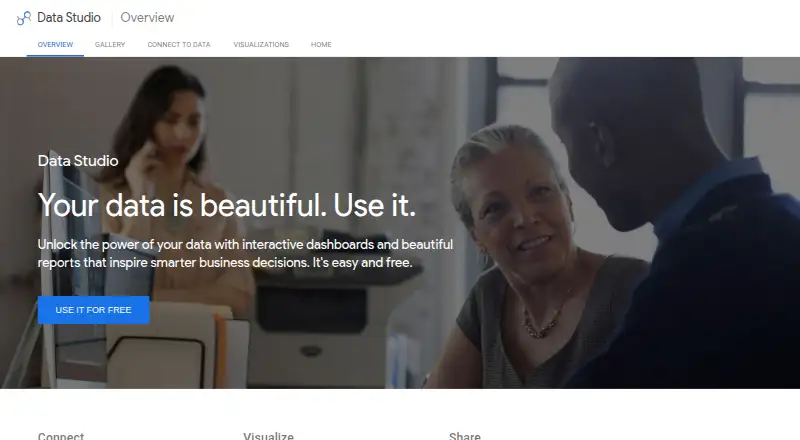
Data Studio is a web-based business intelligence and reporting tool for individuals, teams, and organizations. It turns connected business data into interactive dashboards and multi-page reports with charts, filters, images, text, calculated fields, and report controls. Its strongest fit is for teams already working with Google Sheets, Google Ads, BigQuery, Google Analytics, Google Marketing Platform products, or other supported sources. Web, iOS, and Android access supports a broad range of viewing contexts, while embedding extends reports into websites and applications.
The pricing structure is approachable for smaller reporting needs. Data Studio Self-service provides self-service data visualizations and reports, and a free plan is available. The published Pro tier costs $9 per user per project per month with monthly billing. Pro adds department-level reports and visualizations, Google Cloud support and system administration, enterprise-grade security features, customer-managed encryption keys, team workspaces, and organization-owned content. A 30-day free trial is also available. Teams should compare the per-user, per-project structure with their reporting scale, especially when multiple departments or projects need separate access.
Data Studio’s breadth is its main advantage. More than 1,400 data sources, community connectors, data blending, hourly refresh, scheduled email delivery, embedded analytics, and row-level filtering cover common reporting workflows. Conversational Analytics adds natural-language data questions, while Pro strengthens administration and organizational control. The trade-off is deployment: Data Studio is cloud-only, so organizations seeking an on-premises business intelligence deployment should choose an alternative. It is a strong choice for low-cost, connected reporting, particularly in the Google ecosystem; teams needing a different deployment model should look elsewhere.
Your product? Our editors can test Data Studio in depth and publish a review, labelled as paid · from $149/mo →
Data Studio pricing
All 2 Data Studio plans and prices →
Data Studio fact sheet
| Free plan | Yes |
|---|---|
| Paid from | Not verified |
| Deployment | Cloud |
| Refresh frequency | Hourly |
| Row-level security | Yes |
| Scheduled reports | Yes |
| Viewer seats | Not verified |
| Embedded analytics | Yes |
| Natural-language queries | Yes |
| Free trial | 30 days |
| Deployment | Cloud, Mobile |
| Platforms | Web, iOS, Android |
| Support | Community, Docs |
| Built for | Solo, Small business, Mid-market, Enterprise (editorial estimate) |
| Integrations | 1,400+ integrations: Google Sheets, Google Ads, BigQuery, Google Analytics, Google Marketing Platform products, Amazon Redshift … See all → |
| Pricing | Free plan · 30-day trial (source) |
| Website | datastudio.google.com |
| Facts checked | 20 Sep 2026 |
Data Studio integrations
Data Studio lists 1,400+ integrations on its own site — the 13 named here are the ones its pages call out.
- Google Sheets
- Google Ads
- BigQuery
- Google Analytics
- Google Marketing Platform products
- Amazon Redshift
- Spanner
- Cloud Storage
- MySQL
- PostgreSQL
- Microsoft SQL Server
- Cloud SQL
- Community connectors
See all Data Studio integrations →
Alternatives to Data Studio
- Microsoft Power BIA broad BI platform for Microsoft-centric teams that need modeling, security, sharing, and embedding.9.4
- TableauA broad BI platform for teams that need deep visualization and governed analytics.9.3
- Zoho AnalyticsA flexible, affordable BI platform with broad connectors and practical AI features.9.2


See all Data Studio alternatives →
Data Studio vs the competition
- Data Studio vs Microsoft Power BI
- Data Studio vs Tableau
- Data Studio vs Zoho Analytics
- Data Studio vs SAP Analytics Cloud
- Data Studio vs Looker
- Data Studio vs Sisense


Compare Data Studio with any tool side by side →
Also Ranked In
Data Studio is ranked in 2 of our directories.
Used Data Studio? Be the first to review it
The editor score above is our own research. What this page doesn't have yet is a reader's view — what you used Data Studio for, what worked and what didn't. No stars are seeded and no review is paid for; an editor reads every one before it appears.
Write a reviewTwo minutes · verified accounts only · read by an editor before it appears
Featured on iTechGuides

Data Studio is listed in our Business Intelligence Tools directory. Add the badge to your site — it links back to this page.
<a href="https://www.itechguides.com/products/data-studio/"><img src="https://www.itechguides.com/best/badge/data-studio.svg" alt="Featured on iTechGuides" width="230" height="46"></a>
Reviewed by iTechGuides Editors · Editorial team · Updated Oct 2026
Advertiser disclosure: iTechGuides is reader-supported. Vendors can pay for top positions in our rankings and for a place on other products' pages, and we may earn a commission when you click some links. Bought places stand at the number bought; this page and our disclosure say so. Paying vendors may get a fuller, more detailed review from our editors, and that review can change their score. How we rank.
Last updated · How we research and update