CurrPorts
CurrPorts: A focused Windows port inspector for local connection analysis, filtering, logging, and export. Ranked #50 of 54 in Network Monitoring by our editors (4.3/10); pricing: Free plan; best for free Windows port inspection.
At a glance
- Editor score4.3 / 10
- PricingFree plan
- Best forFree Windows port inspection
- Free planYes
- Paid fromFree
- Synthetic checksNo
- Founded2001
- Facts checked21 Sep 2026
Where it wins
- Portable standalone executable with no installation required
- Filters, refreshes, closes, logs, and exports connection data
- Shows ports, associated processes, and remote address information
Where it doesn't
- Windows-only and self-hosted
- Does not provide traffic monitoring
- No topology maps or synthetic checks
Our verdict on CurrPorts
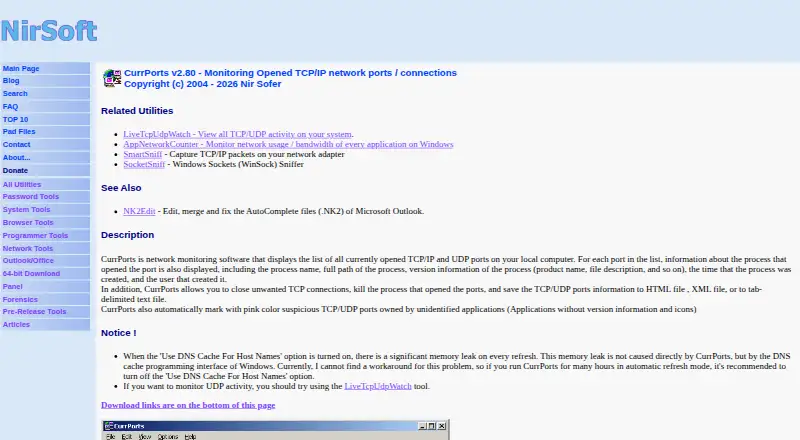
CurrPorts is a free, portable Windows utility for viewing open TCP/IP and UDP ports on a local computer. It shows the processes associated with those ports along with process names, paths, version information, timestamps, users, connection states, and remote address information. Windows administrators and technically oriented users can use it to inspect local connections, identify associated processes, and review connection changes without installing a full network-monitoring platform.
Its strongest area is focused port inspection. Automatic refresh can update the connection list at configurable intervals, while advanced filters help narrow the view. Users can close selected TCP connections or terminate associated processes, export connection data to HTML, XML, CSV, and text formats, and log added or removed connections. Command-line capture and export add a practical option for repeatable workflows. With supported files, CurrPorts can also display remote IP country, city, and ASN information, and its integration with IPNetInfo extends that address-focused workflow.
The published Freeware plan is a portable standalone executable with no installation required, making the deployment model straightforward for Windows environments. CurrPorts is a good fit when the primary need is local visibility into ports, processes, connection states, and connection changes. It is less suitable for teams seeking centralized network monitoring, traffic monitoring, synthetic checks, alerting, or topology maps. Choose it for focused Windows diagnostics and exportable connection records; choose a broader platform when monitoring must extend beyond a local computer or cover network structure and traffic behavior.
Your product? Our editors can test CurrPorts in depth and publish a review, labelled as paid · from $149/mo →
CurrPorts pricing
All 1 CurrPorts plans and prices →
CurrPorts fact sheet
| Free plan | Yes |
|---|---|
| Paid from | Free |
| Synthetic checks | No |
| Device limit | Not verified |
| Traffic monitoring | No |
| Topology maps | No |
| Alert channels | Not verified |
| Deployment | Self_hosted |
| Deployment | Self-hosted, Desktop |
| Platforms | Windows |
| Support | |
| Built for | Solo, Small business, Mid-market, Enterprise (editorial estimate) |
| Integrations | 1 integrations: IPNetInfo |
| Pricing | Free plan (source) |
| Website | nirsoft.net |
| Facts checked | 21 Sep 2026 |
CurrPorts integrations
CurrPorts lists 1 integrations on its own site.
- IPNetInfo
Alternatives to CurrPorts
- ZabbixBroad infrastructure monitoring with a free self-hosted edition and paid cloud options.9.4
- CheckmkA broad hybrid monitoring platform with a capable free edition and costly paid entry.9.3
- ManageEngine OpManagerBroad monitoring, mapping, traffic analysis, automation, and distributed coverage across four editions.9.1



See all CurrPorts alternatives →
Used CurrPorts? Be the first to review it
The editor score above is our own research. What this page doesn't have yet is a reader's view — what you used CurrPorts for, what worked and what didn't. No stars are seeded and no review is paid for; an editor reads every one before it appears.
Write a reviewTwo minutes · verified accounts only · read by an editor before it appears
Featured on iTechGuides

CurrPorts is listed in our Network Monitoring directory. Add the badge to your site — it links back to this page.
<a href="https://www.itechguides.com/products/currports/"><img src="https://www.itechguides.com/best/badge/currports.svg" alt="Featured on iTechGuides" width="230" height="46"></a>
Reviewed by iTechGuides Editors · Editorial team · Updated Oct 2026
Advertiser disclosure: iTechGuides is reader-supported. Vendors can pay for top positions in our rankings and for a place on other products' pages, and we may earn a commission when you click some links. Bought places stand at the number bought; this page and our disclosure say so. Paying vendors may get a fuller, more detailed review from our editors, and that review can change their score. How we rank.
Last updated · How we research and update