CullSnap
CullSnap: Free, open-source culling across Windows, macOS, and Linux with local AI scoring. Ranked #15 of 29 in AI Photo Culling Software by our editors (6.0/10); pricing: Free plan; best for free multi-platform photo and video culling.
At a glance
- Editor score6.0 / 10
- PricingFree plan
- Best forFree multi-platform photo and video culling
- Free planYes
- Paid fromNone
- AI quality scoringYes
- Facts checked20 Sep 2026
Where it wins
- AI scores face quality, aesthetics, sharpness, and eye openness
- Groups duplicates and burst photos using perceptual hashing
- Supports RAW, video, device imports, Google Drive, and iCloud Photos
Where it doesn't
- Commercial licensing requires contacting the maintainer
- iCloud Photos support is limited to macOS
- No Lightroom export is specified
Our verdict on CullSnap
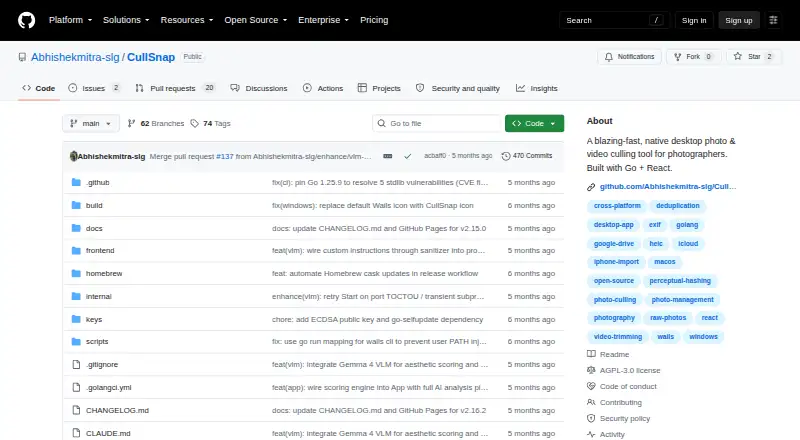
CullSnap is an open-source desktop application for photographers who need to review, rate, deduplicate, analyze, and export photo and video collections. It runs on Windows, macOS, and Linux, with support for JPEG, PNG, HEIC, 11 RAW camera formats, and common video formats. The free product combines local AI analysis with a photo and video grid, making it suited to photographers who want one cross-platform workspace for sorting mixed media.
Its standout feature is the local culling pipeline. CullSnap scores images for face quality, aesthetic quality, sharpness, and eye openness, while face detection, person identification, and photo clustering help organize people-focused collections. Perceptual hashing groups duplicate and burst photos. The application also generates video thumbnails and supports lossless trimming, alongside star ratings, EXIF metadata display, and folder export. These tools give CullSnap a broader culling scope than a photo-only utility.
The workflow also covers several intake and browsing paths: local folders, USB imports from phones, cameras, SD cards, and drives, Google Drive albums, and iCloud Photos albums on macOS. Its free and open-source model will appeal to photographers who value platform choice and local processing. CullSnap is a strong fit for multi-platform photo and video review, especially when RAW handling, duplicate grouping, and device imports matter. Photographers who require a Lightroom export workflow or commercial licensing without contacting the maintainer should consider another option.
CullSnap pricing
CullSnap fact sheet
| Free plan | Yes |
|---|---|
| Paid from | None |
| AI quality scoring | Yes |
| Subject detection | Yes |
| Duplicate detection | Yes |
| RAW photo support | Yes |
| Blur detection | Not verified |
| Closed-eye detection | Yes |
| Lightroom export | Not verified |
| Deployment | Desktop |
| Platforms | Windows, macOS, Linux |
| Support | Community |
| Built for | Solo, Small business (editorial estimate) |
| Integrations | 2 integrations: Google Drive, iCloud Photos |
| Pricing | Free plan |
| Website | github.com |
| Facts checked | 20 Sep 2026 |
CullSnap integrations
CullSnap lists 2 integrations on its own site.
- Google Drive
- iCloud Photos
Alternatives to CullSnap
- AftershootAn all-in-one desktop workflow for high-volume photo post-production.9.0
- FacetA free, open-source culling engine with broad AI analysis and local deployment.8.2
- OptyxA budget-friendly Lightroom companion for AI-assisted photo selection.7.9


See all CullSnap alternatives →
Used CullSnap? Be the first to review it
The editor score above is our own research. What this page doesn't have yet is a reader's view — what you used CullSnap for, what worked and what didn't. No stars are seeded and no review is paid for; an editor reads every one before it appears.
Write a reviewTwo minutes · verified accounts only · read by an editor before it appears
Featured on iTechGuides

CullSnap is listed in our AI Photo Culling Software directory. Add the badge to your site — it links back to this page.
<a href="https://www.itechguides.com/products/cullsnap/"><img src="https://www.itechguides.com/best/badge/cullsnap.svg" alt="Featured on iTechGuides" width="230" height="46"></a>
Reviewed by iTechGuides Editors · Editorial team · Updated Sep 2026
Advertiser disclosure: iTechGuides is reader-supported. We may earn a commission when you click some links. How we rank.
Last updated · How we research and update