
CrystalDiskMark
CrystalDiskMark: A configurable Windows disk benchmark with broad workload and export options. Ranked #63 of 72 in PC Benchmark Software by our editors (3.4/10); pricing: Free plan; best for detailed Windows disk benchmarking.
At a glance
- Editor score3.4 / 10
- PricingFree plan
- Best forDetailed Windows disk benchmarking
- Free planYes
- Paid fromFree
- Workload areasSequential and random read/write performance
- Facts checked24 Sep 2026
Where it wins
- Tests sequential, random, read, write, and mixed disk performance
- Configures queues, threads, block sizes, runs, and test targets
- Exports results as text, PNG, JPEG, or BMP images
Where it doesn't
- Available only for Windows platforms
- Advanced settings may be more than casual users need
- Microsoft Store editions cost $9.99 one time
Our verdict on CrystalDiskMark
CrystalDiskMark is a Windows storage benchmark for measuring sequential, random, read, write, and mixed disk performance. It suits users who need detailed results from a selected drive, including storage evaluation, comparison, or repeatable workload checks. Test results can be viewed in MB/s, GB/s, IOPS, and average latency, giving technical users several ways to interpret performance. The software supports Windows XP through Windows 11 and Windows Server 2003 through 2025, and it is available through free direct downloads.
Its main strength is control over test conditions. Users can set the number of test runs, test size, target drive, block size, queue, and thread settings. Predefined profiles cover Peak Performance, Real World Performance, Demo, Default, and NVMe SSD workloads, while random and 0-fill test data options provide additional test choices. This makes CrystalDiskMark a better fit for detailed disk benchmarking than for a simple, one-click summary. Results can be copied to the clipboard or saved as UTF-16LE text with BOM, PNG, JPEG, or BMP images.
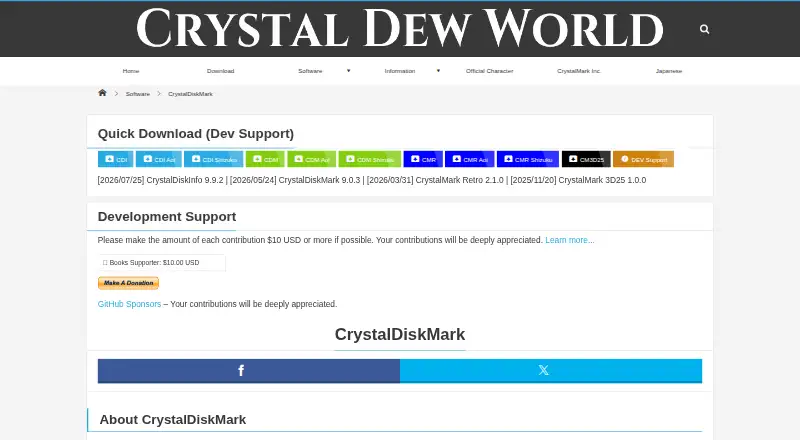
The published download options show free Installer and ZIP packages, with Standard, Shizuku, and Aoi editions. The Microsoft Store edition is listed at $9.99 one time for those editions. CrystalDiskMark should be considered by Windows users who want configurable storage tests and multiple reporting formats. It is less suitable for anyone who needs support beyond Windows or prefers a minimal interface with few benchmark choices. The product’s focus is specifically disk performance, so buyers seeking broader PC benchmark coverage should look elsewhere.
Your product? Our editors can test CrystalDiskMark in depth and publish a review, labelled as paid · from $149/mo →
CrystalDiskMark pricing
CrystalDiskMark fact sheet
| Free plan | Yes |
|---|---|
| Paid from | Free |
| Workload areas | Sequential and random read/write performance |
| Operating systems | Windows |
| Comparison database | Not verified |
| Result export formats | Not verified |
| Custom test profiles | Yes |
| CLI or automation | Not verified |
| Deployment | Desktop |
| Platforms | Windows |
| Built for | Solo, Small business (editorial estimate) |
| Pricing | Free plan |
| Website | crystalmark.info |
| Facts checked | 24 Sep 2026 |
Alternatives to CrystalDiskMark
- GeekbenchA broad benchmark suite for comparing CPU and GPU performance across five platforms.9.3
- PassMark PerformanceTestA broad benchmark suite with free standard tests and a $39 one-time advanced tier.9.1
- 3DMarkA broad benchmark suite for comparing GPU, CPU, storage, and gaming performance.9.1


See all CrystalDiskMark alternatives →
Also Ranked In
CrystalDiskMark is ranked in 2 of our directories.
Used CrystalDiskMark? Be the first to review it
The editor score above is our own research. What this page doesn't have yet is a reader's view — what you used CrystalDiskMark for, what worked and what didn't. No stars are seeded and no review is paid for; an editor reads every one before it appears.
Write a reviewTwo minutes · verified accounts only · read by an editor before it appears
Featured on iTechGuides

CrystalDiskMark is listed in our PC Benchmark Software directory. Add the badge to your site — it links back to this page.
<a href="https://www.itechguides.com/products/crystaldiskmark/"><img src="https://www.itechguides.com/best/badge/crystaldiskmark.svg" alt="Featured on iTechGuides" width="230" height="46"></a>
Reviewed by iTechGuides Editors · Editorial team · Updated Oct 2026
Advertiser disclosure: iTechGuides is reader-supported. Vendors can pay for top positions in our rankings and for a place on other products' pages, and we may earn a commission when you click some links. Bought places stand at the number bought; this page and our disclosure say so. Paying vendors may get a fuller, more detailed review from our editors, and that review can change their score. How we rank.
Last updated · How we research and update