
CreateInstall
CreateInstall: A budget-friendly Windows package builder with scripting, signing, and scheduled tasks. Ranked #40 of 43 in Application Deployment Software by our editors (4.6/10); pricing: Free plan · 30-day trial; best for windows installer authoring on a budget.
At a glance
- Editor score4.6 / 10
- PricingFree plan · 30-day trial
- Best forWindows installer authoring on a budget
- Free planYes
- Paid from$79/user one-time
- Supported operating systemsWindows
- Facts checked21 Sep 2026
Where it wins
- Freeware edition plus perpetual paid licenses
- Scripted installers, uninstallers, updaters, and command-line builds
- Supports signing, scheduled tasks, registry changes, and shortcuts
Where it doesn't
- Windows-only platform support
- Focused on package creation rather than broader deployment management
- Paid licenses include 12 months of updates and technical support
Our verdict on CreateInstall
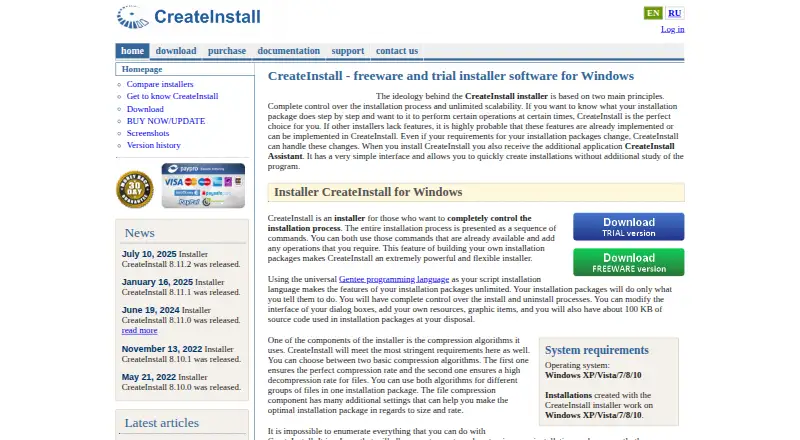
CreateInstall is Windows software for building customized installation packages, aimed at developers and teams that need control over installer behavior without adopting a broader deployment platform. Projects can define files, resources, registry changes, shortcuts, dialogs, permissions, system checks, and application information. Installation and uninstallation are handled as configurable command sequences, with Gentee scripting available for more advanced workflows. CreateInstall Assistant provides a simpler path for less complex installation projects.
Pricing is structured around a Freeware edition and two paid perpetual-license editions. CreateInstall Light costs $79 per user and includes 12 months of updates and technical support. CreateInstall costs $149 per user with the same 12-month update and support period. The published plans also show a 30-day free trial. Paid editions add a fuller package-authoring environment around capabilities such as scripted installation and uninstallation, generated uninstallers and updaters, command-line and batch-file creation, and configurable installation resources. This makes the product suitable for users who want an ongoing license rather than a subscription pricing model.
CreateInstall’s strongest fit is Windows-focused installer work that benefits from detailed control. It can create scheduled tasks in Windows Task Scheduler and supports digital signing for installation, uninstaller, and updater files. Its command set also covers registry operations, shortcuts, system checks, and application information, while the assistant supports simpler projects. The tradeoff is a narrow platform focus: it supports Windows rather than a cross-platform deployment environment. Choose CreateInstall for Windows package authoring with scripting and installer lifecycle utilities; consider another category of tool if deployment across operating systems or broader application rollout management is the priority.
Your product? Our editors can test CreateInstall in depth and publish a review, labelled as paid · from $149/mo →
CreateInstall pricing
All 2 CreateInstall plans and prices →
CreateInstall fact sheet
| Free plan | Yes |
|---|---|
| Paid from | $79/user one-time |
| Supported operating systems | Windows |
| Remote app removal | Not verified |
| Scheduled deployments | Yes |
| Third-party app patching | Not verified |
| Device limit | Not verified |
| Deployment method | Not verified |
| Free trial | 30 days |
| Deployment | Desktop |
| Platforms | Windows |
| Support | Email, Tickets |
| Built for | Solo, Small business, Mid-market (editorial estimate) |
| Pricing | Free plan · 30-day trial (source) |
| Website | createinstall.com |
| Facts checked | 21 Sep 2026 |
Alternatives to CreateInstall
- ManageEngine Patch Manager PlusA patch-led deployment choice for small mixed-platform estates.8.3
- KACE Systems Management ApplianceA broad endpoint-management appliance for teams that need patching, inventory and software distribution.8.2
- Ninite ProA low-cost Windows tool for bulk application deployment, updates, and third-party patching.8.1


See all CreateInstall alternatives →
Used CreateInstall? Be the first to review it
The editor score above is our own research. What this page doesn't have yet is a reader's view — what you used CreateInstall for, what worked and what didn't. No stars are seeded and no review is paid for; an editor reads every one before it appears.
Write a reviewTwo minutes · verified accounts only · read by an editor before it appears
Featured on iTechGuides

CreateInstall is listed in our Application Deployment Software directory. Add the badge to your site — it links back to this page.
<a href="https://www.itechguides.com/products/createinstall/"><img src="https://www.itechguides.com/best/badge/createinstall.svg" alt="Featured on iTechGuides" width="230" height="46"></a>
Reviewed by iTechGuides Editors · Editorial team · Updated Oct 2026
Advertiser disclosure: iTechGuides is reader-supported. Vendors can pay for top positions in our rankings and for a place on other products' pages, and we may earn a commission when you click some links. Bought places stand at the number bought; this page and our disclosure say so. Paying vendors may get a fuller, more detailed review from our editors, and that review can change their score. How we rank.
Last updated · How we research and update