cpplint
cpplint: A focused, configurable choice for C++ teams applying Google's style guide. Ranked #30 of 33 in Linters by our editors (6.2/10); pricing: Open source; best for C++ teams following Google's style guide.
At a glance
- Editor score6.2 / 10
- PricingOpen source
- Best forC++ teams following Google's style guide
- Paid fromFree
- CI supportYes
- Facts checked21 Sep 2026
Where it wins
- Checks C and C++ against Google's C++ style guide
- Configures filters, exclusions, extensions, and per-directory settings
- Supports pre-commit, CI, and multiple machine-readable output formats
Where it doesn't
- No verified custom rules or security rules
- No native IDE support
- Focused on C and C++ style and code-quality checks
Our verdict on cpplint
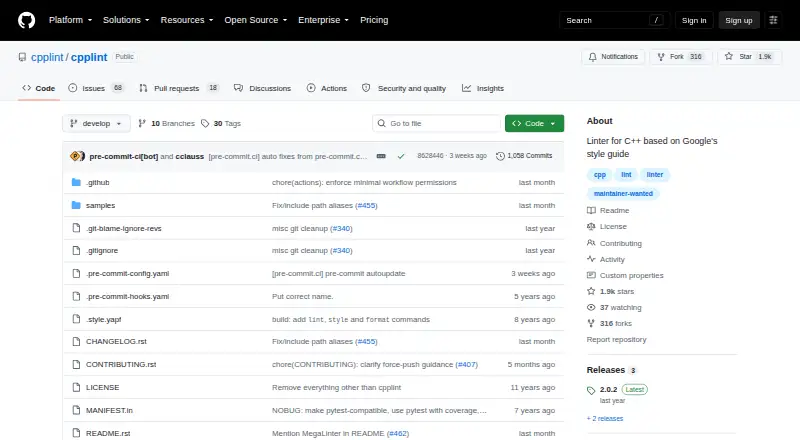
cpplint is an open-source command-line linter for C and C++ source files. It is aimed at teams that want automated checks aligned with Google's C++ style guide, covering build, readability, runtime, and whitespace categories. Recursive file discovery, customizable file extensions, exclusion patterns, and per-directory CPPLINT.cfg files help teams apply consistent checks across source trees. NOLINT comments and blocks provide targeted suppression when a reported issue is intentional.
The published project model is open-source distribution rather than commercial plan tiers. Its configuration is practical for repository-based workflows: teams can select category filters, define which files are scanned, exclude paths, and choose output formats including JUnit, Eclipse, Visual Studio, sed, and gsed. The sed-compatible output supports some fixes, while pre-commit hook support can place checks before changes enter a repository. These options make cpplint suitable for teams that prefer a lightweight command-line tool and configurable style enforcement over a broader analysis platform.
Its ecosystem fit is strongest in pre-commit and continuous-integration workflows. cpplint supports CI on GitHub and integrates with pre-commit and MegaLinter, giving teams established automation points without changing its focused command-line approach. The trade-off is scope: the published specifications show support for two languages, no verified custom rules, no security rules, and no native IDE support. Teams following Google's conventions and comfortable with repository or CI-based checks should find a clear fit; teams needing security analysis, custom rule authoring, or editor-integrated feedback should choose a broader linter instead.
Your product? Our editors can test cpplint in depth and publish a review, labelled as paid · from $149/mo →
cpplint pricing
cpplint fact sheet
| Free plan | Not verified |
|---|---|
| Paid from | Free |
| Languages supported | 2 |
| Autofix | Yes |
| Custom rules | Not verified |
| Security rules | Not verified |
| IDE support | None |
| CI support | Yes |
| Deployment | Self-hosted |
| Platforms | Windows, macOS, Linux |
| Pricing | Open source |
| Website | github.com |
| Facts checked | 21 Sep 2026 |
Alternatives to cpplint
- ESLintA free, extensible JavaScript linter with autofix, plugins, and broad developer-tool integrations.9.4
- RuffFree Python linting and formatting with more than 900 built-in rules.9.2
- ShellCheckA free, open-source linter for shell syntax, portability, robustness and security checks.9.0



See all cpplint alternatives →
Used cpplint? Be the first to review it
The editor score above is our own research. What this page doesn't have yet is a reader's view — what you used cpplint for, what worked and what didn't. No stars are seeded and no review is paid for; an editor reads every one before it appears.
Write a reviewTwo minutes · verified accounts only · read by an editor before it appears
Featured on iTechGuides

cpplint is listed in our Linters directory. Add the badge to your site — it links back to this page.
<a href="https://www.itechguides.com/products/cpplint/"><img src="https://www.itechguides.com/best/badge/cpplint.svg" alt="Featured on iTechGuides" width="230" height="46"></a>
Reviewed by iTechGuides Editors · Editorial team · Updated Oct 2026
Advertiser disclosure: iTechGuides is reader-supported. Vendors can pay for top positions in our rankings and for a place on other products' pages, and we may earn a commission when you click some links. Bought places stand at the number bought; this page and our disclosure say so. Paying vendors may get a fuller, more detailed review from our editors, and that review can change their score. How we rank.
Last updated · How we research and update