
ControllerBuddy
ControllerBuddy: A focused free mapper for turning gamepads into flight-sim controls. Ranked #9 of 29 in Controller Mapping Software by our editors (8.3/10); pricing: Free plan; best for flight-sim users wanting free virtual joystick output.
At a glance
- Editor score8.3 / 10
- PricingFree plan
- Best forFlight-sim users wanting free virtual joystick output
- Free planYes
- Paid fromFree
- Per-app profilesYes
- Facts checked20 Sep 2026
Where it wins
- Free and open source on Windows and Linux
- Virtual joystick, keyboard, and mouse output
- Profiles, switchable modes, overlays, and haptic feedback
Where it doesn't
- Focused primarily on flight-simulator control workflows
- No AI features
- Supports Windows and Linux only
Our verdict on ControllerBuddy
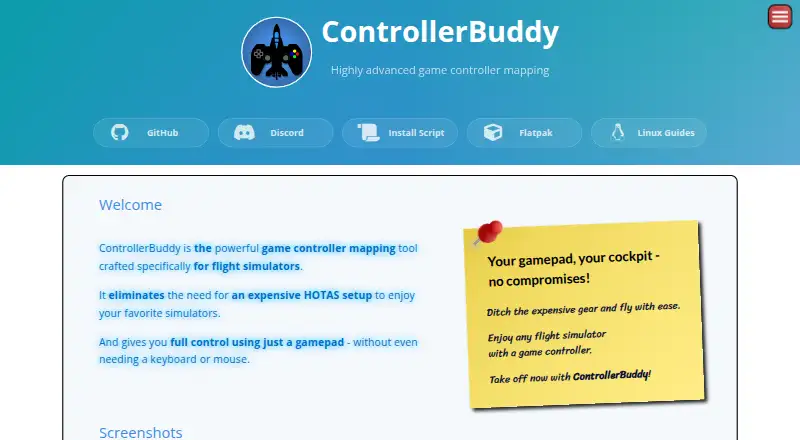
ControllerBuddy is a free, open-source controller mapping application for flight simulators. It is designed for users who want to operate flight simulators with a gamepad instead of dedicated flight controls. Profiles can translate controller inputs into keyboard, mouse, and virtual joystick actions, with profiles that target individual simulators or aircraft.
Its strongest area is the depth of its mapping features for this use case. Users can create custom input profiles, switch between mapping modes, and use per-application profiles. Virtual joystick output supports simulator control, while keyboard and mouse simulation extends what a gamepad can operate. A transparent on-screen overlay shows active controls, and an on-screen keyboard provides another control method. Relative-axis mappings with haptic feedback add further options for flight-sim inputs.
ControllerBuddy runs on Windows and Linux and includes official profiles for multiple flight simulators. That platform coverage suits users in those environments who want a focused flight-sim mapping tool without a paid plan. Its scope is narrower than a general-purpose controller utility: the product is centered on simulator profiles and gamepad-to-control translation, and it does not provide AI features. Choose it if virtual joystick output, profile switching, and flight-simulator mapping are the priorities. Users seeking a broader controller product or support beyond Windows and Linux should consider alternatives.
Your product? Our editors can test ControllerBuddy in depth and publish a review, labelled as paid · from $149/mo →
ControllerBuddy pricing
ControllerBuddy fact sheet
| Free plan | Yes |
|---|---|
| Paid from | Free |
| Supported platforms | Windows, Linux |
| Per-app profiles | Yes |
| Profile switching | Yes |
| Macro support | Not verified |
| Keyboard and mouse remap | Yes |
| Virtual controller output | Yes |
| Simultaneous devices | Not verified |
| Deployment | Desktop |
| Platforms | Windows, Linux |
| Support | Community, Docs |
| Built for | Solo, Small business (editorial estimate) |
| Pricing | Free plan |
| Website | controllerbuddy.org |
| Facts checked | 20 Sep 2026 |
Alternatives to ControllerBuddy
- Steam InputA free, flexible mapping system for Steam players across Windows, macOS, and Linux.9.4
- JoyShockMapperA powerful free mapper for players who want advanced gyro and layered controller configurations.9.2
- DS4WindowsA capable free mapper for Windows users who need profiles, emulation, and advanced input controls.9.0


See all ControllerBuddy alternatives →
Also Ranked In
ControllerBuddy is ranked in 2 of our directories.
Used ControllerBuddy? Be the first to review it
The editor score above is our own research. What this page doesn't have yet is a reader's view — what you used ControllerBuddy for, what worked and what didn't. No stars are seeded and no review is paid for; an editor reads every one before it appears.
Write a reviewTwo minutes · verified accounts only · read by an editor before it appears
Featured on iTechGuides

ControllerBuddy is listed in our Controller Mapping Software directory. Add the badge to your site — it links back to this page.
<a href="https://www.itechguides.com/products/controllerbuddy/"><img src="https://www.itechguides.com/best/badge/controllerbuddy.svg" alt="Featured on iTechGuides" width="230" height="46"></a>
Reviewed by iTechGuides Editors · Editorial team · Updated Oct 2026
Advertiser disclosure: iTechGuides is reader-supported. Vendors can pay for top positions in our rankings and for a place on other products' pages, and we may earn a commission when you click some links. Bought places stand at the number bought; this page and our disclosure say so. Paying vendors may get a fuller, more detailed review from our editors, and that review can change their score. How we rank.
Last updated · How we research and update