
Comapping
Comapping: A collaborative mapping tool with desktop editing, task features, and narrow export support. Ranked #23 of 72 in Mind Mapping Software by our editors (6.9/10); pricing: Free plan; best for small groups needing collaborative desktop maps.
At a glance
- Editor score6.9 / 10
- PricingFree plan
- Best forSmall groups needing collaborative desktop maps
- Free planYes
- Paid from$25/user/yr
- Facts checked20 Sep 2026
Where it wins
- Real-time collaboration supports up to 20 active collaborators
- Desktop apps support offline map editing on Windows, macOS, and Linux
- Chat, tasks, presentations, attachments, and backups are built in
Where it doesn't
- Native export is limited to the .comap format
- Integrations beyond core mapping features are limited
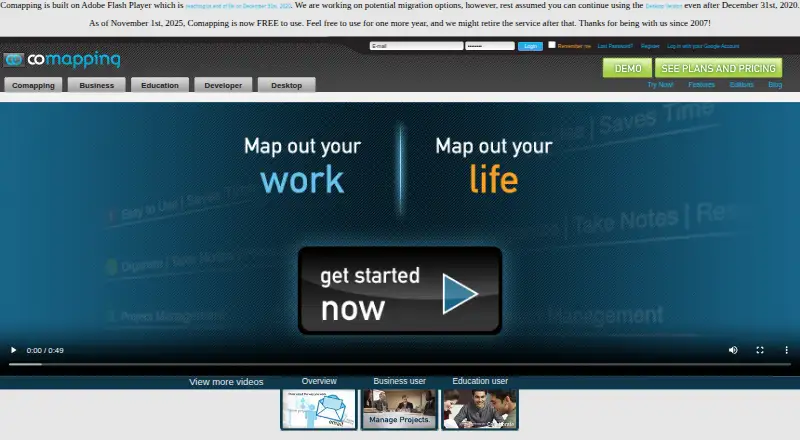
- Adobe Flash dependency raises compatibility concerns
Our verdict on Comapping
Comapping is online mind mapping software for taking notes, planning, organizing information, and sharing connected-topic maps. It is aimed at individuals, project teams, educators, classrooms, and organizations that need shared visual outlining rather than a standalone diagram editor. The product works in a browser and offers desktop applications for Windows, macOS, and Linux, with offline editing available through the desktop application. A single map supports up to 20 active collaborators, alongside chat, task management, presentations, file attachments, and image thumbnails.
Pricing spans a free offering and legacy paid editions. The Personal Edition — Online plan is listed at $25 per user per year with annual billing and covers note-taking, planning, and organization. The Personal Edition — Desktop plan is listed at $49 per user for a permanent desktop license. Team/Professor Group Edition plans are available in online and desktop versions for 5, 15, or 25 users, with project work and group collaboration highlighted for online editions and permanent desktop licenses highlighted for desktop editions. The product also states that it became free to use on November 1, 2025, while retaining paid pricing tables and noting that it may be retired after one year.
Comapping’s strongest fit is for small groups that want shared maps, built-in discussion, lightweight task tracking, and presentation mode in one workspace. Auto-save and server backups support ongoing online work, while desktop access helps users continue editing offline. Its ecosystem is narrower than products built around broad integrations: the listed native export format is .comap, and no wider integration set is identified. The site also relies on Adobe Flash, which reached end of life in 2020, creating a compatibility concern. Choose Comapping for focused collaborative mapping across web and desktop; choose an alternative when modern compatibility, extensive integrations, or flexible export formats are central requirements.
Your product? Our editors can test Comapping in depth and publish a review, labelled as paid · from $149/mo →
Comapping pricing
All 12 Comapping plans and prices →
Comapping fact sheet
| Free plan | Yes |
|---|---|
| Paid from | $25/user/yr |
| Supported platforms | web, windows, macos, linux |
| Export formats | .comap |
| Real-time collaboration | Yes |
| Offline mode | Yes |
| AI assistance | Not verified |
| Presentation mode | Yes |
| Collaborator limit | 20 people |
| Deployment | Cloud, Desktop |
| Platforms | Web, Windows, macOS, Linux |
| Support | Docs |
| Built for | Solo, Small business, Mid-market, Enterprise (editorial estimate) |
| Pricing | Free plan (source) |
| Website | comapping.com |
| Facts checked | 20 Sep 2026 |
Alternatives to Comapping
- XmindA flexible mind-mapping workspace with AI, presentations, collaboration, and broad exports.9.3
- MindomoA broad mind-mapping workspace with AI, collaboration, planning, and multi-platform access.9.2
- MindMeisterA collaborative mind mapping workspace with AI generation, presentations, exports, and mobile apps.9.1



See all Comapping alternatives →
Also Ranked In
Comapping is ranked in 2 of our directories.
Used Comapping? Be the first to review it
The editor score above is our own research. What this page doesn't have yet is a reader's view — what you used Comapping for, what worked and what didn't. No stars are seeded and no review is paid for; an editor reads every one before it appears.
Write a reviewTwo minutes · verified accounts only · read by an editor before it appears
Featured on iTechGuides

Comapping is listed in our Mind Mapping Software directory. Add the badge to your site — it links back to this page.
<a href="https://www.itechguides.com/products/comapping/"><img src="https://www.itechguides.com/best/badge/comapping.svg" alt="Featured on iTechGuides" width="230" height="46"></a>
Reviewed by iTechGuides Editors · Editorial team · Updated Oct 2026
Advertiser disclosure: iTechGuides is reader-supported. Vendors can pay for top positions in our rankings and for a place on other products' pages, and we may earn a commission when you click some links. Bought places stand at the number bought; this page and our disclosure say so. Paying vendors may get a fuller, more detailed review from our editors, and that review can change their score. How we rank.
Last updated · How we research and update