
CodeKit
CodeKit: A focused macOS build tool for compiling, optimizing, and coordinating frontend workflows. Ranked #41 of 42 in Build Automation Software by our editors (6.0/10); pricing: 10-day trial; best for mac-based frontend asset build workflows.
At a glance
- Editor score6.0 / 10
- Pricing10-day trial
- Best forMac-based frontend asset build workflows
- Free planNo
- Paid from$39 one-time
- Facts checked21 Sep 2026
Where it wins
- Compiles Sass, Less, TypeScript, JavaScript, and multiple markup languages
- Combines configurable builds with scripts, linting, optimization, and browser refresh
- Supports npm, Git, command-line control, and parallel processing
Where it doesn't
- Runs only on macOS 13.5 or later
- No remote execution for distributed build environments
- The 10-day trial becomes read-only rather than remaining fully functional
Our verdict on CodeKit
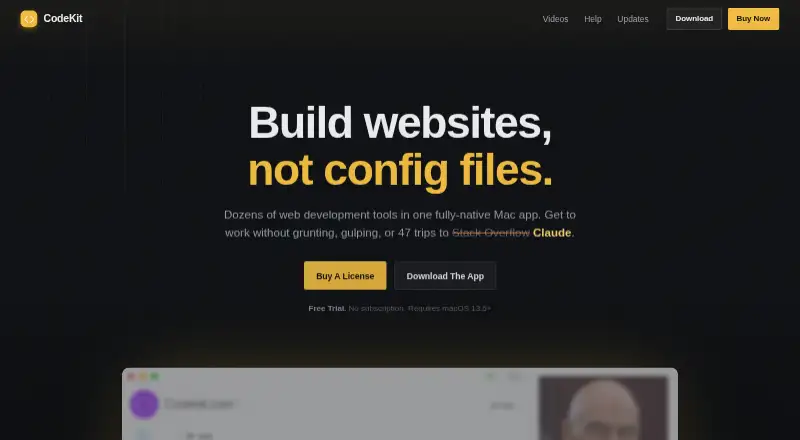
CodeKit is a native macOS application for front-end developers, designers, agencies, freelancers, and teams building websites or theme assets. It watches project folders and brings compilation, asset optimization, browser refresh, package management, and build orchestration into one desktop workflow. Its supported inputs include Sass, Less, Stylus, TypeScript, JavaScript, Pug, Haml, Slim, Kit, and Markdown, making it suited to projects that would otherwise require several separate build steps.
The pricing structure is straightforward: the CodeKit license costs $39 as a one-time purchase and includes 13 months of free updates. It is not a subscription, and older versions remain unlocked after the update period. A 10-day trial is available, then becomes read-only. The main technical strength is the configurable multi-step build system. CodeKit can run custom Bash scripts and AppleScript steps, process tasks in parallel across the Mac processor, install and manage npm packages, optimize images, export WebP files, lint JavaScript with ESLint, and provide command-line control. Git-managed JSON project settings also support repeatable project configuration.
CodeKit fits ecosystems built around npm, Git, Bash, AppleScript, ESLint, Rollup, Babel, Terser, Tailwind CSS, Bootstrap, and Zurb Foundation. Browser refresh and cross-device synchronization add useful feedback for website and theme work, while the macOS-native design keeps the workflow focused on a local Mac. The tradeoff is platform scope: it supports macOS 13.5 or later and does not provide remote execution. Teams needing cross-platform development or distributed build infrastructure should choose a tool with broader operating-system and execution support; Mac-focused frontend teams should find CodeKit a strong fit.
Your product? Our editors can test CodeKit in depth and publish a review, labelled as paid · from $149/mo →
CodeKit pricing
All 1 CodeKit plans and prices →
CodeKit fact sheet
| Free plan | No |
|---|---|
| Paid from | $39 one-time |
| Build as code | Yes |
| Dependency locking | Not verified |
| Build caching | Not verified |
| Remote execution | No |
| Artifact packaging | Not verified |
| Supported operating systems | Macos |
| Free trial | 10 days |
| Deployment | Desktop |
| Platforms | macOS |
| Support | Email, Docs |
| Built for | Solo, Small business, Mid-market (editorial estimate) |
| Integrations | 11 integrations: npm, Git, Bash, AppleScript, ESLint, Rollup … |
| Pricing | 10-day trial (source) |
| Website | codekitapp.com |
| Facts checked | 21 Sep 2026 |
CodeKit integrations
CodeKit lists 11 integrations on its own site.
- npm
- Git
- Bash
- AppleScript
- ESLint
- Rollup
- Babel
- Terser
- Tailwind CSS
- Bootstrap
- Zurb Foundation
Alternatives to CodeKit
- BazelA powerful open-source choice for large polyglot builds and remote execution.9.4
- PantsA capable open-source choice for monorepos that need precise caching and dependency handling.9.3
- NxA capable choice for JavaScript monorepos that need affected builds and managed CI scaling.9.1



See all CodeKit alternatives →
Used CodeKit? Be the first to review it
The editor score above is our own research. What this page doesn't have yet is a reader's view — what you used CodeKit for, what worked and what didn't. No stars are seeded and no review is paid for; an editor reads every one before it appears.
Write a reviewTwo minutes · verified accounts only · read by an editor before it appears
Featured on iTechGuides

CodeKit is listed in our Build Automation Software directory. Add the badge to your site — it links back to this page.
<a href="https://www.itechguides.com/products/codekit/"><img src="https://www.itechguides.com/best/badge/codekit.svg" alt="Featured on iTechGuides" width="230" height="46"></a>
Reviewed by iTechGuides Editors · Editorial team · Updated Oct 2026
Advertiser disclosure: iTechGuides is reader-supported. Vendors can pay for top positions in our rankings and for a place on other products' pages, and we may earn a commission when you click some links. Bought places stand at the number bought; this page and our disclosure say so. Paying vendors may get a fuller, more detailed review from our editors, and that review can change their score. How we rank.
Last updated · How we research and update