
Cloudsfer
Cloudsfer: A flexible file migration service with strong preservation, reporting, and scheduling tools. Ranked #20 of 24 in Storage Migration Software by our editors (7.1/10); pricing: Free plan; best for multi-cloud business file migrations.
At a glance
- Editor score7.1 / 10
- PricingFree plan
- Best forMulti-cloud business file migrations
- Free planYes
- Paid from$100/mo
- Migration modeBoth
- Facts checked21 Sep 2026
Where it wins
- Preserves permissions, sharing access, metadata, and file versions
- Supports cloud, NAS, on-premises, and selected ECM migrations
- Includes delta migration, filters, scheduling, and migration reports
Where it doesn't
- Professional and Enterprise plans cost $320 and $780 per month
- Advanced scheduling is highlighted only on higher paid tiers
- Its scope centers on file migration rather than broader workload migration
Our verdict on Cloudsfer
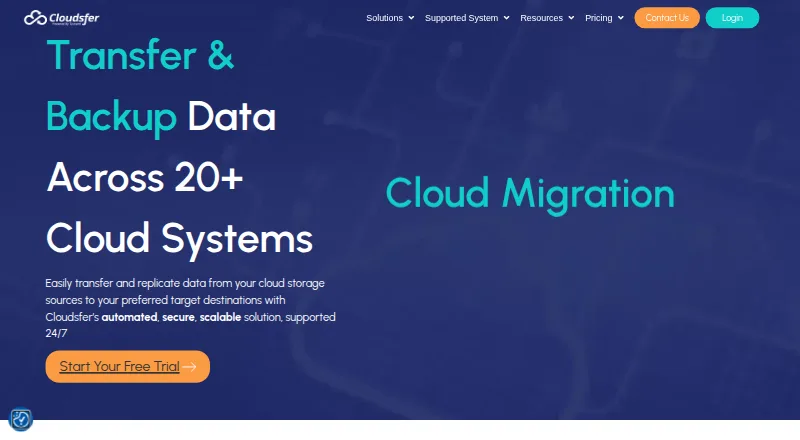
Cloudsfer is a cloud-based file migration and backup platform for individuals, small businesses, and enterprises moving content between storage providers, on-premises file systems, NAS environments, and selected ECM platforms. It supports cloud-to-cloud transfers, cloud-to-on-premises transfers, multi-user migrations, and one-shot execution across multiple migration plans. The product is a fit for teams consolidating business repositories while retaining permissions, sharing access, metadata, and file versions.
The published plans show a useful freemium structure. The Free Tier is priced at $0 per month and includes detailed reports, delta migration, an on-premises agent, filters, and security. Essential costs $100 per month and adds 1 parallel job alongside delta migration, the on-premises agent, filters, and security. Professional costs $320 per month and adds weekly scheduling, auto scheduling, and backup. Enterprise costs $780 per month and provides daily scheduling, auto scheduling, and backup. A Custom Plan offers professional consultancy and a custom migration solution. The main pricing distinction is between basic migration controls and higher-tier scheduling and backup capabilities.
Cloudsfer’s strongest fit is a repository-heavy migration involving platforms such as Google Drive, Dropbox, Box, OneDrive, SharePoint Online, Egnyte, Amazon S3, Azure Blob, Backblaze B2, BIM 360, Autodesk Construction Cloud, and Procore. Delta migration helps account for changed or new files, while filters, reporting, and multiple migration plans support controlled transfer work. The web service can also work with a self-hosted on-premises agent for selected scenarios. Choose Cloudsfer when file permissions, versions, metadata, and access continuity matter across multiple repositories. Consider an alternative when the project extends beyond file workloads or requires capabilities not represented in its migration-focused feature set.
Your product? Our editors can test Cloudsfer in depth and publish a review, labelled as paid · from $149/mo →
Cloudsfer pricing
All 5 Cloudsfer plans and prices →
Cloudsfer fact sheet
| Free plan | Yes |
|---|---|
| Paid from | $100/mo |
| Workload scope | File |
| Migration mode | Both |
| Metadata preservation | Yes |
| Access preservation | Yes |
| Supported platforms | Google Drive, Dropbox, Box, OneDrive, SharePoint Online, Egnyte, Amazon S3, Azure Blob, File System (NAS), OpenText, FTP, WebDAV, BIM 360, Autodesk Construction Cloud, Procore, Backblaze B2, CyberFortress, Yandex Disk, Amazon S3 compatible |
| Cutover orchestration | Yes |
| Migration reporting | Yes |
| Deployment | Cloud, Self-hosted |
| Platforms | Web |
| Support | Email, Phone, Live chat, Tickets, Docs · 24/7 |
| Built for | Small business, Mid-market, Enterprise (editorial estimate) |
| Integrations | 20 integrations: Google Drive, Dropbox, Box, OneDrive, OneDrive for Business, SharePoint Online … See all → |
| Pricing | Free plan (source) |
| Website | cloudsfer.com |
| Facts checked | 21 Sep 2026 |
Cloudsfer integrations
Cloudsfer lists 20 integrations on its own site.
- Google Drive
- Dropbox
- Box
- OneDrive
- OneDrive for Business
- SharePoint Online
- Egnyte
- Amazon S3
- Amazon S3 compatible
- Azure Blob
- Backblaze B2
- BIM 360
- Autodesk Construction Cloud
- Procore
- CyberFortress
- File System (NAS)
- OpenText
- Yandex Disk
- FTP
- WebDAV
See all Cloudsfer integrations →
Alternatives to Cloudsfer
- NetApp Data MigratorA free, migration-focused option for enterprise NAS moves into NetApp cloud storage.9.4
- Komprise Elastic Data MigrationA broad enterprise platform for complex file and object migrations across hybrid storage.9.2
- Azure Storage MoverA free, Azure-focused service for scheduled file and object-storage migrations.9.0


See all Cloudsfer alternatives →
Used Cloudsfer? Be the first to review it
The editor score above is our own research. What this page doesn't have yet is a reader's view — what you used Cloudsfer for, what worked and what didn't. No stars are seeded and no review is paid for; an editor reads every one before it appears.
Write a reviewTwo minutes · verified accounts only · read by an editor before it appears
Featured on iTechGuides

Cloudsfer is listed in our Storage Migration Software directory. Add the badge to your site — it links back to this page.
<a href="https://www.itechguides.com/products/cloudsfer/"><img src="https://www.itechguides.com/best/badge/cloudsfer.svg" alt="Featured on iTechGuides" width="230" height="46"></a>
Reviewed by iTechGuides Editors · Editorial team · Updated Oct 2026
Advertiser disclosure: iTechGuides is reader-supported. Vendors can pay for top positions in our rankings and for a place on other products' pages, and we may earn a commission when you click some links. Bought places stand at the number bought; this page and our disclosure say so. Paying vendors may get a fuller, more detailed review from our editors, and that review can change their score. How we rank.
Last updated · How we research and update