ClockingIT
ClockingIT: A free, time-aware project tracker with broad collaboration features and web-only access. Ranked #140 of 188 in Project Management Software by our editors (3.0/10); pricing: Free plan; best for teams wanting a free, time-aware project tracker.
At a glance
- Editor score3.0 / 10
- PricingFree plan
- Best forTeams wanting a free, time-aware project tracker
- Free planYes
- Paid fromFree
- Founded2005
- Facts checked20 Sep 2026
Where it wins
- Free access includes task, Kanban, Gantt, calendar, and timeline views
- One-click timers and reports track time by task, person, client, project, or date
- Chat, forums, wiki, files, email alerts, RSS, and iCal support collaboration
Where it doesn't
- Available only through the web
- No integrations are included
- The free-only model offers no paid-tier choice
Our verdict on ClockingIT
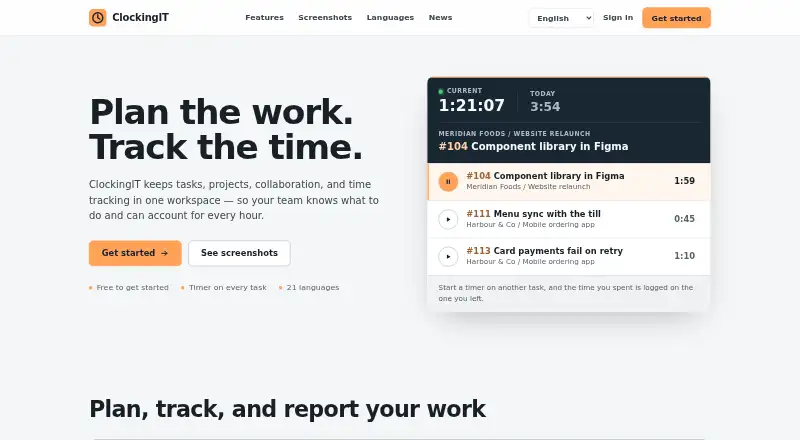
ClockingIT is a hosted workspace for teams managing tasks, projects, collaboration, and recorded work time. It suits teams handling client work that need to connect schedules with visibility into time spent. Task lists support filtering, sorting, saved views, labels, progress, due dates, and timers, while Kanban boards can group work by status, assignee, milestone, or due date. Milestones, dependencies, checklists, notes, comments, calendars, timelines, and Gantt charts cover both day-to-day coordination and higher-level planning.
The pricing model is straightforward: ClockingIT is free to get started, and no credit card is required. There are no paid tiers to compare, so teams get a single product experience rather than a progression of plans with additional limits or capabilities. The free offering includes time tracking from tasks, reports by task, person, client, project, or date, and CSV report export. ClockingIT is available in 21 languages, which can help distributed teams work in a familiar interface.
Its breadth extends beyond task tracking. Team chat, direct messages, private forums, a private wiki, file storage, email alerts, replies by email, RSS, and iCal feeds create a broad workspace for project communication. Customizable widgets, keyboard shortcuts, a command palette, and a dark theme add interface flexibility. The trade-off is a web-only platform without integrations, which narrows its fit for teams that need a connected tool ecosystem or native platform options. Choose ClockingIT for free project tracking with time visibility and varied collaboration tools; choose an alternative when integrations or broader platform coverage are central requirements.
Your product? Our editors can test ClockingIT in depth and publish a review, labelled as paid · from $149/mo →
ClockingIT pricing
ClockingIT fact sheet
| Free plan | Yes |
|---|---|
| Paid from | Free |
| Task views | Not verified |
| Automation rules | Not verified |
| Time tracking | Yes |
| Guest access | Not verified |
| Free-plan user limit | Not verified |
| Native integrations | Not verified |
| Deployment | Cloud |
| Platforms | Web |
| Support | |
| Built for | Small business, Mid-market (editorial estimate) |
| Pricing | Free plan |
| Website | clockingit.com |
| Facts checked | 20 Sep 2026 |
Alternatives to ClockingIT
- ClickUpBroad project control with tasks, Docs, automations, reporting, time tracking, and AI.9.4
- JiraA mature choice for agile delivery teams needing boards, backlogs, workflows, and automation.9.3
- AsanaA mature project hub with flexible views, automation, reporting, and AI features.9.2


See all ClockingIT alternatives →
Also Ranked In
ClockingIT is ranked in 2 of our directories.
Used ClockingIT? Be the first to review it
The editor score above is our own research. What this page doesn't have yet is a reader's view — what you used ClockingIT for, what worked and what didn't. No stars are seeded and no review is paid for; an editor reads every one before it appears.
Write a reviewTwo minutes · verified accounts only · read by an editor before it appears
Featured on iTechGuides

ClockingIT is listed in our Project Management Software directory. Add the badge to your site — it links back to this page.
<a href="https://www.itechguides.com/products/clockingit/"><img src="https://www.itechguides.com/best/badge/clockingit.svg" alt="Featured on iTechGuides" width="230" height="46"></a>
Reviewed by iTechGuides Editors · Editorial team · Updated Oct 2026
Advertiser disclosure: iTechGuides is reader-supported. Vendors can pay for top positions in our rankings and for a place on other products' pages, and we may earn a commission when you click some links. Bought places stand at the number bought; this page and our disclosure say so. Paying vendors may get a fuller, more detailed review from our editors, and that review can change their score. How we rank.
Last updated · How we research and update